15
|
Basic Features USER MANUAL
1. Use an AC cord to connect the TV's Power input jack to AC
outlet.
2. Press the
Power button
on the TV set. When the TV is
on, press the
Standby button
on the remote control,
and the TV will enter Standby mode. Press this button
again, and you can watch TV normally.
3. Press the
Power button
again to turn off the TV.
1
Press
Menu button
to open the main menu.
2
Press
▲/
▲
/
▲
/
▲
to select a menu option, then press
OK
to enter the menu.
3
In each level of menu, you can select the following
operations according to different menus:
Press
▲
/
▲
or
▲/
▲
to select an item
Press
OK
to confirm operation or enter the sub-
menu.
Press
▲
/
▲
to adjust the value
Press
▲/
▲
to select the item
4
Press
Menu/Return button
to return back the previous
menu, re-press
Menu button
to exit the menu.
1. Press the
CH
<
/
<
(or
CH +/
-
) on the TV/remote control to
change the channel.
2. Press the
VOL
<
/
<
(or
VOL +/
-
) on the TV/remote control
to adjust the volume.
3. Press
0~9 buttons
on the remote control directly to select
the channel.
NOTES
·
In order to save power consumption, set the TV in Standby
mode if you do not watch TV for a short time, if you do not
watch TV for a very long time, shut down the main power
of the TV.
·
If the TV is turned off , to turn it on again, please wait
5 seconds at least in case the abnormal phenomena
occurred.
NOTE
Changing the channels can also be achieved by directly
pressing the programme No. If you want to choose
the programme No. from 1 ̄9, press
numeric buttons
directly. If you want to select a programme No. that
double-digit or three-figure, the time between twice
pressing the numbers should not be more than 3 seconds.
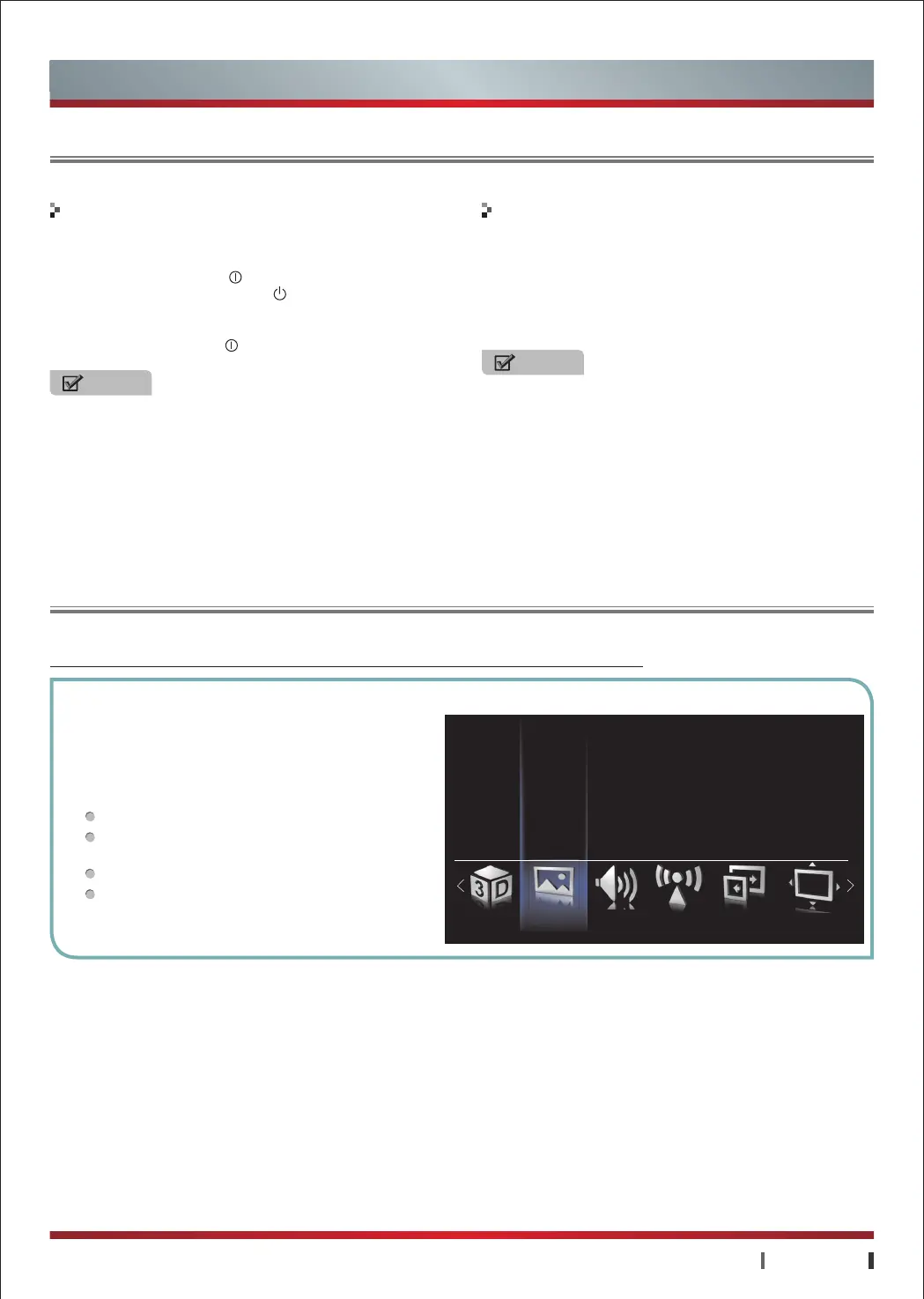
Menu is a easy interactive window to achieving most of the basic functions of the TV.
Basic Features
Using the TV for the First Time
Using the Menu
Turning the TV On or Off Changing the Channel and Volume
3D Setting Picture Setting
Picture Mode
Brightness
Sound Setting Zoom Setting ScreenChannel Setting
Contrast
Sharpness
Color
Color Temperature
▲


 To Next Page
 Loading...