USER MANUAL Connections
|
12
Connections
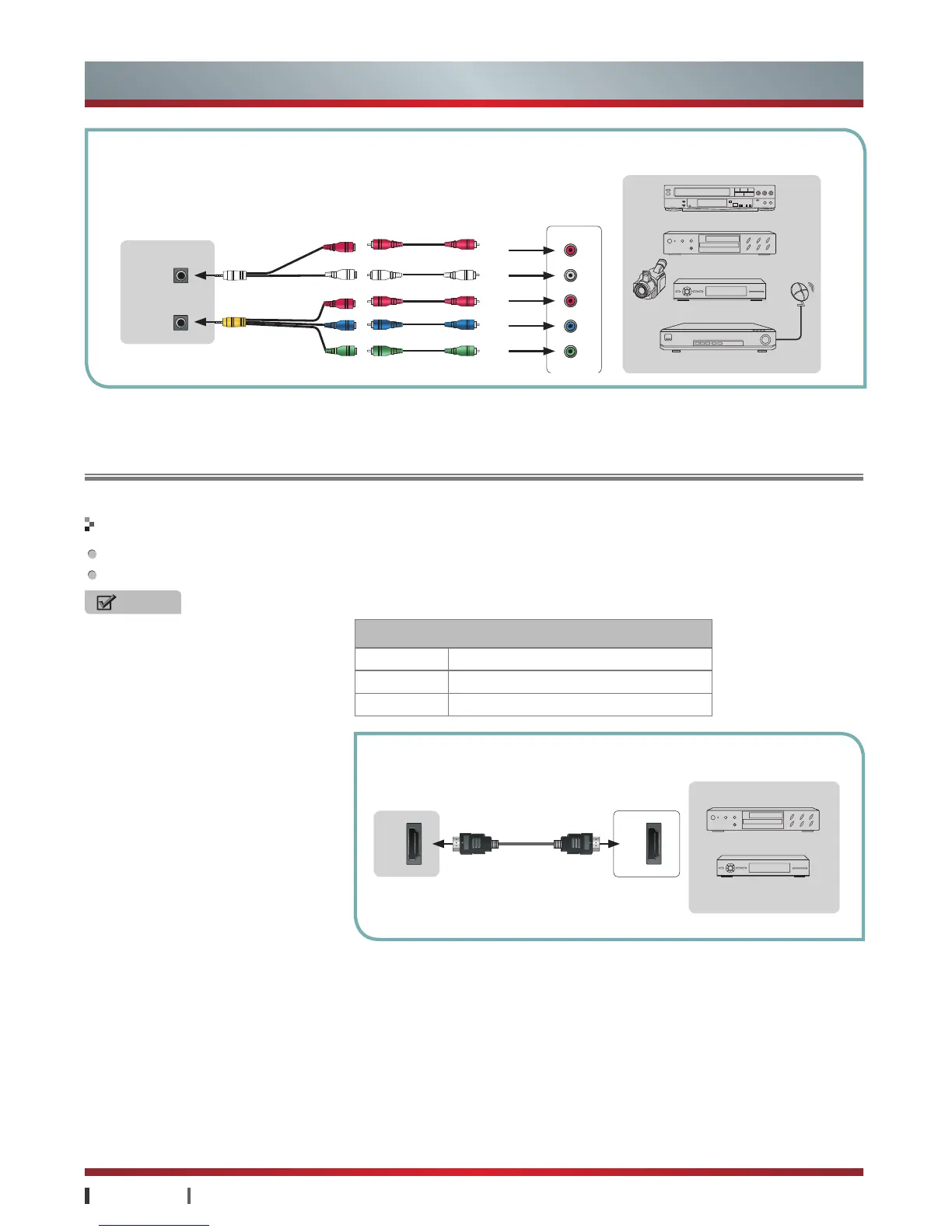
The set has HDMI jack. It can be connected with other devices such as DVD, Set-top Box, AV Receiver, DTV and so on.
The connection between sending and receiving equipment don't need separate audio cable.
NOTES
·
Be sure the signal format are supported
by HDMI when connected with other
devices(see the table above). otherwise
it may lead to the image distortion or
non-image.
·
Devices with lower version may be
compatible supported by this machine,
but it may not be able to achieve the
best visual effects.
·
Some lower versions of the HDMI
cables may result in screen flashing
or no display, it is proposed to use the
latest version (HDMI 1.3) high-quality
cables.
·
If the external devices lack of HDCP or
HDCP poorly designed, it may disturb
the high-defination image presented.
·
HDMI is compatible with DVI (Digital
Visual Interface). In accordance with
HDCP copy-protected requirement:
Both HDMI and DVI should support
HDCP to properly view video content.
So make sure DVI in the external
devices can support HDCP.
HDMI
HDMI
TV JACK
HDMI Input
RGB/60Hz 640×480, 800×600, 1024×768
YUV/50Hz 576i, 576p, 720p, 1080i, 1080p
YUV/60Hz 480i, 480p, 720p, 1080i, 1080p
EXTERNAL DEVICES
DVD
Set-top Box
With the HDMI Cable
Connecting an A/V Device
P
R
P
R
P
B
P
B
Y Y
R
L
P
R
P
B
Y
COMP
AUDIO IN
DVD/VCD
Video
Camera
EXTERNAL DEVICES
Set-top box
Satellite Receiver
VCR
Component
White
Red
Blue
Green
Audio L
Audio L
Red
Audio R
Audio R
TV JACK


 To Next Page
 Loading...