5
|
Getting Started USER MANUAL
NOTES
·
As power down and system processing require certain time, do not rapidly turn on/off in continuous way, or
otherwise the TV set can be resulted in abnormal operation.
·
Illustrations for reference only.
Getting Started
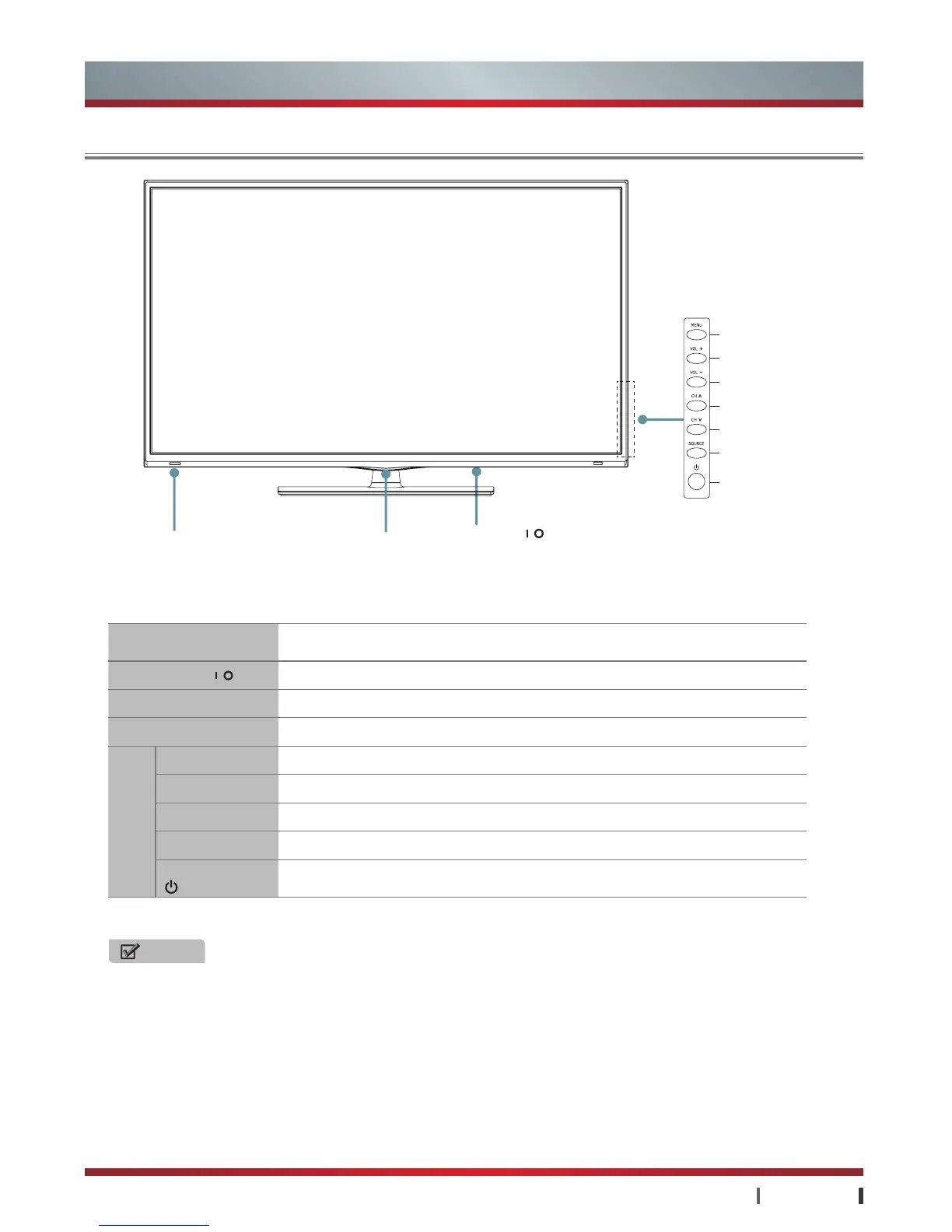
Control Panel
Item Description
Power button
Turn on or off the TV set.
Standby indicator
Light up in standby mode.
Remote receiver
Receive remote signals from the remote control.
MENU
Open , close or return to the previous menu.
VOL + / -
Adjust the volume; VOL+ button has the confirm function.
CH Λ / V
Select the channel.
SOURCE
Open the source interface.
Standby button
Turn on the TV or put the TV in standby mode.
Side
button
Power button
Starting up indicatorStandby indicator
Remote receiver
Menu button
Increase Volume
Decrease Volume
Increase Channel
Decrease Channel
Source button
Standby button


 To Next Page
 Loading...