USER MANUAL Connections
|
14
You should connect to the corresponding equipment and select the right input source with remote control when you want to watch
the program from external devices. (For more information, see "Remote Control" -> Input Source button)
Input Jacks Input Source
ANT ATV
ANT DTV
VGA/AUDIO IN (share input with COMP) VGA
HDMI1/2/3 HDMI1/2/3
AV1 AV1
AV2 AV2
COPM/AUDIO IN (share input with VGA) Component
Connections
Selecting the Input Source
Making Connections
A/V IN
Video
Audio L
Audio R
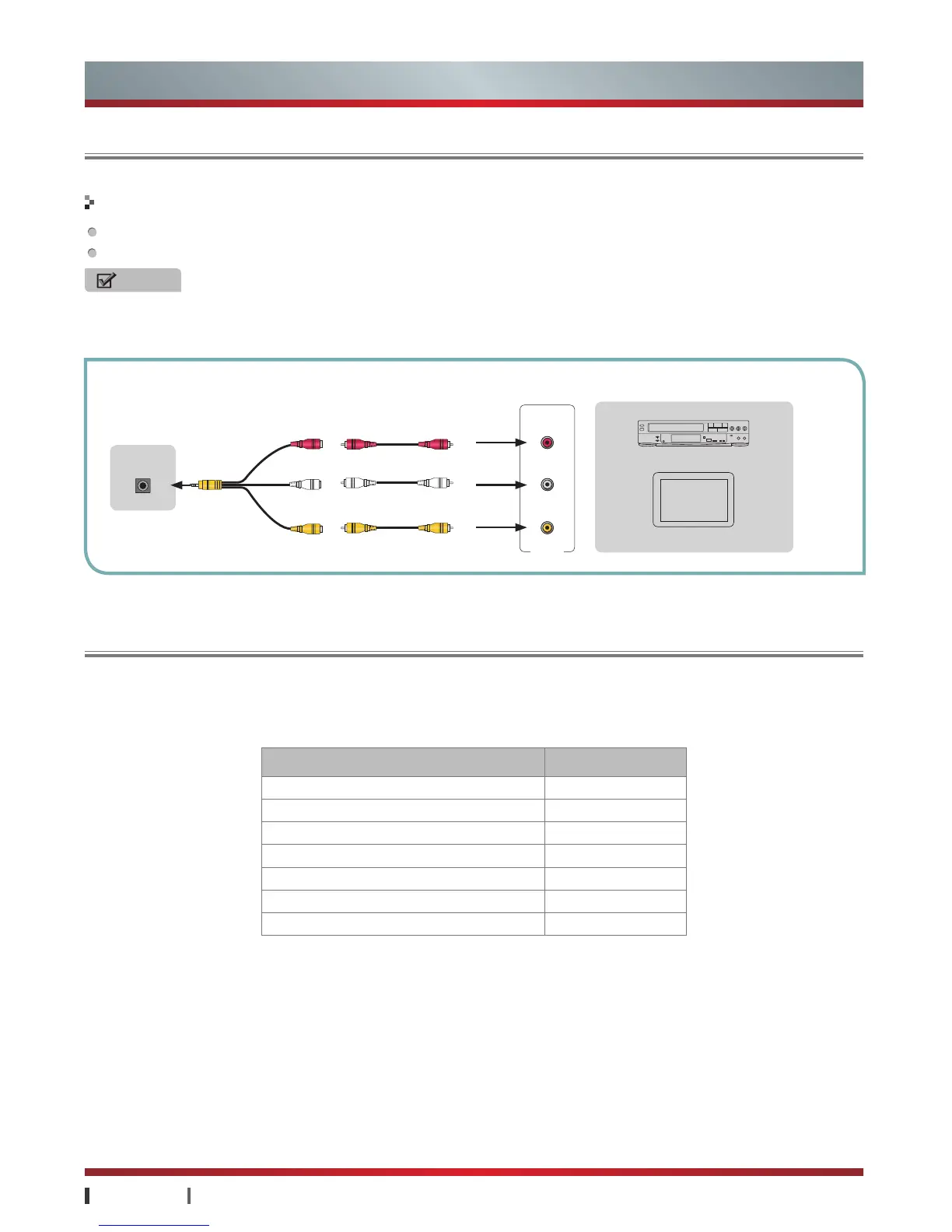
Connect the TV's AV OUT jack to video input jack of the external A/V devices (VCR or TV Monitor).
Connect the TV's AV OUT jack to audio input jacks (Audio Left/Right) of the external A/V devices.
NOTES
·
The signal are connected to external devices with AV Adapter provided.
·
When used as TV monitor, please read carefully the Attention on still images of the TV.
Video
Video
Audio L
Audio L
Audio R
Audio R
White
Yellow
Red
TV JACK
TV Monitor
EXTERNAL DEVICES
VCR
Connecting a TV Monitor or VCR
AV OUT



 To Next Page
 Loading...