3
|
Getting Started USER MANUAL
Getting Started
Installing The Stand
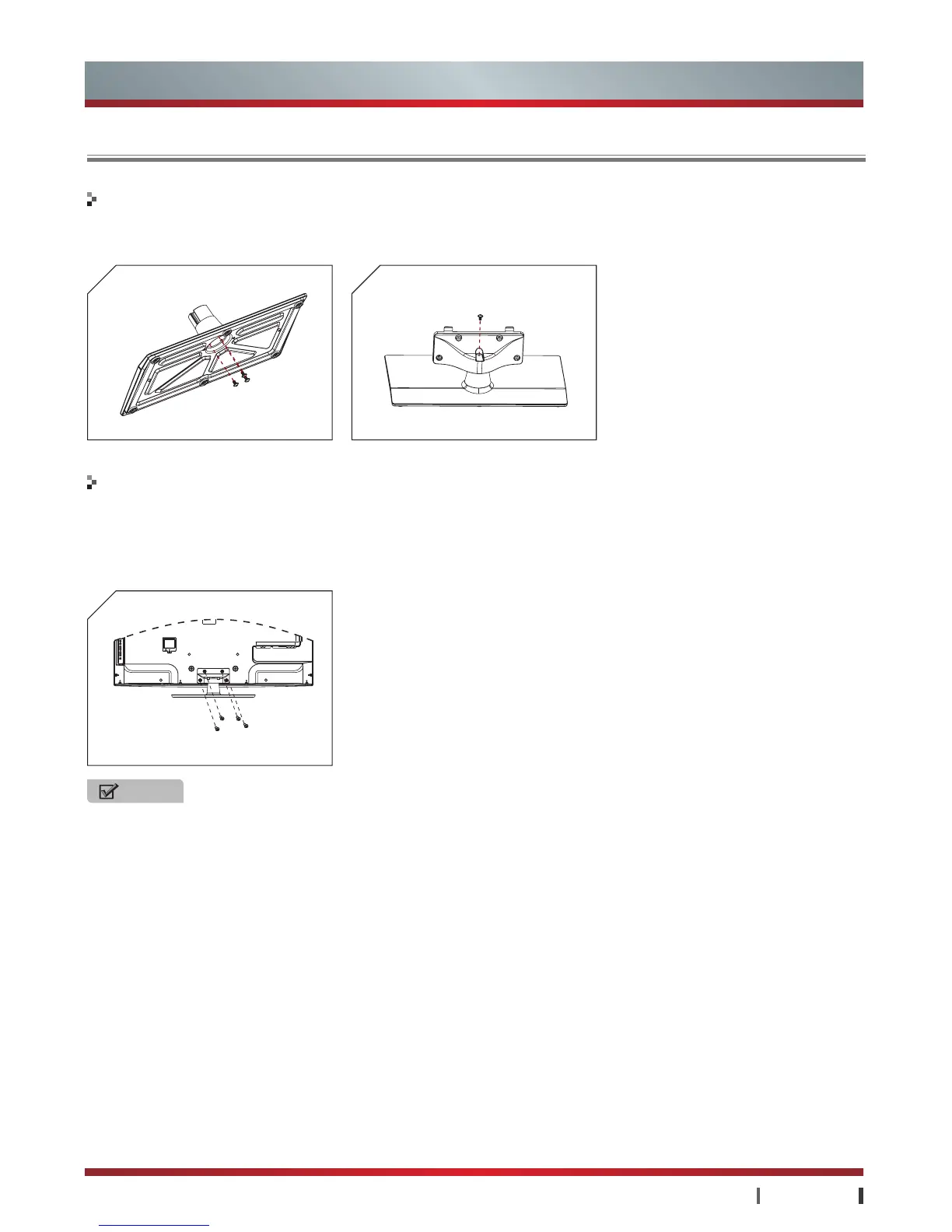
1. Secure the stand column to the base plate with 3 screws (M5×12) provided as figure 1.
2. Secure the stand cover to the stand column with 1 screw (M5×12) provided as figure 2.
1. Lay the soft cushion on the table which can hold enough weight of the whole TV in case of causing damage to TV or person.
2. Put the TV on the cushion, with its back upwards and the LCD downwards.
3. To install the base stand, slide in the base stand until the screw holes are aligned. Secure the base stand to the TV with 4
screws (M5×12) provided.
To install the base stand
To install the stand
NOTE
· Install the base stand with the provided screws in the accessory bag in case of causing damage to TV.
M5×12
2
M5×12
M5×12
1



 To Next Page
 Loading...