EasyManua.ls Logo

Hisense PDP4212 - User Manual

Hisense PDP4212
19 pages
Print Icon
To Next Page IconTo Next Page
Loading...
USER'S MANUAL
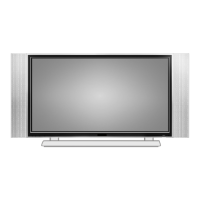
COLOUR PLASMA DISPLAY TV
Part No:
PDP4219EU
PDP4212EU
R

Questions and Answers

  • B
    blairemilyAug 13, 2025
    What to do if my Hisense PDP4212 Plasma TV will not turn on?
    • T
      Tristan RiveraAug 13, 2025
      If your Hisense Plasma TV isn't turning on, ensure the power cord is properly plugged in. Then, press the power button. Also, the remote control batteries may be dead, so replace them.
  • S
    Stephen RoweAug 16, 2025
    How to fix poor picture on Hisense PDP4212, sound OK?
    • C
      Charles CollierAug 16, 2025
      If your Hisense Plasma TV has poor picture quality but the sound is okay, adjust the picture settings from the menu.
  • R
    Robert BautistaAug 20, 2025
    Why does my Hisense PDP4212 Plasma TV have poor color or no color?
    • D
      Dennis ThompsonAug 20, 2025
      If your Hisense Plasma TV has poor color or no color, the station may have broadcast difficulties. Try another channel.
  • M
    Monica FullerAug 25, 2025
    Why Hisense PDP4212 Plasma TV remote control does not operate?
    • D
      David EllisAug 25, 2025
      The Hisense Plasma TV remote control might not be working due to a few reasons: * There could be an obstruction between the remote and the IR sensor. Also, check if you have entered Teletext mode and press to quit. * The batteries might be installed incorrectly. Try replacing the batteries. * The remote control batteries may be dead. Replace them with new ones.
  • P
    Patricia WilsonAug 27, 2025
    What to do if my Hisense Plasma TV has no sound, picture OK?
    • K
      Katie JohnstonAug 27, 2025
      If your Hisense Plasma TV has no sound but the picture is fine: * The sound may be muted. Press on the remote control or check the speaker cable connections. * The station may have broadcast difficulties. Try another channel.
  • U
    udavisAug 31, 2025
    What to do if my Hisense PDP4212 has no picture and no sound?
    • J
      Jesus JohnsonAug 31, 2025
      If your Hisense Plasma TV shows no picture and has no sound, check the antenna. Press [Display] to see if you have selected the right signal source.
  • M
    Melissa McdanielSep 4, 2025
    What to do if my Hisense PDP4212 Plasma TV has disorder display at power on?
    • A
      Amanda SmithSep 4, 2025
      If your Hisense Plasma TV shows a disorder display when powered on, this may be caused by too short interval between power off and on. Unplug the power and restart the TV.
  • R
    Ryan RoweSep 8, 2025
    Why does my Hisense PDP4212 Plasma TV have poor sound, picture OK?
    • D
      David WalkerSep 8, 2025
      If your Hisense Plasma TV has poor sound quality but the picture is okay, the station may have broadcast difficulties. Try tuning to another channel.

Summary

OSD Language Settings

Using the GENERAL SETTINGS menu

Instructions on selecting the OSD language via the menu.

Important Safeguard

Fire and Shock Precautions

Safety precautions related to fire and electrical shock hazards.

Warnings

Important warnings regarding product usage and safety.

Preparation for Your New TV

Connecting Your TV

Connecting to a Computer

Connecting to an Antenna

Using the remote control

Learning About the Remote Control

Using the TV features

Navigating the CHANNEL Menu

Picture Menu Settings

Audio Setting Menu

General Settings Menu

Troubleshooting

Hisense PDP4212 Specifications

General IconGeneral
Display TechnologyPlasma
Aspect Ratio16:9
Speakers2 x 10W
Screen Size42 inches
Viewing Angle160 degrees
InputsComposite, Component, VGA, HDMI

Related product manuals