5Getting Started
Understanding Your Sero 8 Tablet
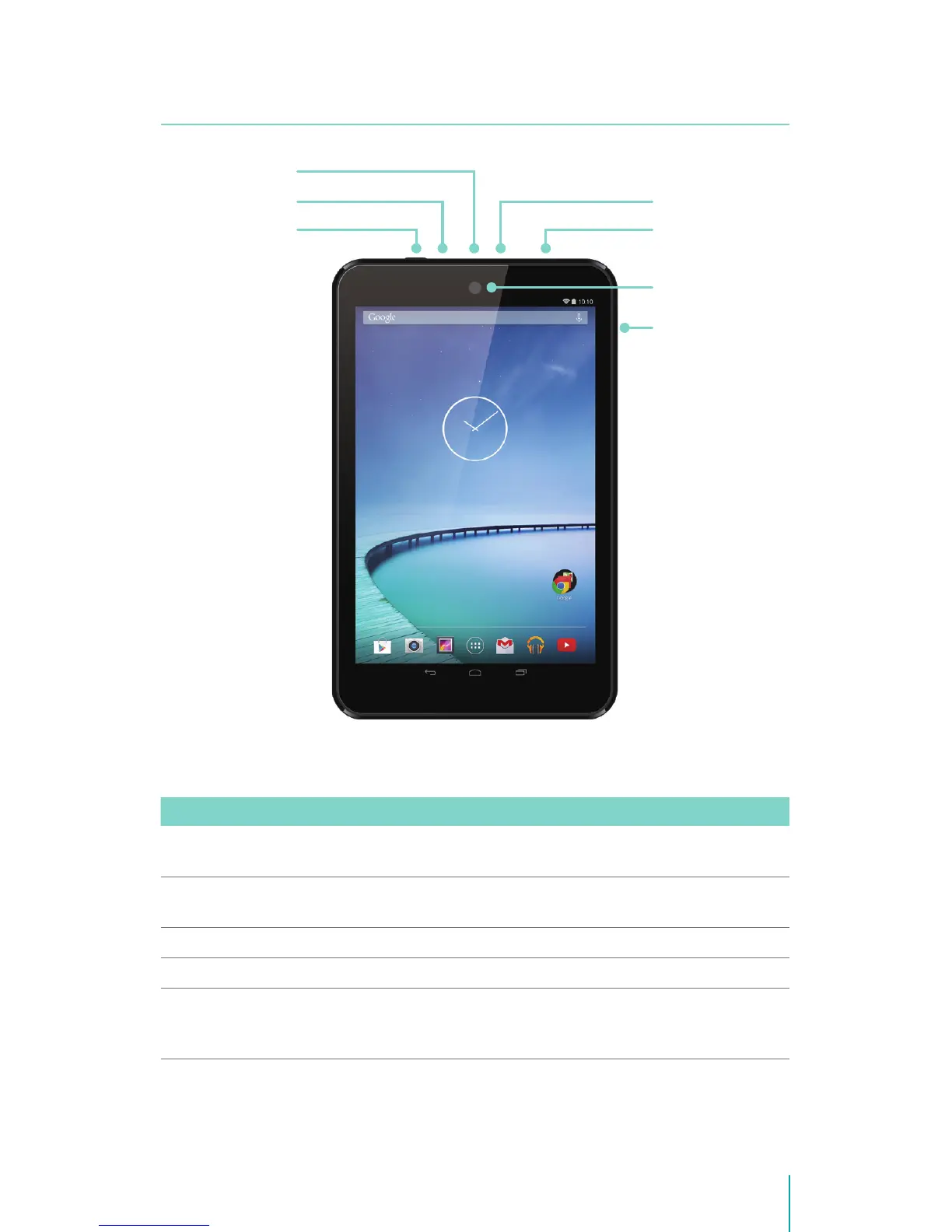
Item Function
Power Button Press & hold to turn on/o; Press it to put/wake the unit in/from
sleep mode.
Volume Up/Down
Buttons
Press to adjust the volume.
Headphone port Headphone connections for personal listening.
Micro SD port Plug microSD card (up to 32G).
Micro-USB port Connect to wall outlet with Micro-USB cable and power adapter
for charging. Connect to a computer, keyboard, more other devices
with USB port.
Headphone port
Power Button
Microphone
Micro-USB port
Micro SD port
Front Camera
Volume Up/
Down Buttons


 To Next Page