7
ENGLISH
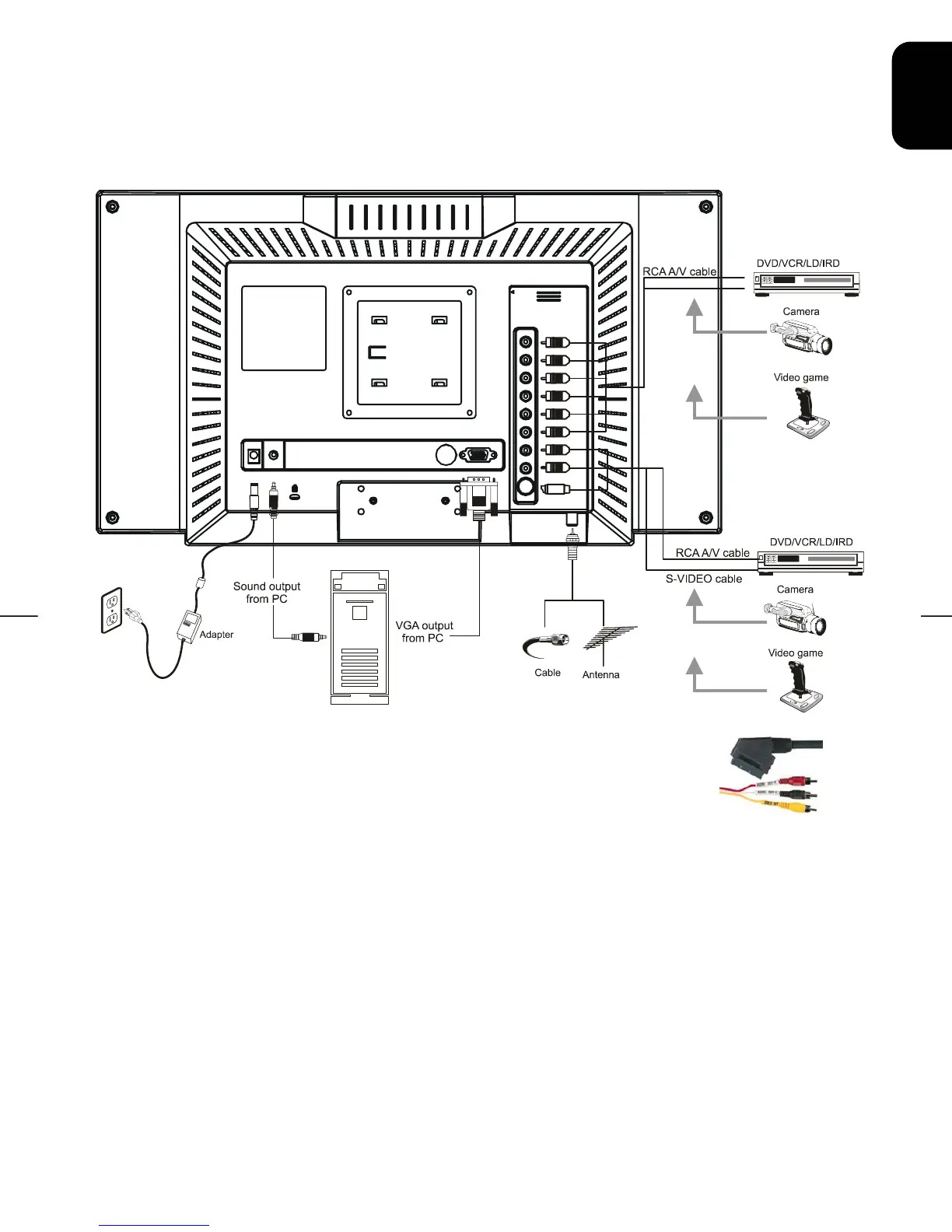
2.2 System Installation:
Please refer to the example closest to your configuration
Please turn off the power of all devices before connection. For audio connection, please use RCA audio
(L+R) connector. For video connection, please choose either RCA video connector or s-video connector.
Moreover, for connection to monitor alone please omit those connections associated with PC.
Scart to 3 phono lead (supplied) can be used to connect devices with a scart
socket to the LCD TV via AV2. Yellow plug to yellow socket, red to red and
black or white plugs to white socket




 To Next Page