8
Installation (Cont.)
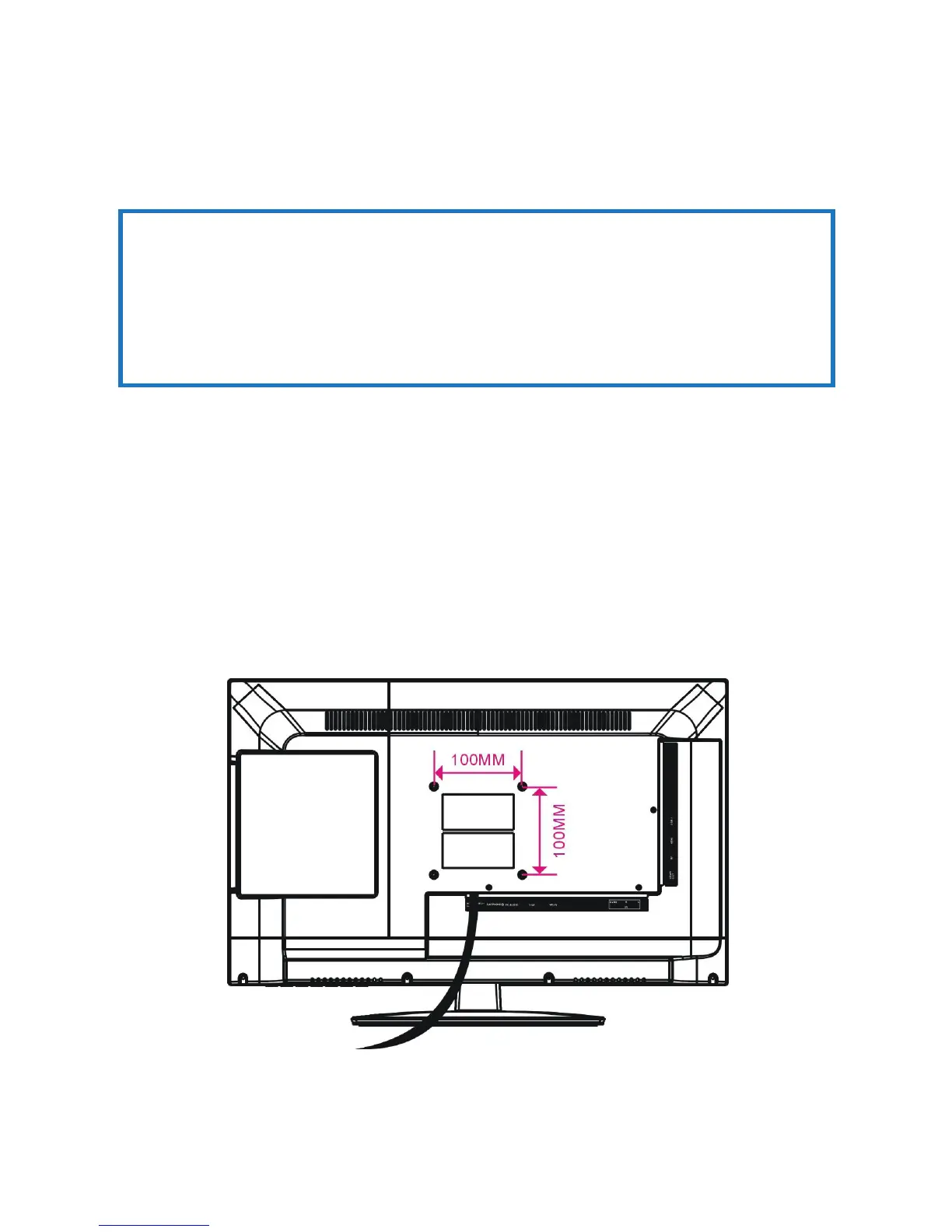
sThe 24” television set is equipped with holes on the back panel for use with
wall-mounting brackets (not included). Please use the illustration below (Fig.
6) as a reference when buying wall-mounting brackets.
sContact a professional for assistance when wall-mounting your TV. We are
not responsible for any damage to the product or injury to yourself, if you
mount the TV on your own.
sUse four standard M4*10mm screws (or longer, depending on the mounting
bracket) to mount this TV.
IMPORTANT!
sMake sure the TV set is unplugged from the power supply before wall-
mounting it and removing the stand.
sThe TV panel may be awkward to install on your own. We recommend
you ask someone to help with installation and/or removal of the stand.
Back of the TV
NOTE: The screws in the package are for securing the TV stand only. If
you are wall-mounting the TV, please consult a qualified installer
for further instructions on bracket support and wall support.
Wall-mounting instructions
Fig. 6















 To Next Page