The Hitachi Advanced Server DS120 G2 is a 1U rack-mount server designed for high-performance computing and data storage. This hardware guide provides an overview of its features, technical specifications, and instructions for component management.
Function Description:
The Hitachi Advanced Server DS120 G2 serves as a robust and scalable server solution, capable of handling demanding workloads. It is designed to support a wide range of applications, from general-purpose computing to specialized tasks like all-flash storage configurations, content delivery networks (CDN) as edge caching servers, and nodes for High-Performance Computing (HPC), Software-Defined Storage (SDS), Spark HDFS, and Network Function Virtualization Infrastructure (NFVi) in OpenStack or Kubernetes environments. The server's architecture emphasizes expandability, high availability, and efficient management, making it suitable for enterprise-level deployments.
Important Technical Specifications:
- Chassis: 1U rack mount, with dimensions of 440mm (W) x 43.2mm (H) x 780mm (D) (17.3" x 1.7" x 30.7").
- Processors: Supports two Intel® Xeon® processor scalable family CPUs, with a maximum TDP of 270W per processor.
- Memory: Features 32 DIMM slots, supporting ECC DDR4 3200 MHz LRDIMM/RDIMM memory. It can accommodate up to 8TB (256Gx32) of LRDIMM/RDIMM memory. Memory sizes include 8GB, 16GB, and 32GB options, with more available in the Approved Vendor List (AVL).
- Storage (Option 1 - 2.5" Tiered):
- (4) 2.5" SAS/SATA (SFF-8680) drives.
- (8) 2.5" SAS/SATA/PCIe x4 (SFF-8639) drives.
- Supports SATA/SAS/NVMe drives across HDD0-HDD11.
- Specific tiered SKU supports SATA/SAS HDD/SSD on HDD0,1,6,7 and SATA/SAS HDD/SSD or NVMe SSD on HDD2-HDD5, HDD8-HDD11.
- Optional HW RAID with Intel VROC key.
- (2) M.2 2230 SSDs for OS.
- Storage (Option 2 - 2.5" All Flash):
- (12) 2.5" SAS/SATA/PCIe x4 (SFF-8639) drives.
- Supports SATA/SAS or NVMe SSD across HDD0-HDD11.
- HDD0-HDD5 are associated with CPU0, and HDD6-HDD11 with CPU1.
- Optional HW RAID with Intel VROC key.
- (2) M.2 2230 SSDs for OS.
- Expansion Slots (Option 1):
- CPU0: (1) OCP 3.0 Mezz x8, (1) Internal SAS Mezz (Riser Slot5A), (1) PCIe HHHL x16 (Riser Slot1A).
- CPU1: (1) PCIe HHHL x16 (Riser Slot2A).
- Expansion Slots (Option 2):
- CPU0: (1) OCP 3.0 Mezz x8, (1) Internal Slimline Riser (Riser Slot5B), (1) PCIe HHHL x16 (Riser Slot1A).
- CPU1: (2) PCIe HHHL x16 (Riser Slot2A).
- Networking: Dedicated GbE management NIC port from PHY RTL8211E to BMC.
- Video: Integrated Aspeed AST2500 with 8MB video memory.
- Power Supply:
- (2) 800W/1200W/1600W 86mm Titanium/Platinum redundant PSUs, 100-240VAC 50/60Hz, AC/HVDC support.
- (2) 1200/1600W 86mm Titanium/Platinum redundant PSUs, 48V DC.
- Fans: (8) dual rotor fans (15+1 redundant) with hot-swap feature available when the optional Cable Management Arm (CMA) is installed.
- System Management: IPMI v2.0 Compliant, with on-board "KVM over IP" support.
- Environmental Conditions:
- Operating temperature: 5°C to 40°C (41°F to 104°F).
- Non-operating temperature: -40°C to 70°C (-40°F to 158°F).
- Operating relative humidity: 50% to 85%RH.
- Non-operating relative humidity: 20% to 95%RH.
- Front I/O: Power button/LED, Reset button, ID button/LED, System status LED, HDD LED on HDD tray, (2) USB 3.0 ports.
- Rear I/O: (2) USB 3.0 ports, (1) VGA port, (1) Micro USB for BMC console, (1) ID LED, (1) PFR LED, (1) LAN (BMC dedicated), (1) microSD port.
- TPM: Yes (optional, SPI mode).
- ACPI: ACPI compliance, S0, S5 support.
Usage Features:
- Front Control Panel (FCP): Provides essential controls and indicators for system operation and status.
- Power Button/LED: Powers the system on/off. Blue indicates system power on (S0), off indicates system power off (S5).
- Reset Button: Initiates a soft reset of the system.
- Identification Button/LED: Toggles the ID LED (blue blinking) on the front and rear chassis to identify the system, off for normal status.
- System Status LED: Provides critical and non-critical failure notifications. Amber blinking indicates a failure, off indicates SEL cleared/good.
- PFR Status LED: Notifies the status of PFR (Platform Firmware Resiliency) operation. Green on indicates authenticated, amber on indicates failed, and amber blinking indicates authentication/recovery in progress.
- Rear I/O Ports: Offers a comprehensive set of ports for connectivity and management.
- Dedicated NIC: RJ45 connector for network connectivity.
- VGA Connector: Supports a maximum display resolution of 1920x1200@60Hz.
- USB 3.0 Ports: Two ports for connecting USB devices.
- Micro USB Port: Used for serial signal transmission for debugging or terminal concentrator.
- MicroSD Slot: For backup BMC SEL (System Event Log).
- Storage Drive Trays: The front panel features up to twelve 2.5" storage drive trays (15mm), allowing for flexible storage configurations.
- System Top View: Includes a latch and handle mechanism for securing and removing the top cover, facilitating internal access for maintenance and upgrades.
- Power Sub-System: Supports a single power supply unit by default, with an option for a secondary PSU for redundancy, enhancing system reliability.
Maintenance Features:
- LED Status Descriptions: Comprehensive LED indicators on the Front Control Panel, BMC Management Port, and Storage Drives provide immediate visual feedback on system health and operational status.
- Power LED: Indicates power state (on/off).
- Identification LED: Helps locate the specific server in a rack.
- System Status LED: Alerts to critical or non-critical failures (e.g., fan, voltage, temperature, CPU thermal trip).
- PFR Status LED: Monitors the integrity and recovery status of the platform firmware.
- RJ45 LED Descriptions: Link and Activity LEDs on the GbE management port indicate network connection speed (1G, 100M, 10M) and data activity.
- Storage Drive LED: Provides status for individual drives:
- Active LED (Blue Blinking): Indicates HDD access is active.
- Status/Fault LED (Blue On): Drive is online.
- Status/Fault LED (Blue Blinking twice per second): Identification.
- Status/Fault LED (Blue Blinking once per second): Rebuilding.
- Status/Fault LED (Amber On): HDD failure.
- Status/Fault LED (Off): Slot is empty.
- Hot-Swap Fans: The (8) dual rotor fans are hot-swappable when the optional Cable Management Arm (CMA) is installed, allowing for fan replacement without system downtime.
- Redundant Power Supplies: The option for a secondary power supply unit enables power redundancy, ensuring continuous operation even if one PSU fails.
- Easy Access to Components: The top cover can be easily ejected and lifted for access to internal components, simplifying maintenance and upgrades.
- Documentation and Support: The manual directs users to support.HitachiVantara.com for the latest information, including network support listings and the most current version of the manual, ensuring access to up-to-date resources for troubleshooting and maintenance.
- Caution for Add-on Cards: A warning is provided regarding potential heat from add-on cards even after system power is off, advising careful handling during maintenance.

 Need help?
 General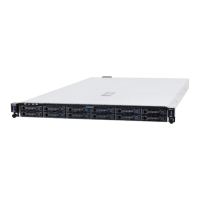

 To Next Page