EasyManua.ls Logo

Hitachi DZ-HS300A - User Manual

Hitachi DZ-HS300A
170 pages
Print Icon
To Next Page IconTo Next Page
Loading...
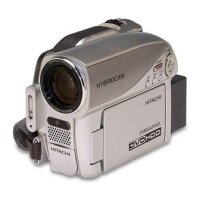
DZ-HS303A/DZ-HS300A
Instruction manual
To obtain the best performance and ensure years of
trouble-free use, please read this instruction
manual completely.
EnglishEspañolFrançais
DZ-HS303A
DZ-HS300A

Table of Contents

Questions and Answers

  • R
    Rhonda BuchananAug 19, 2025
    How to fix Hitachi DZ-HS300A Camcorder battery not charging?
    • A
      Aaron CortezAug 19, 2025
      If your Hitachi Camcorder battery isn't charging, several factors could be the cause. First, ensure the ambient temperature is between 50 – 86ºF (10 – 30ºC). If the battery is too hot, remove it and let it cool before attempting to charge it again. Also, make sure the DC power cord is not connected to the AC adapter/charger during charging. If the battery has been unused for an extended period, try removing and reattaching it. If none of these steps work, the battery may be dead, and you might need to purchase a new one.
  • A
    Andrew GriffithAug 21, 2025
    What to do if Hitachi Camcorder power turns off immediately?
    • F
      Franklin WarrenAug 21, 2025
      If your Hitachi Camcorder turns off immediately after being turned on, the battery may not be charged. Charge the battery to resolve this issue.
  • P
    Patricia RomeroAug 23, 2025
    Why does my Hitachi DZ-HS300A battery weaken so fast?
    • F
      fgrayAug 23, 2025
      If your Hitachi Camcorder battery weakens quickly, it could be due to using the camcorder in low temperatures. Consider keeping extra batteries on hand. Alternatively, the battery's performance may have deteriorated over time with frequent use, indicating it may be time to purchase a new battery.
  • J
    Jodi AndradeAug 26, 2025
    What to do if CHARGE indicator is blinking on Hitachi Camcorder?
    • D
      Dr. David MaloneAug 26, 2025
      If the CHARGE indicator on the AC adapter/charger of your Hitachi Camcorder is blinking, it could be due to the ambient temperature being too low or too high. Charge the battery in an environment where the temperature is between 50 – 86ºF (10 – 30ºC). If the temperature is within range, continue charging; the battery will eventually charge to the specified voltage, and the CHARGE indicator will light up, indicating normal completion.
  • M
    mcmillanfrankAug 27, 2025
    Why does my Hitachi DZ-HS300A Camcorder power go off unexpectedly?
    • A
      Amy RodgersAug 27, 2025
      Your Hitachi Camcorder might be turning off unexpectedly due to the Power Save feature being enabled. If the camcorder is left for 5 minutes without recording or playback while “Power Save: On” is specified, it will automatically turn off to save battery. To restart, set the power switch to “OFF” and then to “HDD”, “DVD” or “SD”. You can also disable automatic power off by specifying “Power Save: Off”. Another reason might be the sleep/restart status; if the camcorder is in this status for 30 minutes or more, it will turn off automatically. To resolve this, set the power switch to “OFF” and then power the camcorder on again.
  • A
    athompsonAug 30, 2025
    How to improve LCD screen visibility on Hitachi Camcorder?
    • S
      steintimothyAug 30, 2025
      If the LCD screen on your Hitachi Camcorder is hard to see, especially outdoors, first stop recording and adjust the brightness of the LCD screen. If you are outdoors, use the viewfinder, or adjust the LCD monitor's angle to avoid direct sunlight.
  • R
    raymondandrewsSep 1, 2025
    Why no playback picture on TV screen from Hitachi DZ-HS300A?
    • M
      Mary NelsonSep 1, 2025
      If you're not seeing a playback picture on your TV screen from your Hitachi Camcorder, first ensure that the TV input selector is correctly set to match the connected jacks. Some TVs have multiple video input jacks, so select the correct one. If the camcorder is connected to a VCR, set its input selector to 'external input (LINE)'. Also, double-check that the camcorder is correctly connected to the TV.
  • D
    Damon WalkerSep 3, 2025
    Why does recording start and stop immediately on Hitachi Camcorder?
    • D
      David SmithSep 3, 2025
      If recording starts but stops immediately on your Hitachi Camcorder, the disc may be scratched or have dirt or fingerprints on it. Clean the disc, and if there's still no improvement, try replacing it. Also, check if another AV device is connected directly to the video/audio input/output jack; if it's connected through multiple devices like an AV selector, the video signal may not transmit correctly. Reduce the number of devices or connect the AV device directly.
  • M
    Mr. Elijah Wong MDSep 5, 2025
    Why is Hitachi DZ-HS300A not responding to remote control?
    • T
      Tony CurrySep 5, 2025
      If your Hitachi DVD video camera/recorder isn't responding to the remote control, make sure the remote is pointed at the infrared receiver on the camcorder. Strong light, such as direct sunlight or fluorescent light, can interfere with the receiver. Try adjusting the camcorder's position or angle. Also, check the batteries in the remote and ensure they are not dead and are inserted with the correct polarity. Finally, verify that the camcorder is powered on.
  • W
    wcrossSep 7, 2025
    Why can't I record photos on my Hitachi DZ-HS300A Camcorder?
    • D
      david82Sep 7, 2025
      If you cannot record photos on your Hitachi Camcorder, ensure that you have inserted the proper type of card and that the power switch is set to 'SD'. Also, verify that the card is not locked and has remaining free space.

Summary

Important Information

For Your Safety

Essential safety guidelines for operating the DVD video camera/recorder, including warnings.

Important Safety Instructions

General Safety Guidelines

Comprehensive safety instructions covering usage, installation, and handling of the apparatus.

Cautions on HDD

Cautions When Using

Handling Discs

Setups

Basic Techniques

Recording Movies and Stills

Step-by-step guides for recording movie footage and still images.

Recording Aids and Settings

Features like swift restart, on-screen info, zoom, focus, exposure, and flash.

Disc Navigation

Navigating and Playing Back Scenes

Guide to using Disc Navigation for scene playback and basic editing.

Dubbing on DVD

Dubbing HDD Content to DVD

Instructions for dubbing all or selected scenes from HDD to DVD.

Scene Editing

Deleting and Dividing Scenes

How to delete unwanted scenes and divide existing ones.

Combining and Arranging Scenes

Instructions for combining multiple scenes and arranging their order.

Play List Management

Creating New Play Lists

Guide to creating new play lists by gathering favorite recorded scenes.

Editing and Managing Play Lists

Instructions for adding, deleting, arranging scenes, and changing play list titles.

Go To and HDD;DVD;Card Management

Initializing and Protecting Storage Media

Procedures for initializing storage media and setting protection.

Finalizing Discs

Viewing on TV Screen

Connecting the Camera to a TV

Instructions for connecting the DVD video camera/recorder to a TV.

Playback on DVD Recorder;Player

Recording (Dubbing) Images

Connecting to PC

Connecting via PC Cable and Drive Recognition

How to connect the camera to a PC using a cable and how the PC recognizes it.

Creating DVD-Video from PC

Guide to creating DVD-Video discs using PC software and recorded images.

PC Connection Cautions

Trouble Messages

Troubleshooting Message Guide

A comprehensive list of error messages and their causes/solutions.

Troubleshooting

Power Supply Troubleshooting

Solutions for issues related to battery charging and power supply.

Recording and Operation Troubleshooting

Troubleshooting steps for recording, REC button, LCD, focus, and other operations.

Operation and Playback Troubleshooting

Solutions for issues with power, remote control, disc removal, and playback.

Mechanism and Display Troubleshooting

Troubleshooting for disc cover, operating sound, vibrations, indicators, and display issues.

System Reset

Performing a System Reset

Instructions on how to perform a system reset to restore factory defaults.

Major Specifications

Hitachi DZ-HS300A Specifications

General IconGeneral
BrandHitachi
ModelDZ-HS300A
CategoryCamcorder
LanguageEnglish

Related product manuals