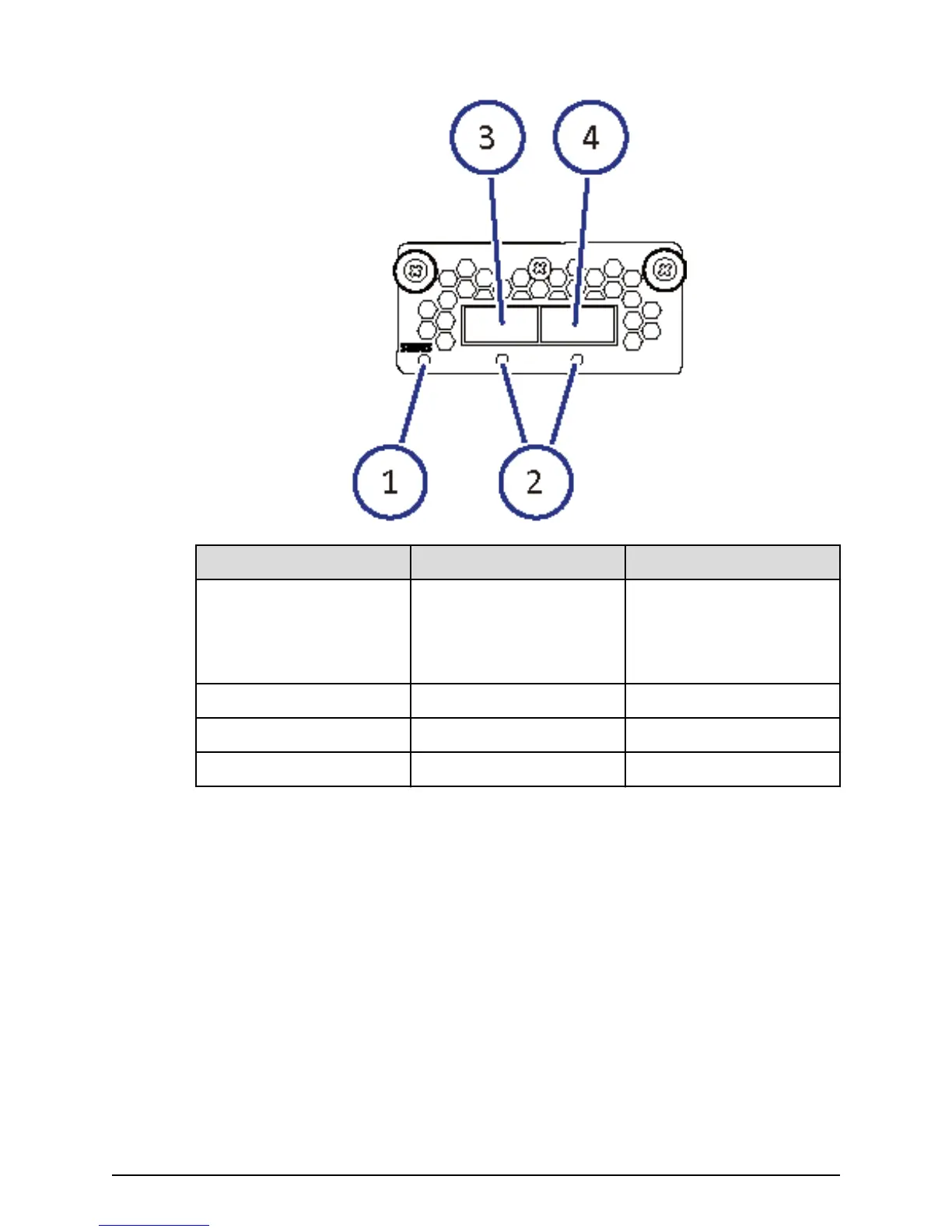
Number Item Description
1 STATUS LED Green: Back end module is
in the power-on state.
Red: Back end module can
be removed safely.
2 PORT LED Blue: Link status is normal.
3 PATH 0 connector Connect to a drive tray.
4 PATH 1 connector Connects to a drive tray.
Back-end module LEDs and connectors
Chapter 2: System controller
Hitachi Virtual Storage Platform F700 Hardware Reference Guide 26



 To Next Page