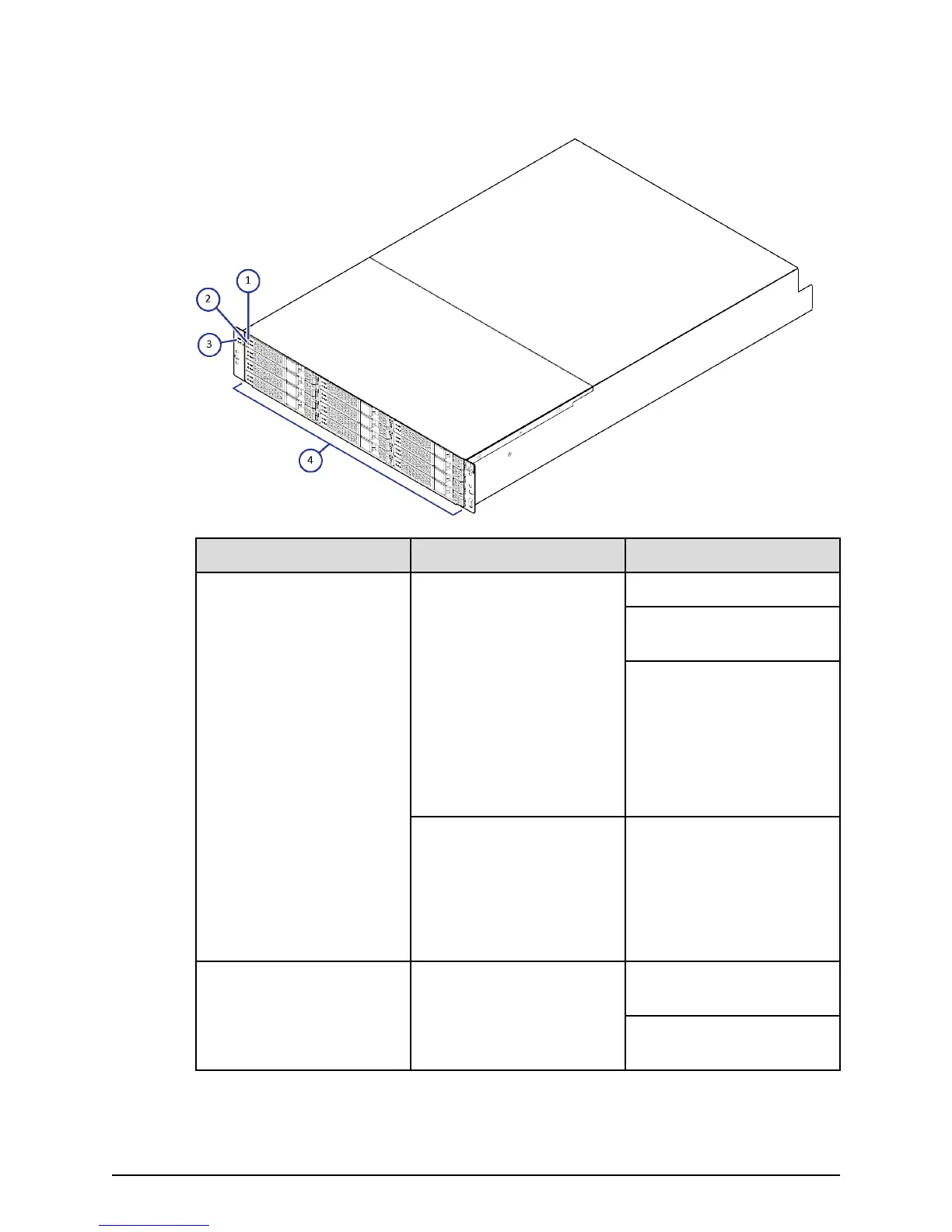
FMD front panel without bezel
Number Item Description
1, 2 ACT LED Green: Normal operation.
Blink: Drive is being
accessed.
Slow blink indicates the
FMD is in the process of
startup. When powered,
the LED blinks for about
two to ve minutes until
the startup processing is
complete.
ALM LED Red: Drive stopped due to
a failure and can be
replaced.
Note: ACT indicator is only
printed on some types of
FMDs.
3 POWER, READY, and
LOCATE LEDs
Green: Drive tray is
powered on.
Green: Drive tray is
operational.
FMD front panel without bezel
Chapter 3: Drive trays
Hitachi Virtual Storage Platform F700 Hardware Reference Guide 32



 To Next Page