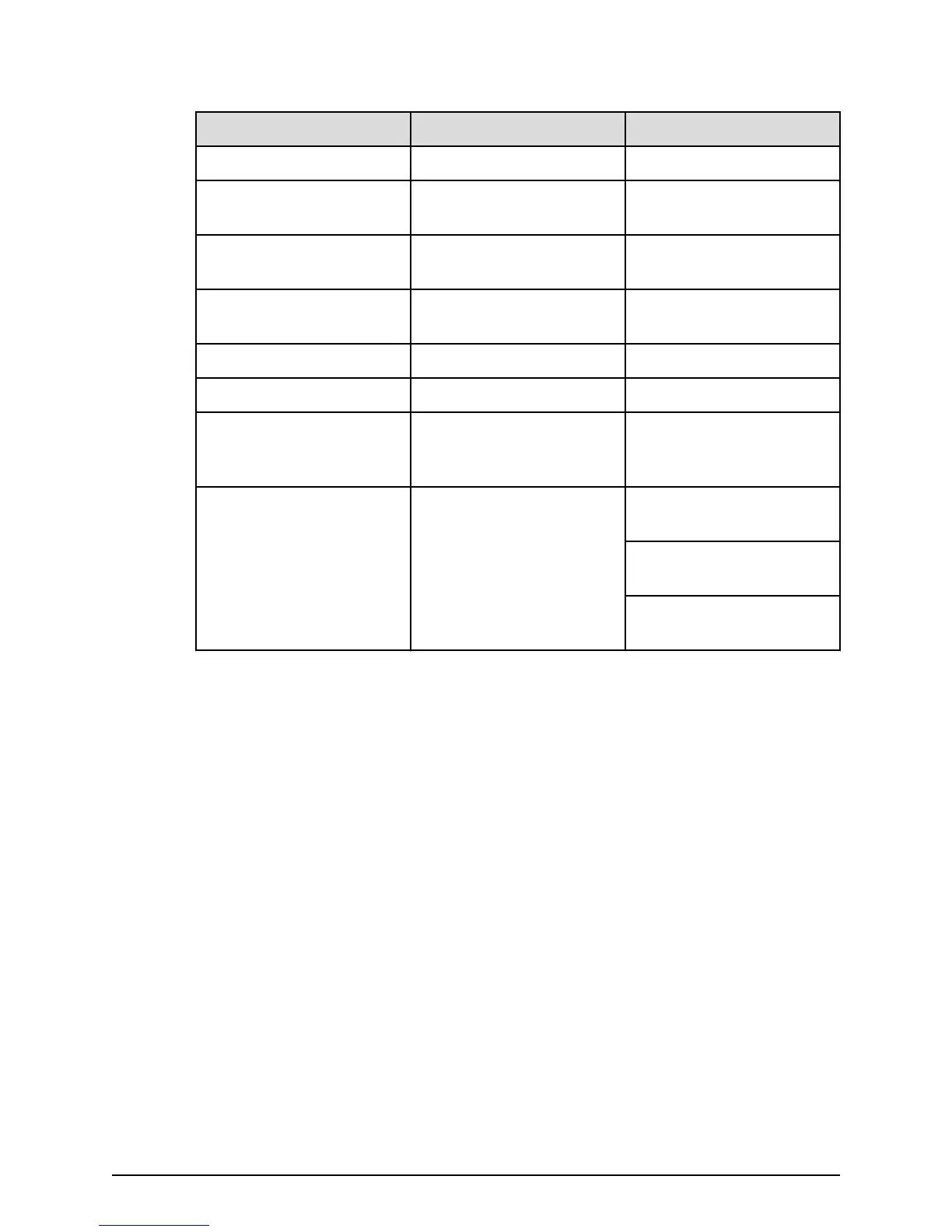
Number Item Description
4 ALARM LED Red: ENC can be replaced.
5 PATH (IN) LED Blue: IN side port is linked
up.
6 PATH (IN) connector Connects to a controller or
drive tray.
7 PATH (OUT) LED Blue: OUT side port is
linked up.
8 PATH (OUT) connector Connects to a drive tray.
9 Console This port is reserved.
10 Receptacle Connects to the power
cable provided with the
storage system.
11 Three LEDS, top to bottom:
RDY LED
AC IN LED
ALM REPLACE LED
Green: Power supply unit is
operating normally.
Green: Power supply unit is
operating normally.
Red: Power supply unit can
be replaced.
FMD rear panel
Chapter 3: Drive trays
Hitachi Virtual Storage Platform F700 Hardware Reference Guide 34



 To Next Page