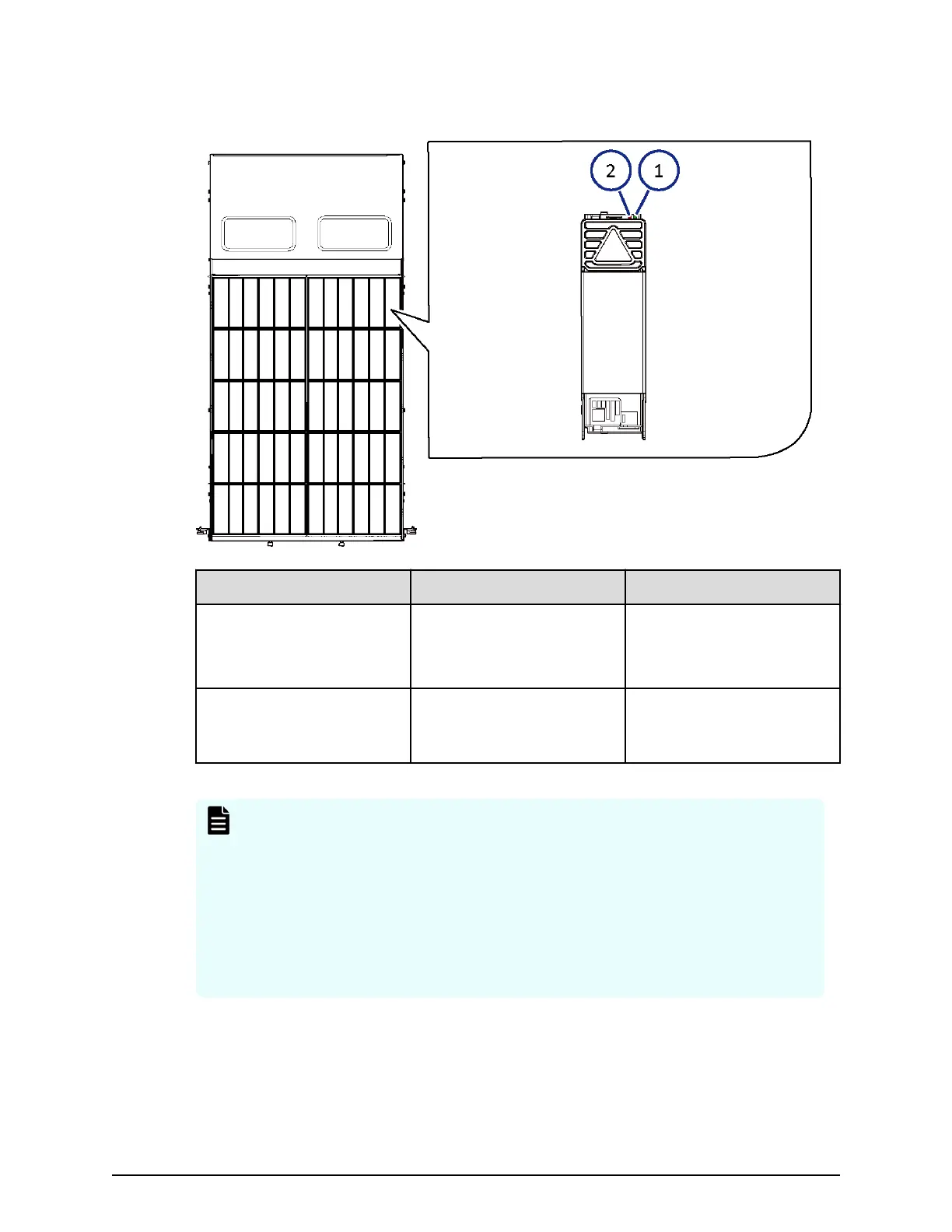
Dense intermix drive tray display LEDs
Number Item Description
1 ACT Green: Normal operation.
Blink: Drive is being
accessed.
2 ALM LED Red: Drive stopped due to
a failure and can be
replaced.
Note: At the rear of the drive tray, the drives are organized from left to right.
On the left side of the preceding gure, the rear of the drive tray is at the top.
■
Rear of drive tray: 48-59
■
36-47
■
24-35
■
12-23
■
Front of drive tray: 00-11
Dense intermix drive tray display LEDs
Chapter 3: Drive trays
Hitachi Virtual Storage Platform G700 Hardware Reference Guide 40




 To Next Page