EN-21
Setting Focus
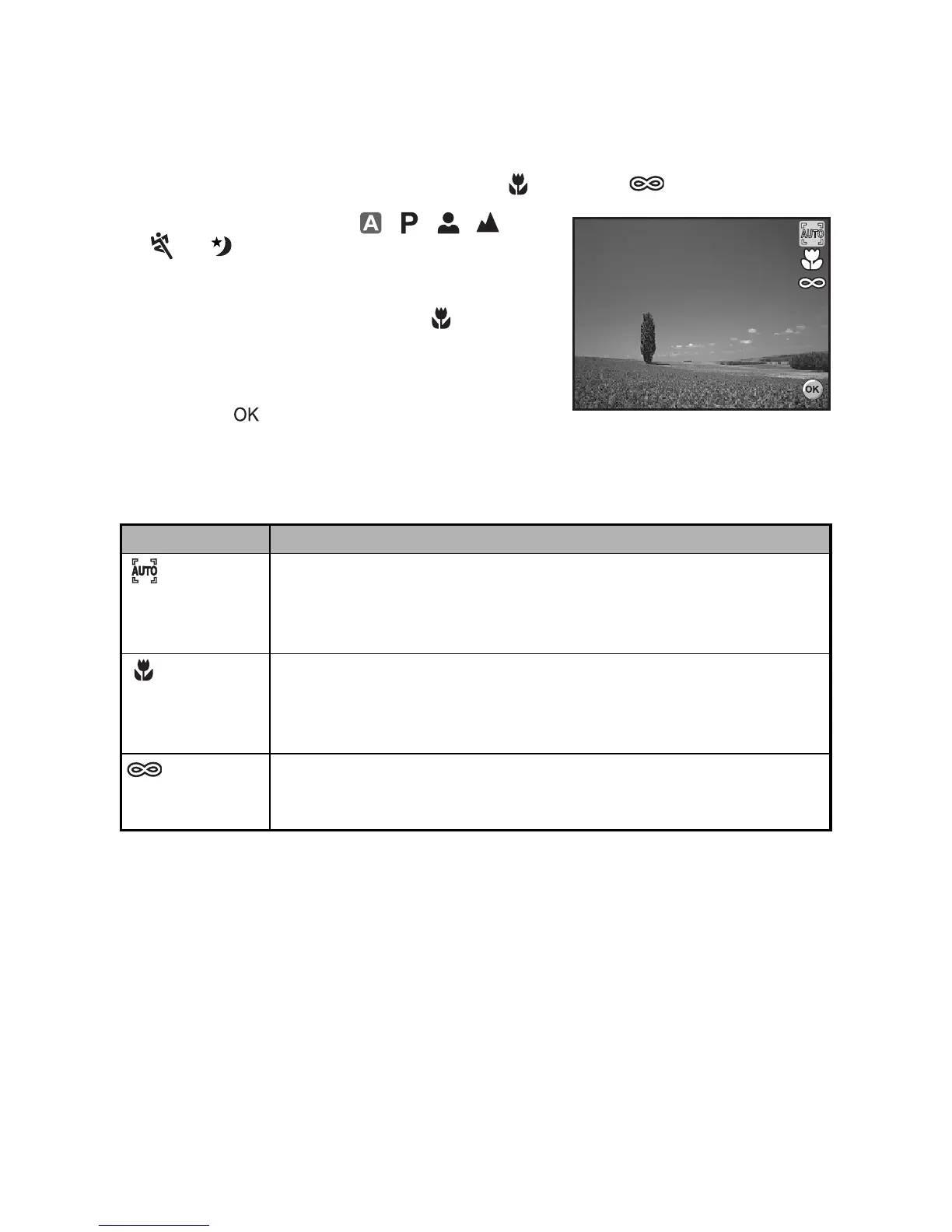
Images can be captured with the focus determined automatically using auto focus.
You may over-ride the auto focus and specify [ ] macro or [ ] infinity.
1. Rotate the mode dial to , , , ,
, or .
2. Press the power switch to turn on the
power.
3. Press the four-way controller (X/). The
focus mode changes each time the button
is pressed. You can also change the
setting using four-way controller (ST).
4. Press the button to confirm the setting.
5. Compose your scene and press the shutter release button.
The camera has three focus modes: Standard, Macro and Infinity.
The table below will help you choose the appropriate focus mode:
Focus mode Description
Standard Select Standard-focus setting for most occasions when you want
the camera to automatically determine the focus setting. When
using Standard-focus setting, any object at a focus range of 40 cm
or greater can be in focus.
Macro Select Macro-focus setting to capture close-up images. When the
lens is zoomed to its widest position you may focus objects as
close as 5 cm. When the lens is zoomed to its telephoto position
(3x zoom) you may focus objects as close as 35 cm.
Infinity Select Infinity-focus setting when you want to capture images of
subject at a distance of infinity. The flash mode will be set to Flash
Off automatically.


 To Next Page