EN-47
TROUBLESHOOTING GUIDE
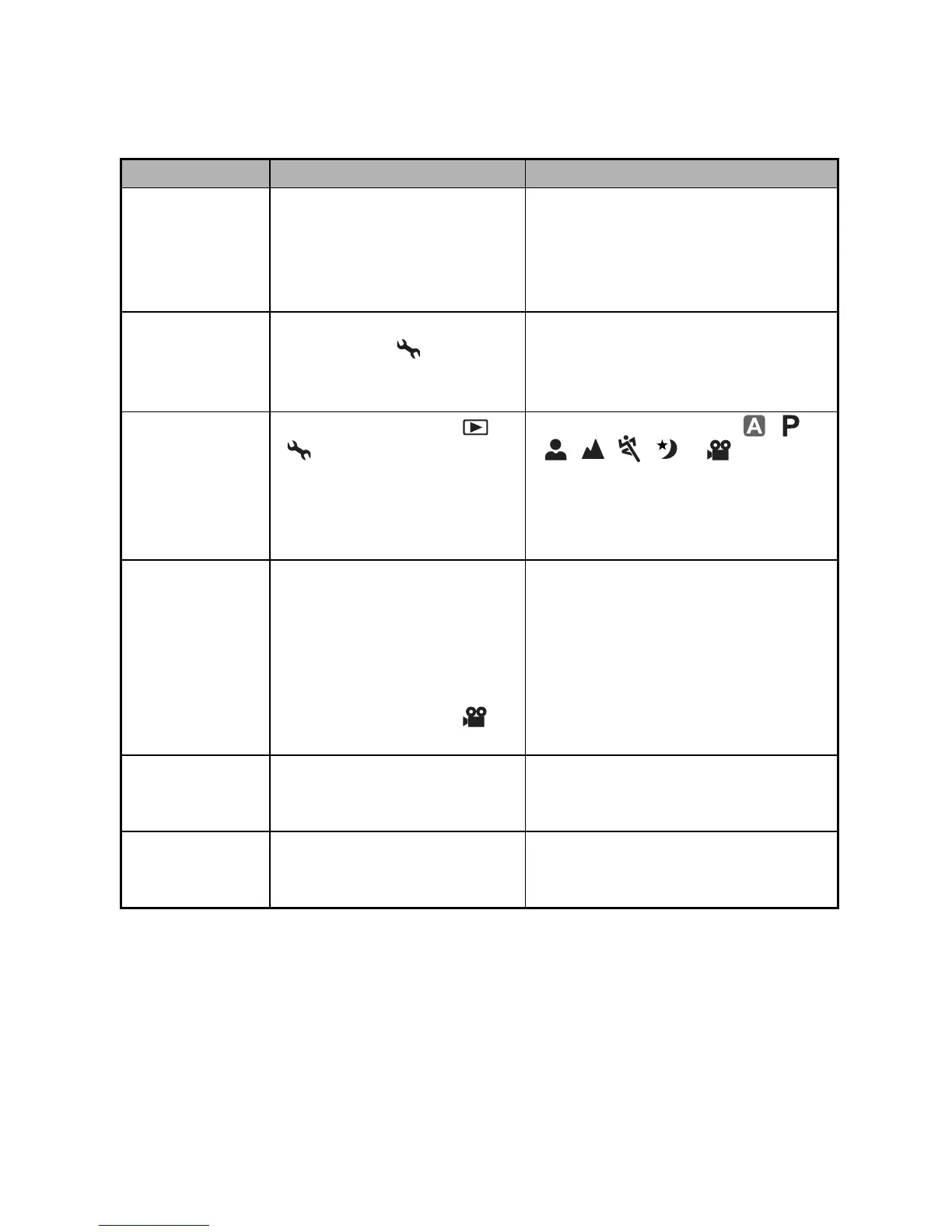
Symptom Possible causes Solutions / Corrective Actions
Power does not
turn on.
* The battery has run out.
* The battery is not oriented
correctly.
* The battery cover is not
closed properly.
* Load new or fully charged battery.
* Load the battery in the correct
direction.
* Close the battery cover correctly.
Camera
suddenly
powers down.
* The function of [Auto Shut
Down] in the mode has
been activated.
* The battery has run out.
* Turn the power back on and set
the option of [Auto Shut Down] to
[Off].
* Load new or fully charged battery.
Image is not
captured when
the shutter
release button
is pressed.
* The camera is in the or
mode.
* Memory is full.
* Rotate the mode dial to , ,
, , , or .
* Transfer the desired files to your
computer and then delete
unnecessary files, or use a
different memory card.
Flash does not
fire.
* Flash off is selected in flash
mode.
* 10+2 sec. Self-timer is
selected in self-timer mode.
* The [Capture Mode] is set
to [Burst] or [AEB].
* The camera is in the
(video) mode.
* Select a different flash mode.
* Select [Single] in the [Capture
Mode].
* Switch the mode dial to another
mode.
Continuous
shooting is not
possible.
* The capacity of the built-in
memory or SD memory
card is full.
* Insert SD memory card with
available space or delete
unwanted images.
Cannot transfer
files over a USB
connection.
* USB cable is connected to
the computer improperly.
* Camera is turned off.
* Check all connections.
* Turn on the camera.


 To Next Page