15
CONNECTION (continued)
Connecting Procedure (continued)
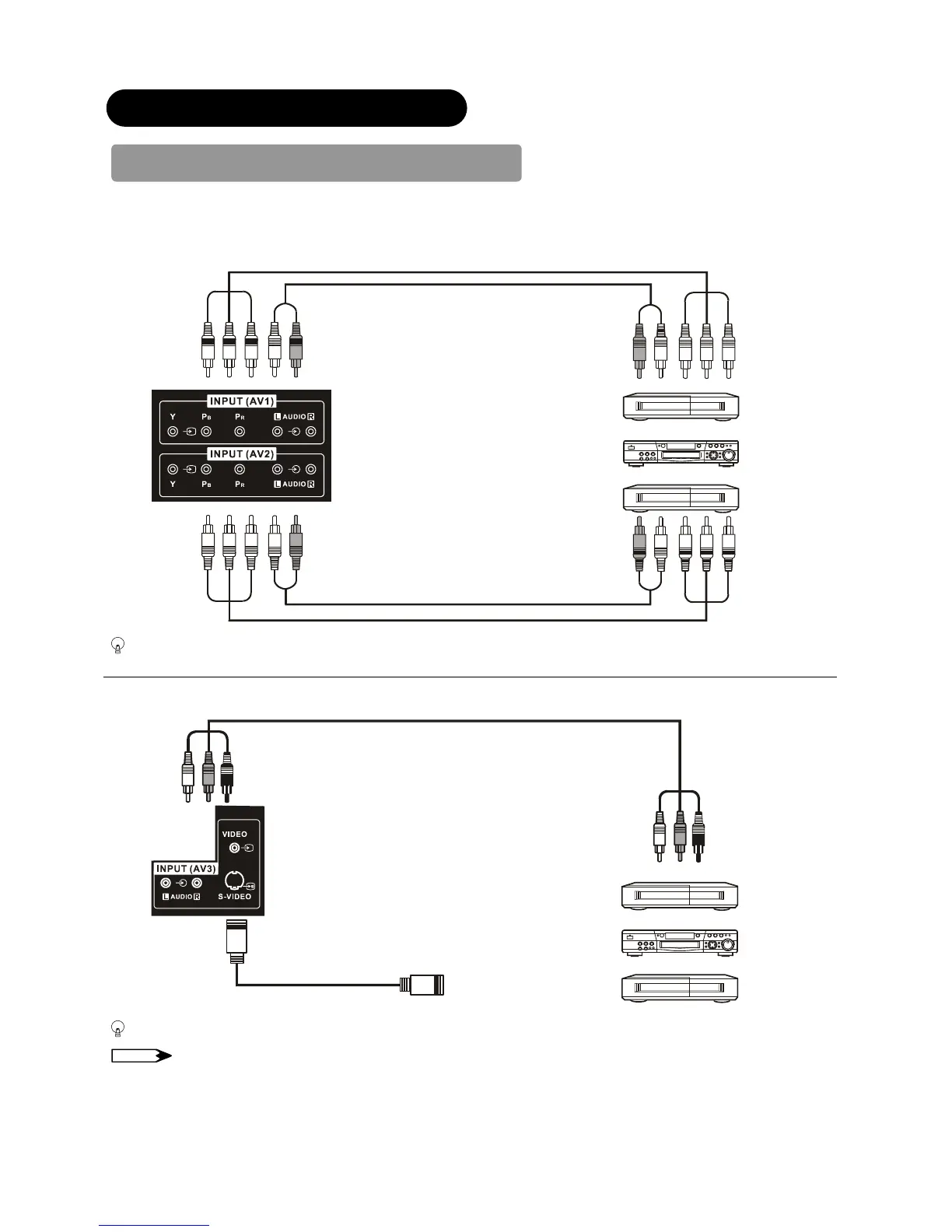
3. Connecting to External Equipment
● Terminals on Rear
AV1 and AV2 can be connected to the equipment with Component output.
If your external device has a Component terminal, COMPONENT / AUDIO connection is recommended for higher quality
picture.
AV3 can be connected to the equipment with S-Video output and Composite output.
If your external device has a S-Video terminal, S-Video connection is recommended for higher quality picture.
NOTE
If both S-Video and Composite Video input terminals of AV3 are connected at the same time, S-Video will have its priority.
OUT
IN
OUT
VCR
DVD player / recorder
Set-To


 To Next Page