31
TV SETUP OPERATION (continued)
Audio Switching (TV)
NICAM / Sound Multiplex (including A2) (TV mode)
You can make optimum use of available audio by pressing I/II button of remote control. Audio can be switched only if
receiving NICAM and sound multiplex signals; otherwise, pressing this button will have no effect, such as when only mono
sound is received.
These can be divided into two main categories: Bilingual/Dual Sound broadcast and Stereo broadcast.
Bilingual/Dual Sound broadcast
Bilingual broadcast is the broadcast available on the main and sub languages, while dual sound broadcast is available on the
primary and secondary sounds; for example, some sports programs contain broadcast commentary on a game as primary
sound, and a commentary about a team as the secondary.
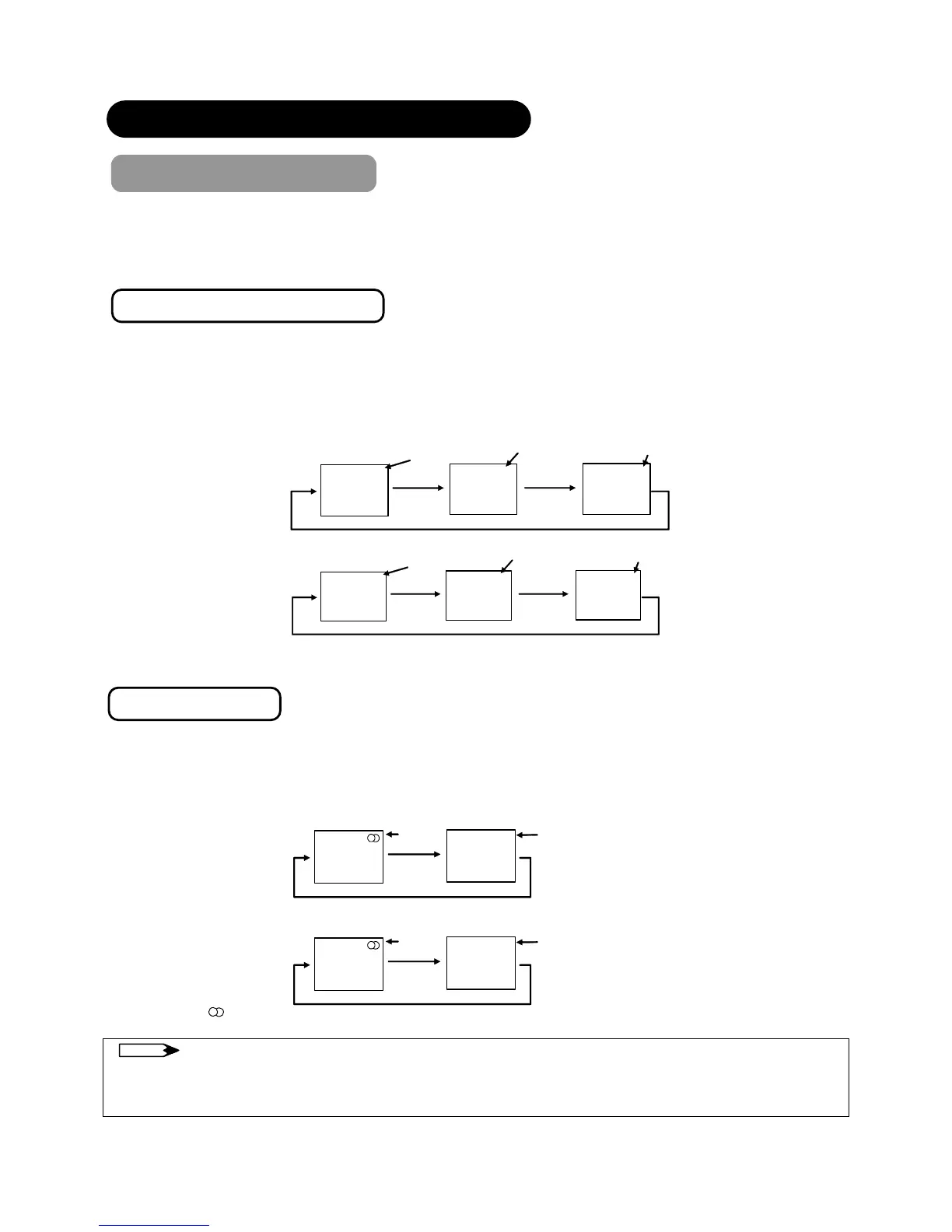
When bilingual program is received, sound mode display appears in yellow as shown. Also, when receiving NICAM signals,
NICAM display will appear.
Each time I/II button is pressed, the display is switched in the sequence of following.
Green
Ye ll o w
Ye ll o w
[I]
[II] ▼
Green
Yellow
Yellow
[I]
[II] ▼
NICAM
NICAM
[I]…Main language/Primary Sound
[II]...Sub language/Secondary Sound
▼…force mono: This selects main language or primary sound.
Stereo broadcast
With stereo broadcast, you can enjoy different sound from either side.
When a stereo program is received, sound mode display will appear in red as shown.
Also, when receiving NICAM signals, NICAM display will appear.
Press I/II button to switch between stereo and mono sound.
Green
Red
▼
Green
Red
▼
NICAM
NOTE
z Please select ▼ (force mono) in case of poor reception, noise, poor stereo sound due to signal condition so that you can
receive a clear mono sound.
z ▽represents the Mono broadcast.
…Stereo
▼…...Force Mono
Sound multiplex signal received
NICAM signal received
Sound multiplex signal received
NICAM signal received



 To Next Page