EasyManua.ls Logo

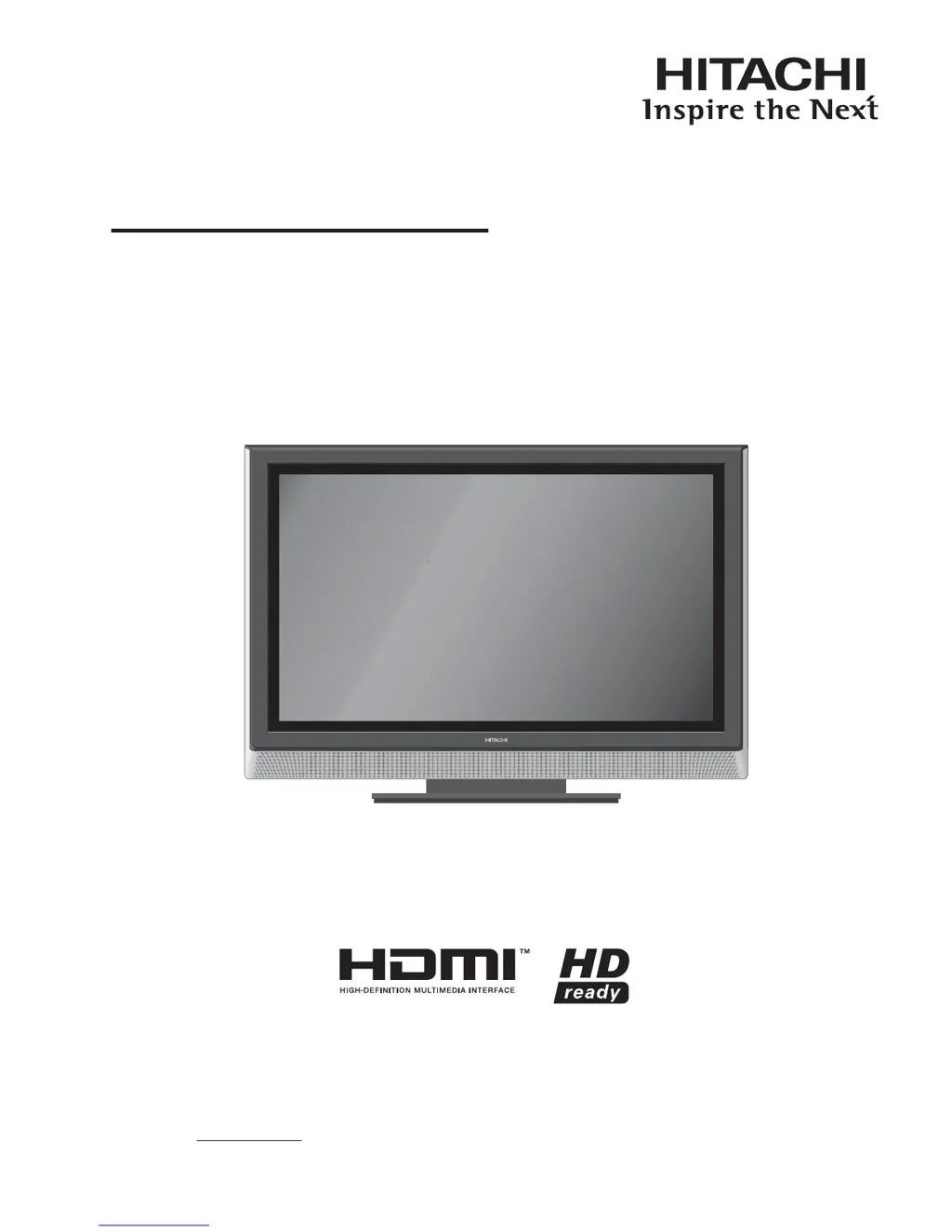
Hitachi P42A01 - User Manual

Hitachi P42A01
37 pages
Print Icon
To Next Page IconTo Next Page
Loading...
USER'S MANUAL
BEDIENUNGSANLEITUNG
MANUEL UTILISATEUR
MANUALE D'USO
MANUAL DEL USUARIO
BRUKERHÅNDBOK
Colour Plasma Television
Model Name
P42A01
READ THE INSTRUCTIONS INSIDE CAREFULLY.
KEEP THIS USER MANUAL FOR FUTURE REFERENCE
For future reference, record the serial number of your monitor.
SERIAL NO.
This serial number is located on the rear of the monitor.

Other manuals for Hitachi P42A01

Questions and Answers

  • T
    tleeAug 12, 2025
    What to do if my Hitachi P42A01 Plasma TV remote control doesn't work?
    • K
      Kara MartinAug 13, 2025
      If your Hitachi Plasma TV remote control is not working properly, the first thing to check is the batteries. Replace them if they are weak or exhausted. Also, make sure that the batteries are placed in the correct way inside the remote control.
  • C
    Candice JenkinsAug 16, 2025
    Why is there no picture or sound on my Hitachi P42A01 Plasma TV?
    • M
      Melissa EnglishAug 16, 2025
      If your Hitachi Plasma TV shows no picture and no sound, check if the power is on. Press the Main Power Switch on the left side of the unit and then press the Sub Power button on the remote. Also, if you are in the UK, check and replace the fuse in the mains plug if it has blown.
  • M
    michael90Aug 20, 2025
    Why does my Hitachi Plasma TV have no sound?
    • E
      epetersonAug 20, 2025
      If there is no sound on your Hitachi Plasma TV, make sure you haven't accidentally muted the volume by pressing the mute button. Press it again to unmute, or increase the volume using the volume control.
  • S
    Susan YoungAug 25, 2025
    Why does my Hitachi P42A01 Plasma TV have no reception?
    • J
      Jacob JonesAug 25, 2025
      If your Hitachi Plasma TV has no reception, ensure that the TV is plugged into the main socket outlet and that the power is on (press the Main Power Switch on the left side of the unit and then press Sub Power button on the remote). Check all aerial connections for damaged wires and replace them if necessary. If you are in a poor reception area, move the aerial away from areas of possible interference, or try using an aerial booster.
  • T
    Timothy SmithAug 28, 2025
    Why is my Hitachi Plasma TV unable to select channel numbers 8 through to 99?
    • H
      hodgesjoAug 28, 2025
      If your Hitachi Plasma TV is unable to select channel numbers 8 through 99, it may be because during automatic tuning your signal didn’t find enough channels to place them in numbered positions. If a television station has been missed, try repeating the automatic tuning procedure.
  • W
    Wendy EvansAug 31, 2025
    Why is there poor or no colour on my Hitachi Plasma TV?
    • C
      Charles GrantAug 31, 2025
      If your Hitachi Plasma TV has poor or no colour, check that the aerial or connection lead is connected properly and is not damaged. Adjust the color settings on your TV.
  • K
    Kevin LeeSep 4, 2025
    Why is there no Teletext or strange characters on my Hitachi P42A01?
    • M
      Michael BrownSep 4, 2025
      If you are seeing no Teletext or strange characters or letters on the screen of your Hitachi Plasma TV, check the aerial connections for broken wires or try another station, as the aerial connection may be poor or there may be station trouble.
  • B
    Briana UnderwoodSep 8, 2025
    Why is there no standby light on my Hitachi P42A01 Plasma TV?
    • S
      Shelby MillerSep 8, 2025
      If there is no standby light on your Hitachi Plasma TV, ensure that your TV is plugged into the main socket outlet.

Summary

IMPORTANT SAFETY INSTRUCTIONS

SAFETY PRECAUTIONS

ABOUT PLASMA DISPLAY PANEL

Image Retention of Plasma Display Panel

Explains panel image retention, its causes, and preventive measures.

Methods to Reduce the Occurrence of Image Retention

Provides recommendations, such as using screen saver functions, to minimize image retention.

PREPARATION

Safety Precaution on Main Unit Installation

Important safety measures to follow when installing the main TV unit, including ventilation space.

Anti-Tumble Measures

Instructions on securing the TV to prevent it from tipping over, using wall or ceiling mounts.

CONNECTION

Connecting Procedure

Step-by-step instructions for connecting external audio/video equipment to the TV.

Connecting an audio system

Guide on connecting the TV sound output to an external audio amplifier or hi-fi system.

Connect to a Video camera or games console

Instructions for connecting video cameras or game consoles using AV or S-Video leads.

Connecting to a DVD player or other AV device with Component Video outputs

How to connect devices with component video outputs for enhanced picture quality.

PC connection

Steps and recommendations for connecting a PC to the TV via VGA or HDMI.

Connecting an HDMI or a DVI device to the HDMI input

Guidance on connecting HDMI and DVI devices, including audio signal requirements.

BASIC OPERATION

Auto setup

Initial setup procedure for language, country, and channel tuning upon first use.

TV SETUP OPERATION

Setup menu

Covers various setup options including auto/manual tuning, channel allocation, teletext language, and sleep timer.

Video menu (PC mode)

Audio menu (PC mode)

Troubleshooting

Specifications

Hitachi P42A01 Specifications

General IconGeneral
Screen Size42 inches
Display TechnologyPlasma
Aspect Ratio16:9
Contrast Ratio10, 000:1
HDMI Ports2
Weight36 kg
Viewing Angle160 degrees
Speakers2 x 10W
Brightness1000 cd/m²
InputsHDMI, Component, Composite, S-Video

Related product manuals