EasyManua.ls Logo

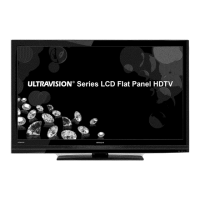
Hitachi UltraVision C55LS8 - User Manual

Hitachi UltraVision C55LS8
61 pages
Print Icon
To Next Page IconTo Next Page
Loading...
Serial No.
Models:
Thank you for purchasing this Hitachi product.
Please read these instructions carefully.
For additional assistance please call Toll Free 800.HITACHI (800.448.2244)
or visit our website at www.hitachi.us/tv.
Keep this Owner’s Guide for future reference.
Record the model name and serial number of your LCD Television for future reference.
This information is located on the back of the television.
CONGRATULATIONS
OWNER’S GUIDE
C55LS8
55” Class (54.64” Diagonal / 138.78 cm)
®
OG_LS8_05152019

Questions and Answers

  • L
    lloydnicoleAug 19, 2025
    How to fix Hitachi UltraVision C55LS8 LCD TV that does not operate?
    • J
      Joshua AlvaradoAug 19, 2025
      If your Hitachi LCD TV doesn't turn on, first ensure the power cord is properly plugged into the outlet. If it is, try plugging it into another AC outlet to rule out an issue with the original outlet. Also check the fuse or circuit breaker. As a last resort, unplug the unit for an hour, then plug it back in to see if that resolves the issue.
  • H
    Heidi ZunigaAug 21, 2025
    Why is there poor sound or no sound on my Hitachi UltraVision C55LS8 LCD TV?
    • J
      Joe CarlsonAug 21, 2025
      If you're experiencing poor or no sound on your Hitachi LCD TV, first tune to another station to rule out problems with the current broadcast or cable signal. Then, check your sound adjustments, ensuring that the volume is at an audible level and the mute function is not enabled. You should also check for sources of possible interference and verify the audio language setting.
  • S
    Shane MitchellAug 23, 2025
    What to do if there's poor picture or no picture on Hitachi UltraVision C55LS8?
    • S
      Susan HarrisAug 23, 2025
      If your Hitachi LCD TV has poor or no picture, try tuning to another station to eliminate the possibility of issues with the current broadcast or cable signal. Ensure that channels are properly set into memory. Also, check the antenna or Cable TV connections and adjust the antenna. Check for any potential sources of interference and review your picture control adjustments.
  • A
    Amanda ScottAug 26, 2025
    Why is there poor reception on some channels on my Hitachi UltraVision C55LS8 LCD TV?
    • R
      Ryan UnderwoodAug 26, 2025
      If you're experiencing poor reception on some channels with your Hitachi LCD TV, try tuning to another station to rule out issues with the broadcast signal. Also, ensure that the channels are properly set into memory. If the station is weak, adjust the antenna to improve reception. Check for any potential sources of interference as well.
  • W
    wlarsonAug 27, 2025
    How to fix poor color or no color on Hitachi UltraVision C55LS8 LCD TV?
    • K
      Kenneth ScottAug 27, 2025
      If your Hitachi LCD TV displays poor color or no color, try tuning to another station to rule out any issues with the broadcast signal. Ensure that the channels are properly set into memory. Check your picture control adjustments. Verify the antenna or Cable TV connections and adjust the antenna. Also, check for any potential sources of interference.
  • E
    Elizabeth CarterAug 30, 2025
    Why does the picture wobble or drift on my Hitachi UltraVision C55LS8?
    • K
      Kimberly OchoaAug 30, 2025
      If the picture on your Hitachi LCD TV wobbles or drifts, first try tuning to another station to rule out any issues with the broadcast signal. Make sure the channels are set into memory. If you are using cable TV, it may be due to the cable TV company scrambling the signal, in this case, adjust your antenna.
  • M
    Mary WongSep 1, 2025
    How to solve digital broadcasting screen problem on Hitachi UltraVision C55LS8?
    • J
      Jon SmithSep 1, 2025
      To address digital broadcasting screen problems on your Hitachi LCD TV, check the digital signal strength.
  • J
    Jimmy SellersSep 3, 2025
    What to do if there is no CATV reception on Hitachi UltraVision C55LS8?
    • D
      daviskristinSep 3, 2025
      If your Hitachi LCD TV is not receiving CATV, check all Cable TV connections. Set the Source menu option to the Cable mode. If the problem persists, try another station to rule out Station or Cable TV system problems.
  • J
    James FinleySep 5, 2025
    Why are there horizontal or diagonal bars on screen of my Hitachi UltraVision C55LS8 LCD TV?
    • D
      Dustin RiveraSep 5, 2025
      If you see horizontal or diagonal bars on the screen of your Hitachi LCD TV, check the antenna connections and adjust or re-direct the antenna. Also, check for sources of possible interference.
  • A
    Abigail MarshallSep 7, 2025
    Why is there no reception above channel 13 on my Hitachi LCD TV?
    • S
      Steven BrownSep 7, 2025
      If your Hitachi LCD TV is not receiving channels above 13, make sure the appropriate Source (Air or Cable) has been selected. If you are using an antenna, check the UHF antenna connections.

Summary

Safety Warnings

Electrical Shock and Fire Hazards

Covers precautions against electric shock, fire prevention, and appliance use with moisture.

Radio Frequency Interference Warning

Details Class B digital device compliance and potential interference with radio communications.

Safety and Power Information

Compliance and Modification Warnings

Addresses ISED RF exposure compliance and the voiding of warranty by unauthorized modifications.

Power Source Requirements

Specifies operating voltage, frequency, and correct AC plug usage to prevent shock.

Apparatus Exposure Cautions

Warns against exposing the apparatus to rain, moisture, or removing the back cover.

Important Safety Instructions

General Installation and Usage Safety

Provides 19 numbered instructions for safe installation, operation, and maintenance of the TV.

Antenna Grounding Guidance

Illustrates and describes antenna grounding requirements per the National Electrical Code.

Safety, Compliance, and Recycling

Continued Safety and Compliance Notes

Includes remaining safety points, digital device compliance, and electronic recycling information.

Location of Safety Markings

Indicates where the rating sheet and safety caution labels are located on the unit.

Child Safety Guidelines

Safe Placement and Use of Displays

Offers tips on preventing tip-overs, children climbing furniture, and cord management.

Wall Mounting Recommendations

Provides guidelines for selecting and installing wall mounts securely.

Installation Safety and Cabinet Stability

General Placement and Ventilation Safety

Emphasizes adequate ventilation, avoiding heat sources, and maintaining space around the unit.

Securing the TV to a Wall

Details the process of using wire and clamps to secure the TV to a wall.

TV Cabinet Placement Risks

Warns about instability and potential injury from placing the TV on unsuitable cabinets.

TV Stand Installation

Attaching the TV Stand

Step-by-step guide for securely attaching the television stand using provided screws.

Removing the TV Stand

Instructions for detaching the TV stand for transport or wall mounting.

Connectivity Ports and Interfaces

Input;Output Port Descriptions

Explains the function of each input and output port: USB, HDMI, AV, Audio Out, Optical, LAN.

Remote Control Operation

Installing Remote Control Batteries

Provides instructions for opening the compartment and inserting 'AAA' batteries correctly.

Battery Precautions for Remote

Outlines important precautions for battery use, storage, and disposal.

Remote Control Functions

Basic Button Functions

Details functions of power, source, numeric, volume, and channel selection buttons.

Advanced Remote Button Operations

Explains operations for Menu, Zoom, OK, cursor navigation, Exit, Info, and Media buttons.

Network Connection Setup

Wireless Network Configuration

Steps to connect the TV to a home network using a wireless signal.

Wired Network Configuration

Instructions for connecting the TV to a network using an Ethernet cable.

Antenna and Cable Connections

Connecting a VHF;UHF Antenna

Guidance on connecting a combination VHF/UHF antenna using a 75 ohm coaxial cable.

Cable TV Service Connection Types

Details connections for basic, scrambled, and premium cable TV services.

General Operation and Smart Features

Navigating the Homepage

Explains how to access and navigate the TV's main homepage and its features.

Smart TV Capabilities and App Store

Overview of Smart TV functions, network requirements, and using the App Store.

System Support and USB Media

Accessing Product Support Information

Guide to accessing support menus for privacy policy, software updates, and system reset.

USB Media Playback Guide

Instructions for connecting a USB device and browsing pictures, videos, or music.

Channel Management Features

Channel Scanning and Editing

Details on performing channel scans and editing the channel list to skip unwanted channels.

Closed Captioning Options

Explains how to configure Closed Caption modes (Off, On, On When Mute) and customization.

Network and System Settings

Network Configuration and Testing

Covers wireless/wired setup, IP settings, network standby, and connection testing.

System Time, Language, and Lock

Includes settings for menu language, timer, clock synchronization, and locking features.

Parental Controls and Rating System

Details on setting parental ratings, passwords, and understanding age/genre classifications.

Content Ratings and Advanced Features

Understanding Broadcast Content Ratings

Explanation of US and Canadian rating systems for movies and television programs.

TV Input Source and Special Features

Guides on labeling input sources, T-Link, Sports Mode, and Instant Power On.

Convenience Functions - Picture Settings

Picture Presets and Aspect Ratio

Selection of picture presets, backlight adjustment, and aspect ratio settings.

Advanced Picture Adjustments

Detailed controls for contrast, sharpness, saturation, brightness, and color temperature.

Convenience Functions - Sound and Accessibility

Sound Settings and Accessibility Features

Configuration for sound presets, audio delay, balance, and audio description.

Convenience Functions - Network and System

Detailed Network Setup Options

Covers wireless/wired connection, IP settings, network standby, and testing.

System Timer and Clock Configuration

Settings for time zone, clock synchronization, daylight savings, and auto standby.

Convenience Functions - System and Support

System Lock and T-Link Features

Includes password lock, parental rating, input lock, and CEC device control.

Support and Reset Options

Accessing privacy policy, software updates, and factory reset procedures.

Troubleshooting Common Problems

Network Connectivity Issues

Guidance for resolving issues with connecting the TV to a network.

Media Playback and USB Device Problems

Troubleshooting for smooth video playback and USB device recognition.

Software Update Troubleshooting

Steps to take if the TV loses power during a software update process.

Reception Disturbances and Interference

Types of Signal Interference

Identifies causes of picture issues like ignition noise, ghosts, snow, and RF interference.

Radio Interference Prevention

Measures to prevent the TV from interfering with radio receivers.

Digital Input Signal Issues

Explains block noise and freeze issues common with digital inputs.

Comprehensive Troubleshooting Guide

TV Operation and Sound Troubleshooting

Addresses problems related to TV power, sound output, and no sound.

Picture and Reception Troubleshooting

Solutions for poor picture quality, color issues, and weak reception.

Remote Control and Captioning Issues

Troubleshoots remote operation failures and closed caption display problems.

Customer Support and Service Information

Hitachi Customer Service Contact Details

Provides the toll-free number and operating hours for Hitachi customer support.

Online Support Resources

Information on accessing Hitachi's website for additional support and service.

Limited Warranty Information

Warranty Terms and Conditions

Details the duration, coverage, and owner requirements for the Hitachi limited warranty.

Warranty Exclusions and Limitations

Lists specific conditions and damages that are not covered by the limited warranty.

Product Specifications

Model and Display Specifications

Details on model number, panel size, display method, and pixel resolution.

Input;Output Ports and Tuner Details

Information on tuner type, input formats, antenna, LAN, and output capabilities.

Power, Dimensions, and Accessories

Covers power consumption, physical dimensions, operating conditions, and included accessories.

Hitachi UltraVision C55LS8 Specifications

General IconGeneral
BrandHitachi
ModelUltraVision C55LS8
CategoryLCD TV
LanguageEnglish

Related product manuals