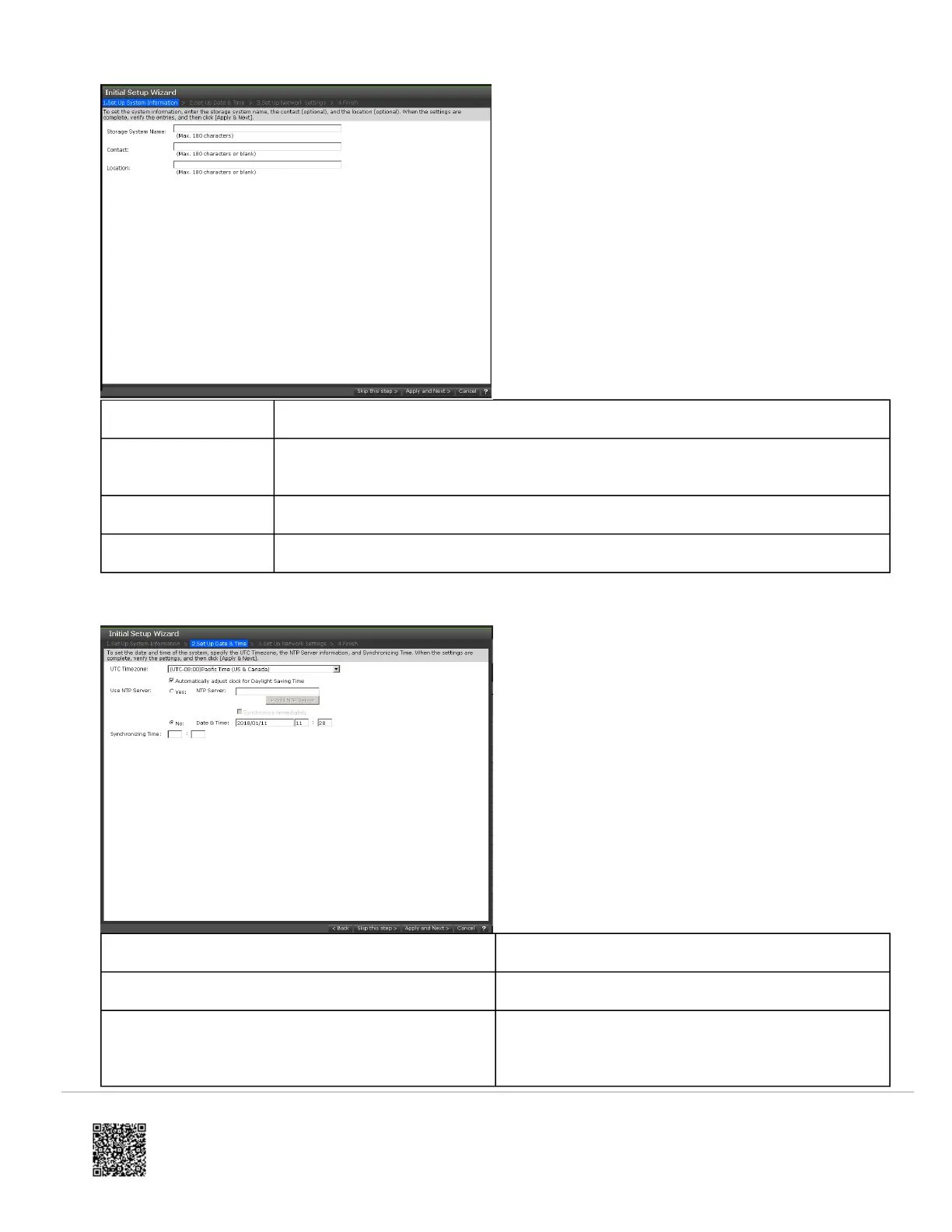
Setting Description
Storage System
Name
Name used to identify the storage system. This name will appear in the maintenance
utility, so use a name that is meaningful.
Contact Name of the contact person associated with the storage system.
Location Location of the storage system.
12. Enter the date and time settings, and then click Apply and Next.
Setting Description
UTC Timezone Time zone in which the storage system is located.
Automatically adjust clock for Daylight Saving Time
If the time zone in which the storage system is located
follows Daylight Saving Time, check this box to have
the storage system automatically adjust its time twice
https://knowledge.hitachivantara.com/Documents/Storage/VSP_E_Series/93-04-0x/Installation/Installing_your_VSP_E590_an…
Updated: Thu, 06 Jan 2022 00:49:25 GMT
Powered by
13



 To Next Page