23
IOM ACHA-ACHBA_201a1201_208000_180901_EN
ACHA / ACHBA
PACKAGED COMPACT
HORIZONTAL AIR - AIR
OPERATION
TH TUNE CONTROL
System Modes
Press the (Mode) button to toggle between the available operating modes.
System modes available:
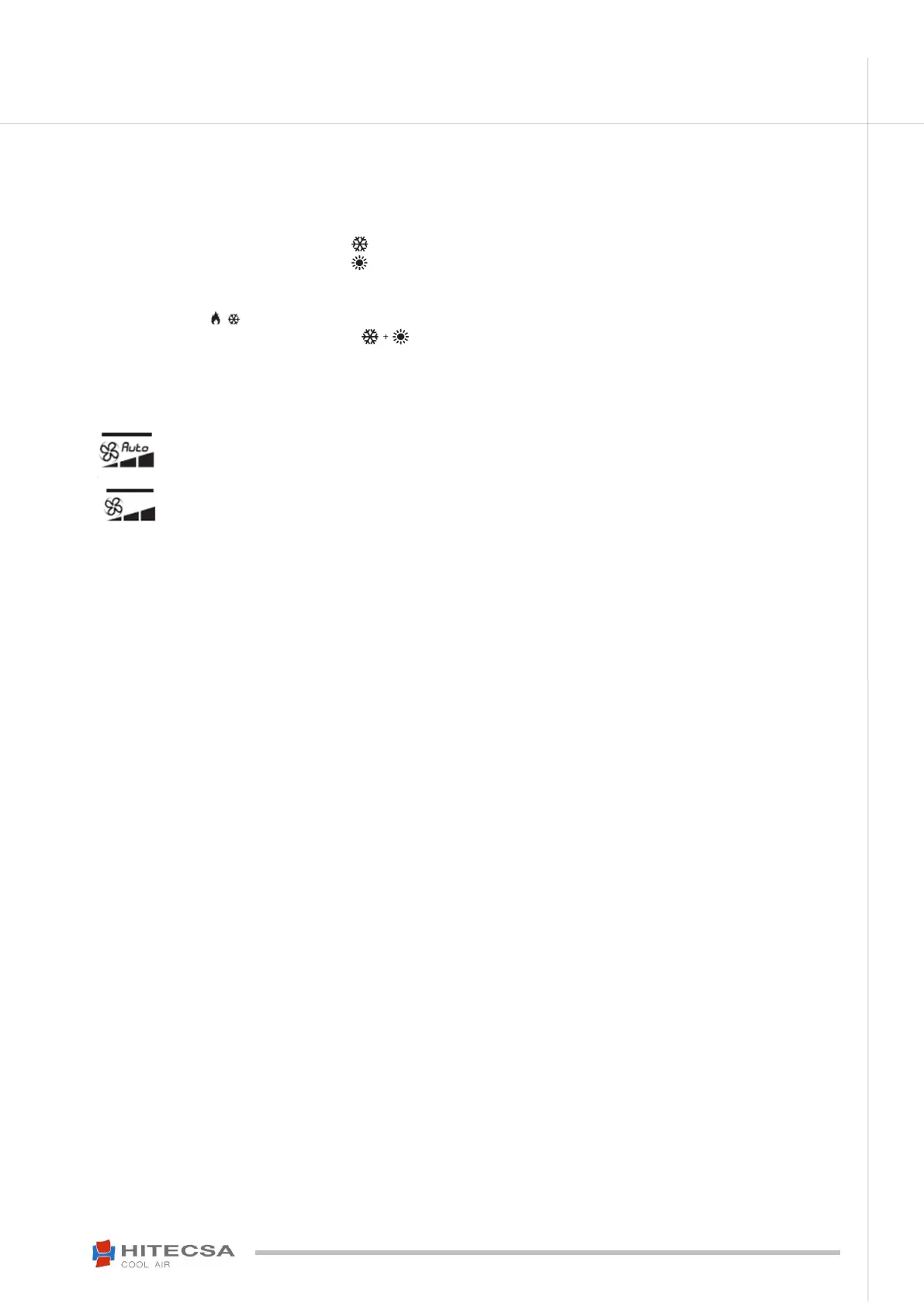
Cooling – The display will show the icon
Heating – The display will show the icon . This icon will not be available for only cooling units
Auto – The display will show "Auto". Not available for only cooling units. The operating mode will change between cool and heat
depending on the selected temperature Set-point. The mode that is active in each moment will be shown on the lower right part of
the thermostat: .
Fan only – The display will show the icons at the same time. The fan will operate in continuous mode and will not keep the
value of the temperature introduced to the Set-point in mind. Units with EC fan have the chance to select between low and high
speed.
Indoor Fan: “Fan / Autofan” with ventilation “Continuous / Auto”
Press the (Fan) button, to alternate between automatic ventilation and continuous ventilation.
Ventilation modes available:
o With automatic fans – The Display icon will show "Auto".
The fan only works when there is demand of cool or heat.
o Without automatic fan – The word “Auto” will disappear from the icon.
The fan works in continuous mode.
Time Schedule
You can schedule the weekly march and/or stoppage with one or two different Set-points, one for Phase 1: “diurnal/at
home” and other for Phase 2: “nocturnal/away from home”.



 To Next Page