30
IOM ACHA-ACHBA_201a1201_208000_180901_EN
ACHA / ACHBA
PACKAGED COMPACT
HORIZONTAL AIR - AIR
OPERATION
pGD1 o Mini PGD THERMOSTAT - Time schedule
Time schedule
Time schedule with pGD controller will only be possible when Th TUNE is not active. If you have connected pGD/Mini pGD and
also Th Tune thermostat, time schedule will be made through this device.
You have different types or possibilities of time schedule:
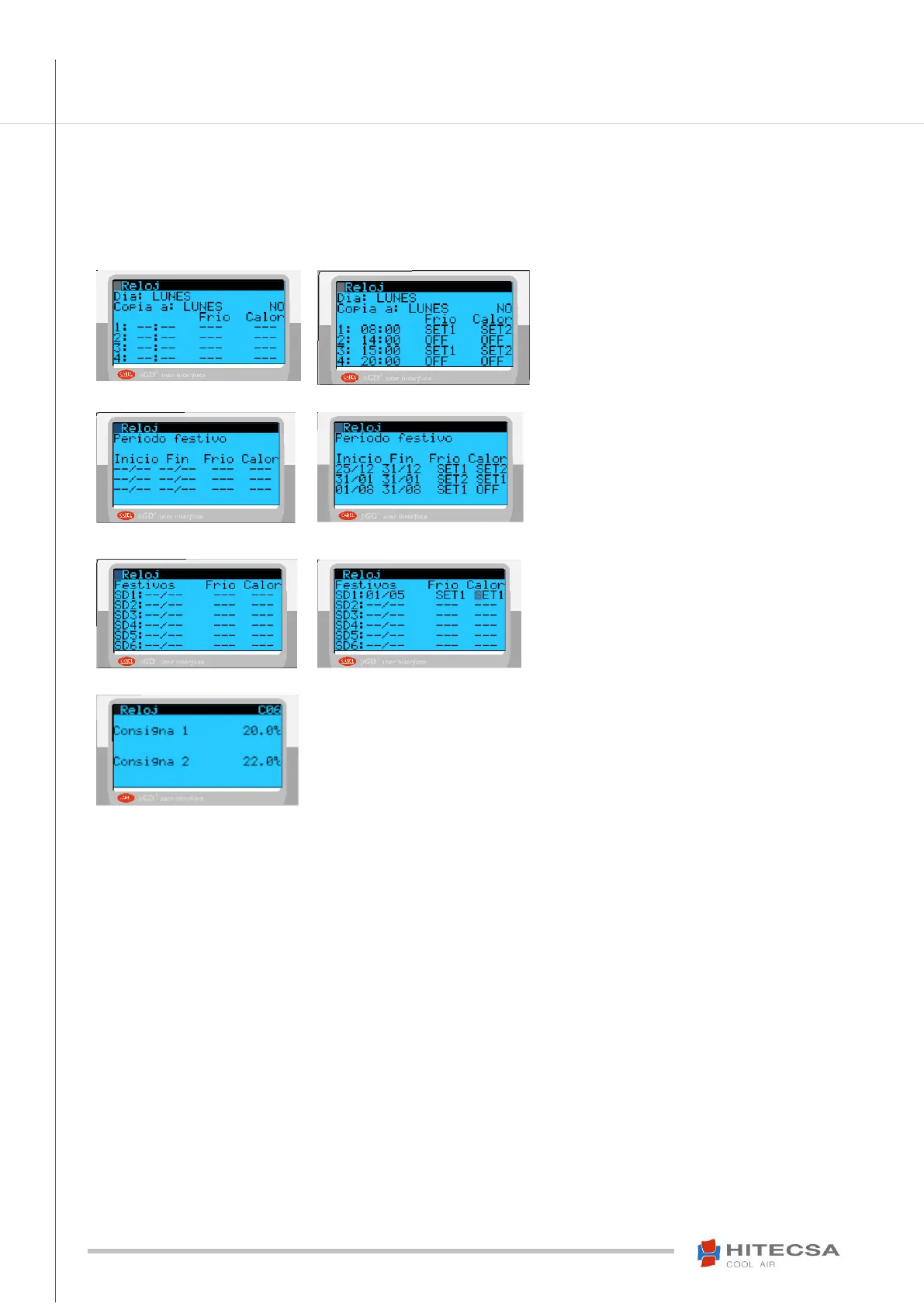
A. Schedule for every not holiday day of the week, two setpoints SET1 (cold) and SET2 (heat) which are defined in the last display.
Example:
Commissioning on Monday at 8:00 with setpoints
SET1 and SET2 for Cold and Heat respectively
until 14:00 and start it again from 15:00 until
20:00.
B. Schedule until 3 holiday periods to define.
Introduce the date of start and end of period and the
setpoints if it is ON or OFF.
Example:
Period from 25/12 to 31/12 in cold and heat
operation with setpoints SET1 and SET2.
From 1/8 to 31/8 setpoint SET1 only cold.
C. Schedule for single holiday days, until 6 different days.
Introduce holiday day date and the setpoints, OFF if
it will be off.
Example:
Day 1/05 in cold and heat operation with the same
setpoint SET1.
D. Configuration of the two setpoints SET1 and SET2
On this display you define the values for two set-
points (SET1 and SET2) that you have used in time
schedule in the prior section.
Once the two set-points are defined, you can
maintain or change their value when you want. For
example, by changing cooling to heating mode and
vice versa



 To Next Page