EasyManua.ls Logo

Hiyasu APH-9A - Operation Panel

Hiyasu APH-9A
11 pages
Print Icon
To Next Page IconTo Next Page
To Previous Page IconTo Previous Page
Loading...
38
ENGLISH
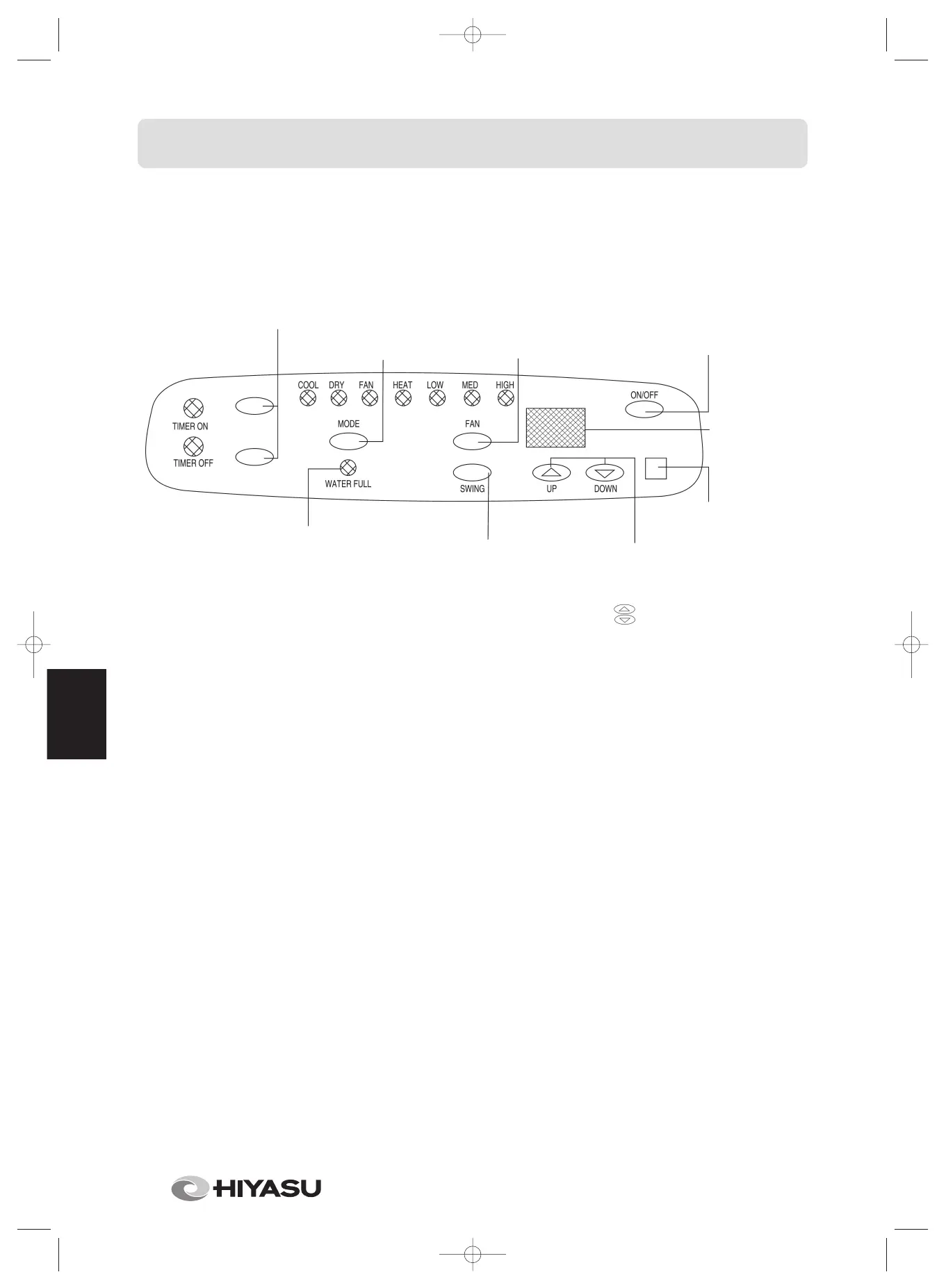
OPERATION PANEL
ON/OFF TIMER BUTTON:
Program the ON/OFF timer
function.
SELECTION
BUTTON: select the
operation mode from
cool, DEHUMIFY,
HEAT and FAN.
FAN SPEED BUTTON: switch
the fan speed to HIGH, MED
or LOW when on COOL and
FAN mode; HIGH or LOW
when on HEAT mode; fixed
speed when on DEHUMIFY
mode.
POWER
BUTTON:
Turn ON/OFF
the unit.
The temperature
is not displayed
under FAN and
DRY mode.
LOUVER BUTTON:
the louver automatically
varies the directions of air
flow.
TEMPERATURE
SETTING BUTTON:
setting the room
temperature you
desired by pressing
button “ ” (up) or
button “ ”
(down).
SIGNAL RECEIVER
(the unit isn’t remote
controlled without).
WATER FULL INDICATOR:
the charactron tube displays
“PI”, water alarm lamp flashes
two times per second when
the drain tank is full.
Manual 01-05Hiyasu Eng 11/3/05 13:29 Página 38

Other manuals for Hiyasu APH-9A

Related product manuals