−17−
Menu's background
color
Change to USA
●▲(Go back to the previous page)
Press the ENTER button to go back to the previous page.
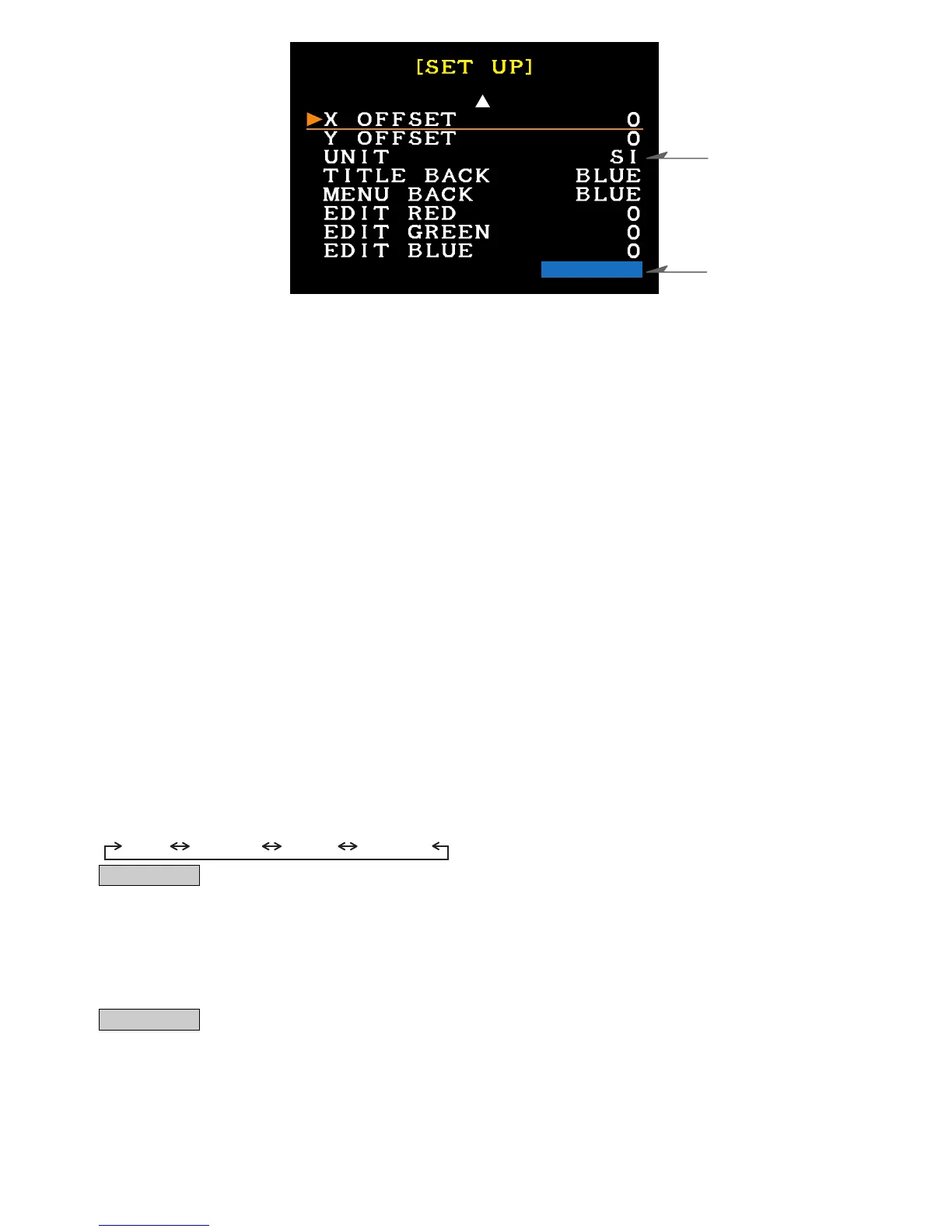
●X OFFSET (Screen position adjustment - Left)
Use this if the screen position is offset horizontally to one side.
The adjustment range is from 0-32, in increments of 1. The default setting is 0.
●Y OFFSET (Screen position adjustment - Upper)
Use this if the screen position is offset vertically to one side.
The adjustment range is from 0-32, in increments of 1. The default setting is 0.
●UNIT (Unit of Measure)
Select the unit from USA unit or SI unit. The default is SI unit.
USA Unit - Distance: mile, Speed: mph, Fuel volume: USG, Temperature: °F,
Fuel Efficiency: m/USG, Pressure: PSI, Horse Power: HP
SI Unit - Distance: km, Speed: km/h, Fuel volume: L, Temperature: °C,
Fuel Efficiency: km/L, Pressure: x 100kPa, Horse Power: kw
(※Other items use common units.)
●TITLE BACK (Menu's background color)
Select the color of Menu's background. The default color is blue.
BLUE ⇔ BLACK
●MENU BACK (Each item's background color)
Select the color of the items' background. The color selected here is the color of all items.
The default color is Blue.
Blue Carbon Black Original
Advice
・The background color of the menu can be selected in TITLE BACK.
・Under ORIGINAL, an original color can be made by setting EDIT RED / GREEN / BLUE.
●EDIT RED / EDIT GREEN / EDIT BLUE (To make an original color for MENU BACK.)
Under this item, an original color can be made by editing the level of each color.
The level can be selected from 0 to 31. The default levels of 3 colors are 0.
Advice
・Select "ORIGINAL" in MENU BACK to use the original color for the background.


 To Next Page
 Loading...