−18−
3.PAST MODE
・Under this mode, commuting routes can be compared, or driver-specific information can be
monitored.
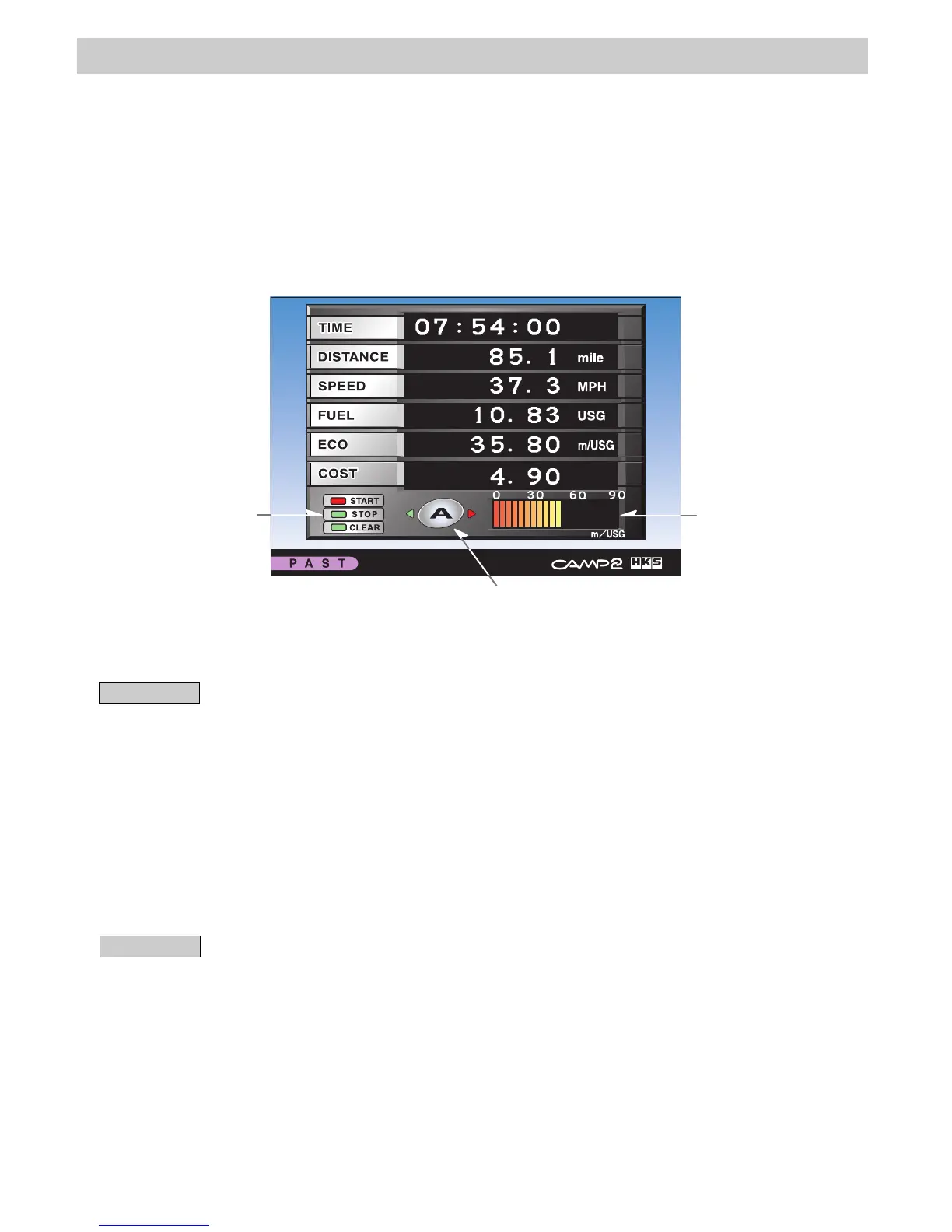
・6 measurements/calculations can be displayed on the screen at one time: TIME (Elapsed Time),
DISTANCE (Driving distance), SPEED (Average speed), FUEL (Consumed fuel volume),
ECO(Average fuel efficiency), and COST (Fuel cost). Real-time fuel efficiency is shown as
a bar graph on the bottom right of the screen.
・Measurements are available in 4 channels (A to D).
・In the channel A, if AUTO PAST ON is selected, every time the ignition is turned on, the data
will be automatically reset, and measurement are started anew.
Current channel
Select Start, Stop,
or Clear.
Fuel efficiency is
shown here.
<Setting>
・Select [PAST] in the menu using the controller's directional arrow buttons. Press ENTER.
・Select a channel from A to D using the controller's directional arrow buttons.
Advice
・All 4 channels can measure at the same time.
・The encircled letter tells which channel is currently active on the screen. To change the
channel, press the red cursor.
<Operation>
・Start Measurement
Select "START" using the controller's directional arrow buttons. Press ENTER.
・Stop Measurement
Select "STOP" using the controller's directional arrow buttons. Press ENTER.
・Clear Data
Select "CLEAR" using the controller's directional arrow buttons. Press ENTER.
Advice
・In DISTANCE (Driving distance), when the value goes over 3107 mile, it resets to 0.0 mile.
・In FUEL (Consumed fuel volume), when the value goes over 132 USG, it resets to 0.0 USG.
・In TIME (Time passage), when the value goes over 99:59:59, it resets 00:00:00.
・In COST (Fuel cost), when the value of FUEL becomes 0.00 USG, the value of COST
automatically becomes 0.00.
・The correct value of the average fuel efficiency and the average speed may not be shown
for a while after starting the PAST mode.



 To Next Page