㧙㧙
5. Boost Setting Mode
5-1. Off Set Value Setting
Off Set Value Setting Display
1(5
#
5'6
1(5
#
5'6
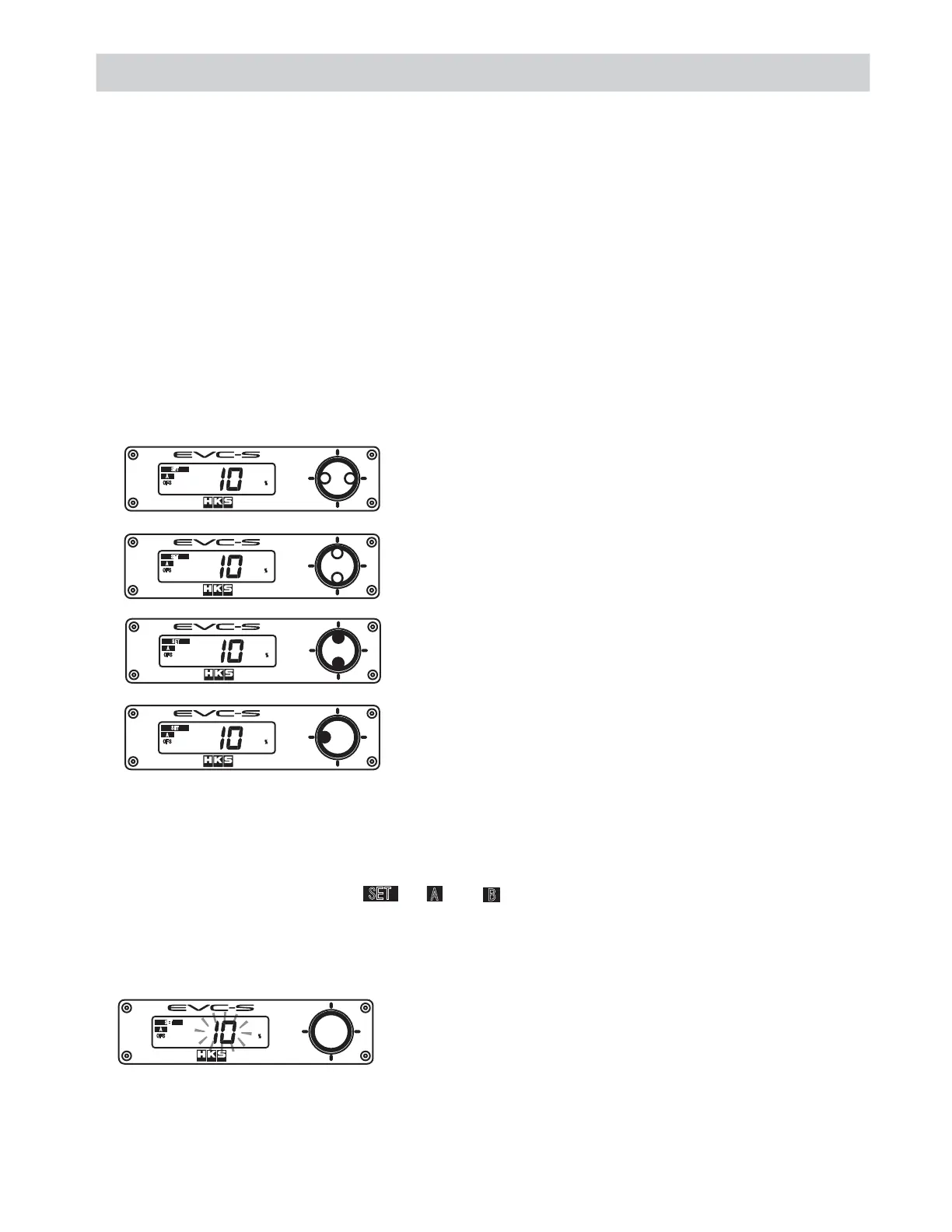
Press the left or right side of the switch to select the item to
be set.
Press the left side of the switch longer than a second to return
to the Boost Control Mode.
1(5
#
5'6
When setting the Off Set Value, " ", " " or " ", "OFS", and "%" appear on the monitor, and the
Off Set Value will blink.
The Off Set Value setting range is 0 - 100 %.
As the Off Set value increases, the boost pressure increases, and vice versa.
˴
1(5
#
5'6
1(5
#
5'6
Press the upper side of the switch to increase the value by 1,
and press the lower side to decrease the value by 1.
Press the upper side of the switch longer than a second to
increase the value by 10, and press the lower side longer than
a second to decrease the value by 10.
5'6
#
$
This mode is to set the following values for boost control: "Off Set Value", "Response Value",
"Over Boost Value", "Warning Value", and "Drop Value."
Press the left side of the switch longer than a second to go to the Boost Setting Mode under the
Boost Control Mode.
The set values are saved to either A Mode or B Mode selected in the Boost Control Mode.
Press the upper side of the switch once to increase the value by 1, and press the lower side to
decrease the value by 1.
Press the upper side of the switch longer than a second to increase the value by 10, and press the
lower side longer than a second to decrease the value by 10.
Press the left or right side of the switch to select the item to be set.
Press the left side of the switch longer than a second to return to the Boost Control Mode.
When no operation is done for approximately 120 seconds, the mode returns to the Boost Control
Mode.


 To Next Page