㧙㧙
5-4. Warning Value Setting
5-5. Drop Value Setting
5-2. Response Value Setting
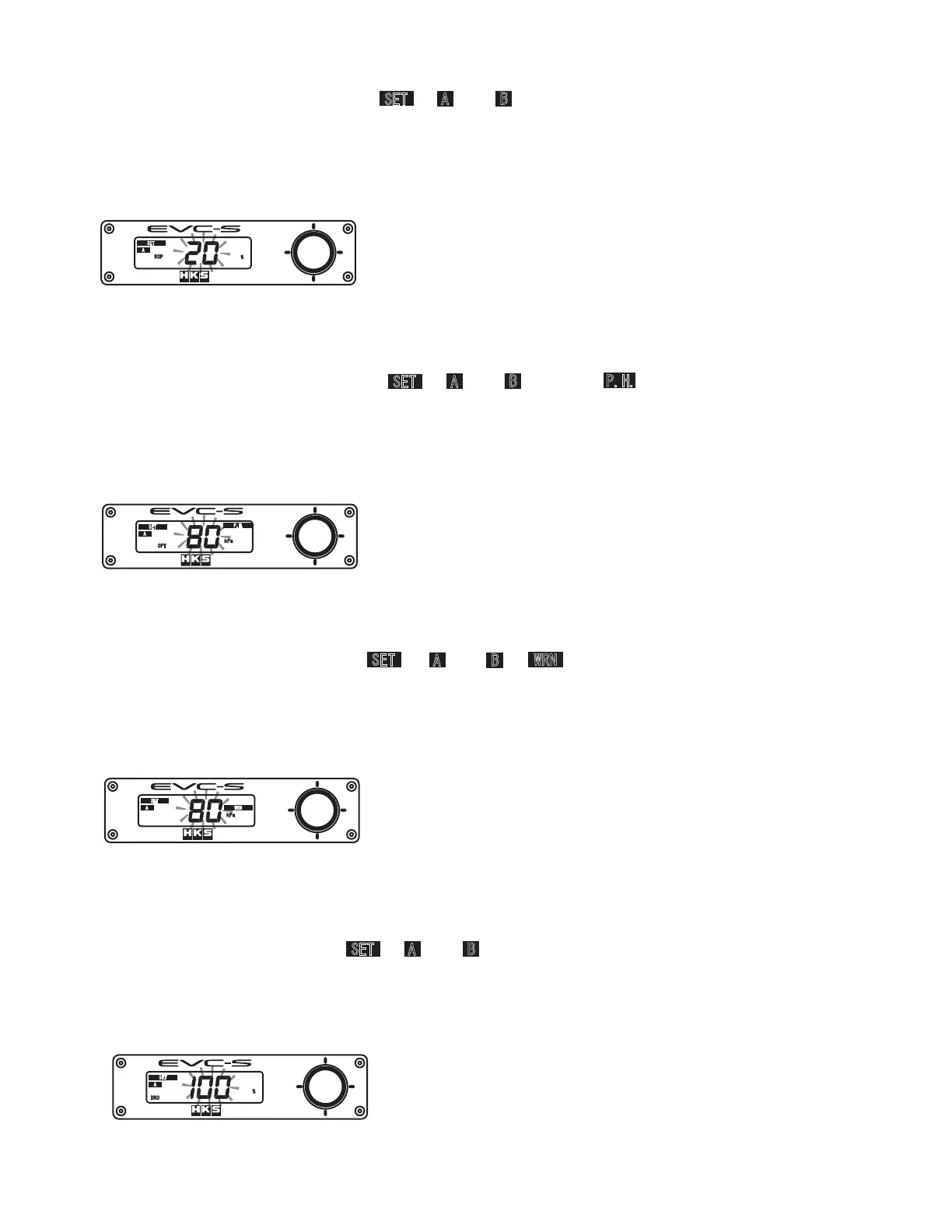
When setting the Response Value, " ", " " or " ", "RSP", and "%" appear on the monitor, and
the Response Value will blink.
The Response Value setting range is 0 - 100 %.
As the Response Value increases, the boost pressure increases sooner, overshooting and/or
unstable boost pressure may occur.
˴
#
5'6
452
Response Value Setting Display
When setting the Warning Value, " ", " " or " ", " ", and "kPa" or "PSI" appears on the
monitor, and the Warning Value will blink.
The Warning Value setting range is 0 - 250kPa or 0.0 - 36.0PSI.
When the boost pressure exceeds the set Warning Value, a buzzer sounds and the boost value
decreases to the Drop Value setting to protect the engine and turbocharger from excessive boost.˴
#
5'6
940
M2C
Drop Value Setting Display
#
5'6
&41
5-3. Over Boost Value Setting
When setting the Over Boost Value, " ", " " or " ", "OPT", " ", and "kPa" or "PSI" appear
on the monitor, and the Over Boost Value will blink.
The Over Boost Value setting range is 0 - 250kPa or 0.0 - 36.0PSI.
The boost can be set to maximize the turbine performance regardless of the Off Set Value and
Response Value. As the value increases, it may over shoot the Off Set Value Setting.˴
Over Boost Value Setting Display˴
#
5'6
M2C
126
2*
5'6
#
$
5'6
#
$
2*
5'6
#
$
940
Warning Value Setting Display
When setting the Drop Value, " ", " " or " ", "DRO", and "%" appear on the monitor, and the
Drop Value will blink.
The Drop Value setting range is 0 - 100 %.
The Drop Value is the value the boost pressure drops to under the Warning Function.
5'6
#
$


 To Next Page