OM-227 978 Page 11
SECTION 5 − INSTALLATION
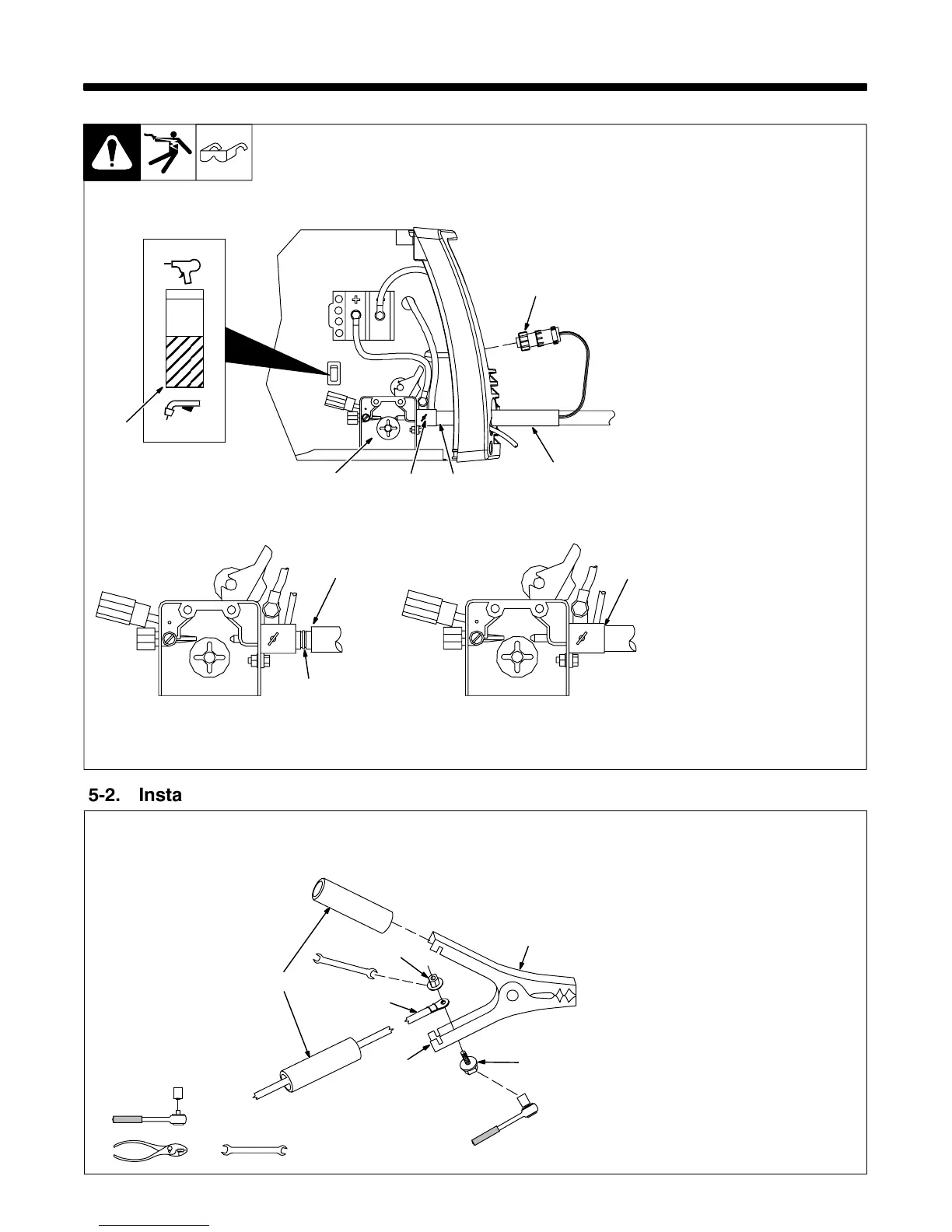
5-1. Installing Welding Gun
804 686-A
1 Drive Assembly
2 MIG Gun
3 Gun Securing Thumbscrew
4 Gun End
Loosen thumbscrew. Insert end
through opening until it bottoms
against drive assembly. Tighten
thumbscrew.
Welding gun must be inserted
completely to prevent leakage of
shielding gas.
5 Gun Trigger Plug
Insert plug into receptacle, and
tighten threaded collar.
6 Spool Gun/MIG Gun Switch
Place switch in MIG Gun position.
Close door.
CorrectIncorrect
. Be sure that gun end is tight against drive assembly.
3
Gun Fully Seated
3
Gun Not Seated
Exposed O-rings
will cause shielding
gas leakage.
5
1
3
2
Spool Gun
MIG Gun
6
4
5-2. Installing Work Clamp
1 Nut
2 Work Cable From Unit
3 Work Clamp
4 Screw
5 Work Clamp Tabs
Bend tabs around work cable.
6 Insulating Sleeves
Slide one insulating sleeve over
work cable before connecting to
clamp.
Slide insulating sleeves over
handles.
802 456-A
. Connection hardware must be tightened with proper tools. Do not just
hand tighten hardware. A loose electrical connection will cause poor
weld performance and excessive heating of the work clamp.
Tools Needed:
7/16 in
7/16 in
1
2
3
4
5
6


 To Next Page