OM-227 978 Page 19
SECTION 6 − OPERATION
6-1. Controls
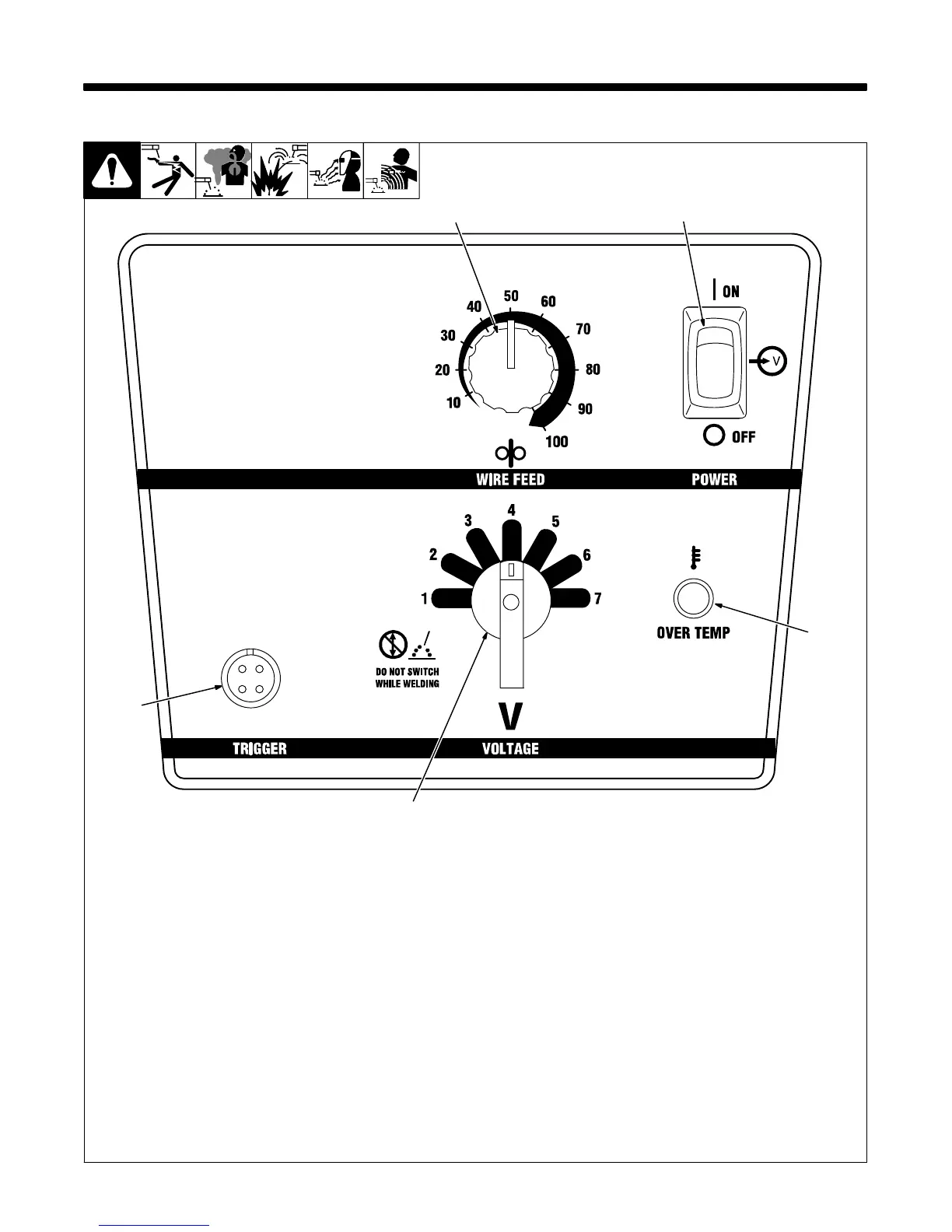
1 Wire Speed Control
Use control to select a wire feed speed. As
Voltage switch setting increases, wire
speed range also increases (see weld
setting label in welding power source or
Section 6-2, as applicable).
2 Power Switch
3 Voltage Switch
The higher the selected number, the
thicker the material that can be welded
(see weld setting label in welding power
source or Section 6-2, as applicable). Do
not switch under load.
. Switch must “click” into detent
position.
4 Over Temperature Light
Light illuminates if main transformer
overheats.
5 Gun Trigger Receptacle
Ref. 227 950-A
1
2
3
5
4


 To Next Page