HOBO MX Temp/RH Data Logger (MX1101) Manual
1-800-LOGGERS 2 www.onsetcomp.com
Specifications (continued)
LCD LCD is visible from 0° to 50°C (32° to 122°F); the LCD may react slowly
or go blank in temperatures outside this range
Size 3.66 x 8.48 x 2.29 cm (1.44 x 3.34 x 0.9 in.)
Weight 56 g (1.98 oz)
Environmental Rating IP50
The CE Marking identifies this product as complying with all relevant
directives in the European Union (EU).
See last page
*Per RH sensor manufacturer data sheet
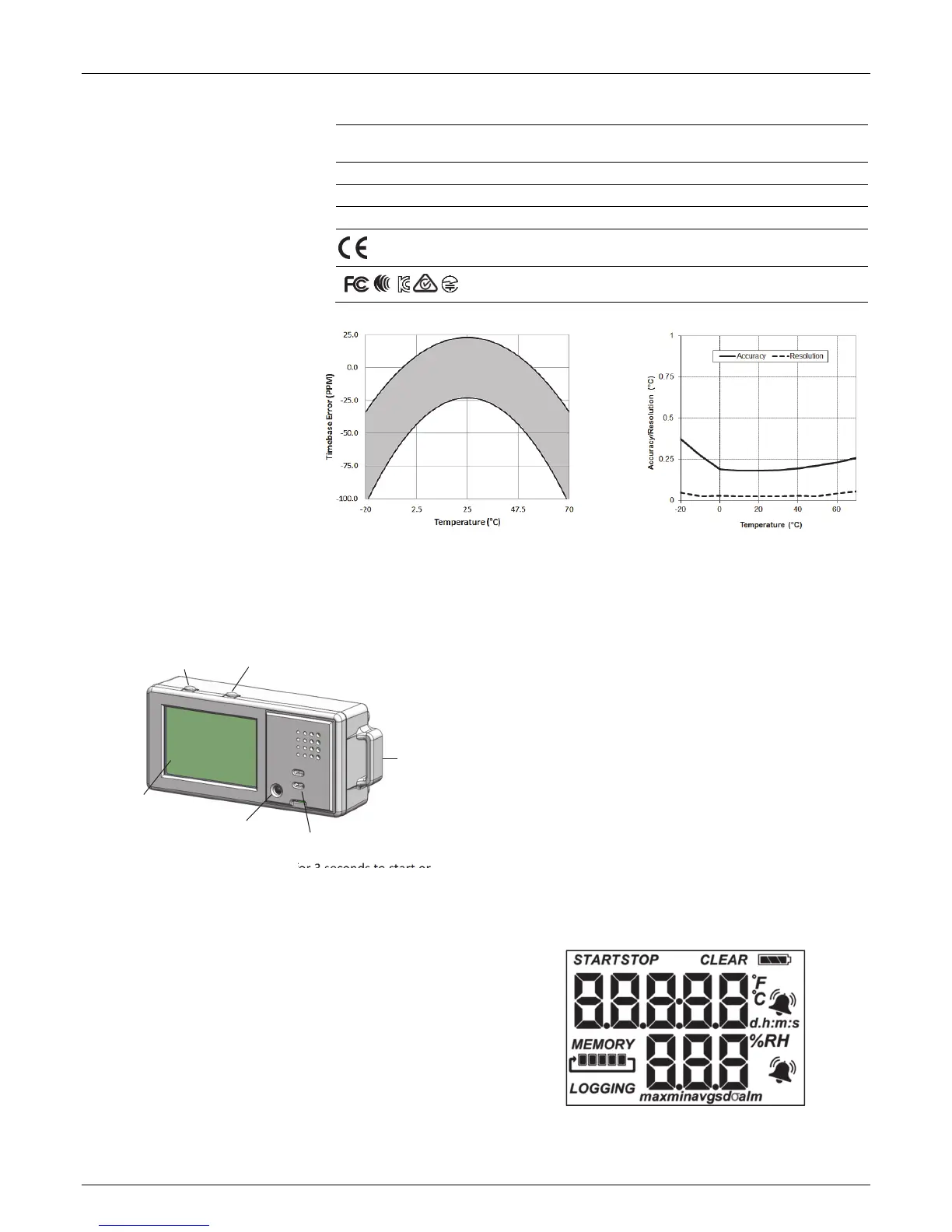
Logger Components and Operation
Start/Stop Button: Press this button for 3 seconds to start or
stop logging data, or to resume logging on the next even
logging interval. This requires configuring the logger in
HOBOmobile with a push button start or stop, and with Allow
Button Restart selected (see Setting up the Logger). You can
also press this button for 1 second to record an internal event
(see Recording Internal Logger Events), to silence a beeping
alarm (see Setting up Alarms), or to turn the LCD screen on if
the option to turn off the LCD has been enabled (see Setting up
the Logger).
Press both the Start/Stop button and the Alarm/Stats button
simultaneously for 3 seconds to reset a logger password.
Alarm/Stats Button: Press this button for 1 second to switch
between statistics, alarm readings, and the current sensor
readings as applicable or to silence a beeping alarm. Press this
button for 3 seconds to clear a visual alarm if the logger was
configured in HOBOmobile to maintain the visual alarm until
the alarm button was pressed (see Setting up Alarms).
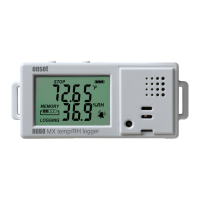
Mounting Loops: Use the two mounting loops (only one visible
in the diagram) to mount the logger with the hook-and-loop
strap (see Mounting the Logger).
Temperature Sensor: This sensor is located in the lower left
corner of the raised panel to the right of the LCD screen.
RH Sensor: This sensor is located behind the vented panel in
the logger case to the right of the LCD screen and the
temperature sensor.
LCD Screen: This logger is equipped with an LCD screen that
displays details about the current status. This example shows all
symbols illuminated on the LCD screen followed by definitions
of each symbol in the table on the next page.
Plot A: Temperature
Accuracy and Resolution
Plot B: Time Accuracy
Alarm/Stats Button
Start/Stop Button
Mounting
Loop
LCD Screen
RH Sensor (behind panel)
Temperature
Sensor


 To Next Page