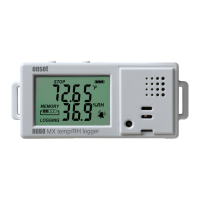
HOBO MX Temp/RH Data Logger (MX1101) Manual
1-800-LOGGERS 8 www.onsetcomp.com
5. Select the statistics you want the logger to record at each
logging interval: Maximum, Minimum, Average, and
Standard Deviation (average is automatically enabled when
selecting Standard Deviation). Statistics will be logged for all
enabled sensors. In addition, the more statistics you record,
the shorter the logger duration and the more memory is
required.
6. Tap Statistics Sampling Interval and select the rate to use
for calculating statistics. The rate must be less than, and a
factor of, the logging interval. For example, if the logging
interval is 1 minute and you select 5 seconds for the
sampling rate, then the logger will take 12 sample readings
between each logging interval (one sample every 5 seconds
for a minute) and use the 12 samples to record the resulting
statistics at each 1-minute logging interval. Note that the
more frequent the sampling rate, the greater the impact on
battery life.
7. Tap Done.
8. Tap Done again to exit the Logging Mode screen.
9. Tap Start in the Configure screen to load the statistics
settings onto the logger if you are ready to start.
Once logging begins, click the Alarm/Stats button on the logger
to cycle through the current maximum, minimum, average, and
standard deviation data on the LCD screen. Note that the logger
will always display the current sensor readings in HOBOmobile
even if they are not being logged. You can plot the statistics
series once you read out the logger.
Reading Out the Logger
To offload data from the logger:
1. Tap .
2. Find the logger you wish to offload in the In Range list and
tap that row.
3. Once connected, tap Readout.
4. Tap to view a mini-graph of the offloaded data.
5. Tap the mini-graph to view a larger version of the graph or
to share the file.
See the HOBOmobile User’s Guide for details on viewing graphs
and sharing data. Data can also be uploaded automatically to
HOBOlink, Onset’s web-based software. For details on working
with data in HOBOlink, refer to the HOBOlink Help.
Recording Internal Logger Events
The logger records the following internal events to track logger
operation and status. To plot events in HOBOmobile, tap a
mini-graph and then tap . Select the events you wish to plot
and then tap again. You can also view events in shared or
exported data files.
Internal Event Name Definition
Host Connected The logger was connected to the mobile
device.
Started The Start/Stop button was pressed to begin
or resume logging.
Stopped The logger received a command to stop
recording data (from HOBOmobile or by
Internal Event Name Definition
pushing the Start/Stop button).
Button Up/Button
Down
The Start/Stop button was pressed for
1 second.
Chan <#> Alarm
Tripped
A sensor alarm has tripped; <#> is the sensor
number, where 1 is temperature and 2 is RH.
Chan <#> Alarm
Cleared
A sensor alarm has cleared; <#> is the sensor
number, where 1 is temperature and 2 is RH.
This event also contains the value that was
furthest out of range for the sensor before
the alarm cleared, which is only available in a
shared or exported file.
New Interval The logger has entered or exited burst
logging mode.
Safe Shutdown The battery level dropped below 1.85 V; the
logger performs a safe shutdown.
Mounting the Logger
There are several ways to mount the logger using the materials
included:
• Use the four magnets on the back of the logger case to
mount it to a magnetic surface.
• Attach Command strips to the back of the logger to
mount it a wall or other flat surface. Double up the two
Command strips so that they protrude past the magnets.
• Use the double-sided tape to affix the logger to a surface.
• Insert the hook-and-loop strap through the mounting
loops on both sides of the logger to mount it to a curved
surface, such as a pipe or tubing.
Protecting the Logger
The logger is designed for indoor use and can be permanently
damaged by corrosion if it gets wet. Protect it from
condensation. If the message FAIL CLK appears on the LCD
screen, there was a failure with the internal logger clock
possibly due to condensation. Remove the battery immediately
and dry the circuit board.
Note: Static electricity may cause the logger to stop logging.
The logger has been tested to 8 KV, but avoid electrostatic
discharge by grounding yourself to protect the logger. For more
information, search for “static discharge” on onsetcomp.com.
Battery Information
The logger requires two user-replaceable AAA 1.5 V alkaline or
optional lithium batteries for operation at the extreme ends of
the logger operating range. Expected battery life varies based
on the ambient temperature where the logger is deployed, the
logging or sampling interval, frequency of offloading and
connection to the mobile device, number of channels that are
active, audible alarms duration, use of burst mode or statistics
logging, and battery performance. New batteries typically last 1
year with logging intervals greater than 1 minute. Deployments
in extremely cold or hot temperatures, a logging interval faster
than 1 minute, or a sampling interval faster than 15 seconds
can impact battery life. Estimates are not guaranteed due to
uncertainties in initial battery conditions and operating
environment.


 To Next Page
 Loading...