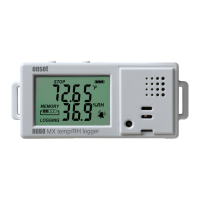
HOBO MX Temp/RH Data Logger (MX1101) Manual
1-800-LOGGERS 3 www.onsetcomp.com
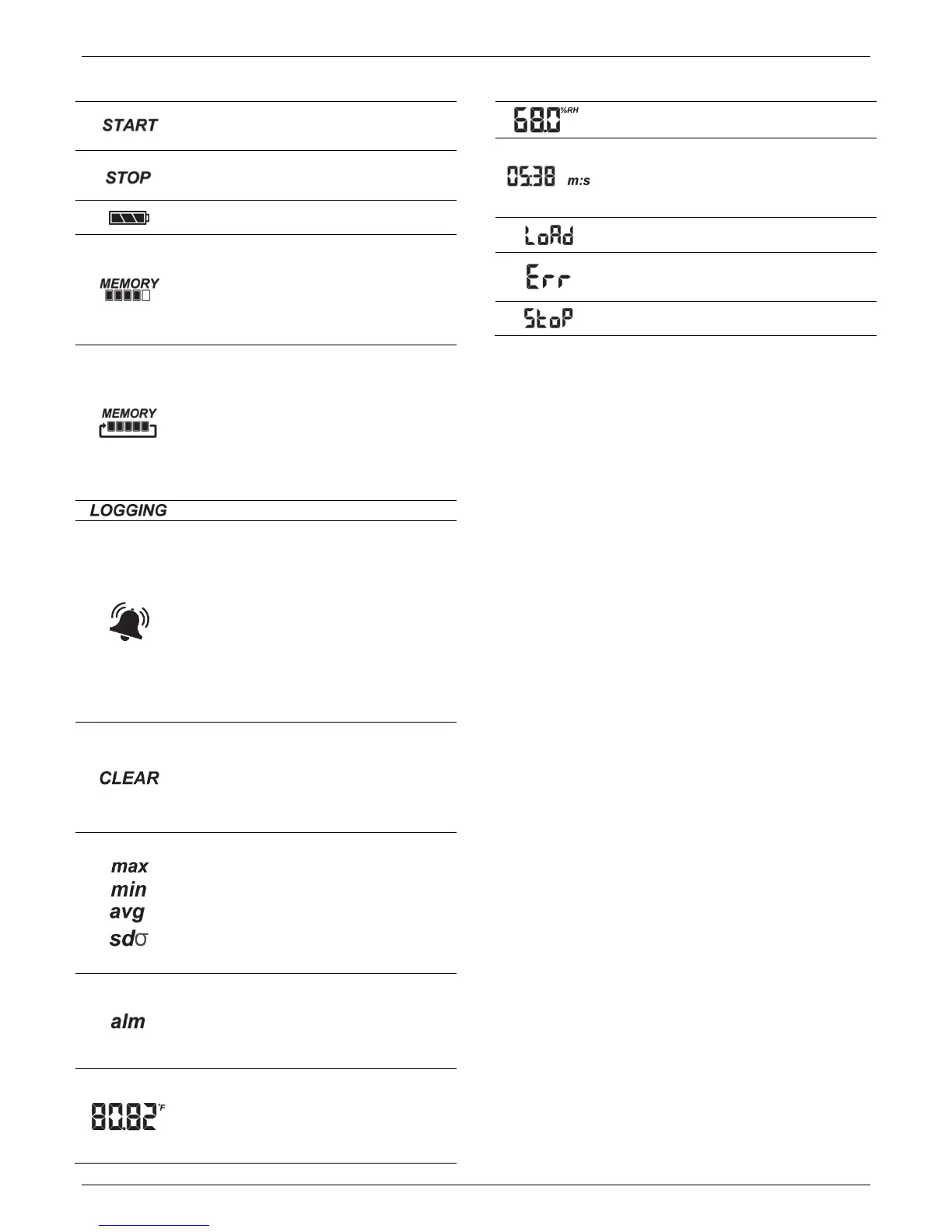
LCD Symbol Description
The logger is waiting to be started or restarted.
Press and hold the Start/Stop button for 3 seconds
to start the logger.
The logger has been started with push button stop
enabled; press and hold the Start/Stop button for
3 seconds to stop the logger.
The battery indicator shows the approximate
battery power remaining.
The logger has been configured to stop logging
when memory fills. The memory bar indicates the
approximate space remaining in the logger to
record data. When first started, all five segments
in the bar will be empty. In this example, the
logger memory is almost full (only one segment in
the memory bar is empty).
The logger has been configured to never stop
logging (wrapping). The logger will continue
recording data indefinitely, with newest data
overwriting the oldest data until the batteries die
or the logger is reconfigured. When first launched,
all five segments in the memory bar will be empty.
In this example, the memory is full (all five
segments are filled in) and new data is now
overwriting the oldest data. This will continue until
the logger is stopped or the battery runs out.
The logger is currently logging.
A sensor reading is above or below the high or low
alarm limit that you configured. Press and release
the Alarm/Stats button until the “alm” symbol
(described below) is displayed on the screen. This
symbol at left will clear depending on how visual
alarms were configured in HOBOmobile. If the
visual alarm was set to clear when the logger is
reconfigured, this symbol will remain on the LCD
until the next time new configure settings are
loaded onto the logger (see Setting up the Logger).
Otherwise, it will clear when the sensor reading is
back within the alarm limits or by pressing the
Alarm/Stats button for 3 seconds.
A visual alarm is ready to be cleared. This will only
appear if HOBOmobile was configured to maintain
the visual alarm until the alarm button is pressed.
Press the Alarm/Stats button for 3 seconds to
clear the visual alarm. Note that an audible alarm
can be silenced by pressing the Start/Stop button
or Alarm/Stats button for 1 second.
These symbols show the maximum, minimum,
average, and standard deviation values most
recently calculated by the logger (if the logging
mode has been set to Fixed Interval in
HOBOmobile and each statistic has been selected;
see Statistics Logging). Press the Alarm/Stats
button for 1 second to cycle through the available
statistics and then back to the current sensor
reading (or to the alarm value if applicable).
This is the farthest out-of-range sample displayed
during the logger deployment. Press the
Alarm/Stats button to view this reading. Press the
Alarm/Stats button again to cycle through any
statistics (defined above) and ultimately back to
the current sensor reading.
This is an example of a temperature reading.
Temperature units are determined by the settings
in HOBOmobile. To switch between Celsius and
Fahrenheit, change the units in the HOBOmobile
Settings (the logger must be reconfigured for units
changes to take effect).
LCD Symbol Description
This is an example of an RH reading.
The logger has been configured to start logging on
a particular date/time. The display will count down
in days, hours, minutes, and seconds until logging
begins. In this example, 5 minutes and 38 seconds
remain until logging will begin.
The configure settings are being loaded onto the
logger from HOBOmobile.
An error occurred while loading the configure
settings onto the logger from HOBOmobile. Try
reconfiguring the logger.
The logger has been stopped with HOBOmobile or
because the memory is full.
Notes:
• You can disable the LCD screen when logging. Deselect
“Show LCD” when setting up the logger as described in
the next section. When this option is disabled, you can
still temporarily view the LCD screen by pushing the
Start/Stop button for 1 second. The LCD will then remain
on for 10 minutes.
• The LCD screen refreshes every 15 seconds regardless of
the logging interval selected in HOBOmobile. If you
choose a logging interval less than 15 seconds, the data
will be recorded at the faster interval, but the sensor
readings will only be updated on the screen every 15
seconds.
• When the logger has stopped logging, the LCD screen will
remain on with “STOP” displayed until the logger is
offloaded to your mobile device (unless the logger was
configured with the “Show LCD” option disabled). Once
the logger has been offloaded, the LCD will turn off
automatically after 2 hours. The LCD will turn back on the
next time the logger connects with your device through
HOBOmobile.
• The LCD screen flashes “HELLO” when you page the
logger from HOBOmobile (see Downloading HOBOmobile
and Connecting to a Logger).
• The LCD screen flashes “CHIRP OFF” when an audible
alarm is cleared.
Downloading HOBOmobile and
Connecting to a Logger
Install the HOBOmobile app to connect to and work with the
logger.
1. Download HOBOmobile. Go to the App Store® or Google
Play™ and download the HOBOmobile app to your phone or
tablet.
2. Install the batteries. Open the battery door on the back of
the logger and insert two AAA batteries observing polarity
(see Battery Information). Reinsert the battery door and
snap it back into place.
3. Open HOBOmobile. Enable Bluetooth in your device
settings if prompted.


 To Next Page
 Loading...