16
ENGLISH
Use and maintenance manual
6.2.2 Result of the measurement and weight application
If the unbalance is out of tolerance:
1. When the spin is complete, bring the unbalance into correction position by turning the wheel by hand.
The spindle is automatically locked in correction position (if not disabled the spindle lock).
If the acoustic signal is enabled ( MENU - ACOUSTIC SIGNAL), a beep will sound when the correction
position has been reached.
2. If the LED [3] blinks
3
( OPB)
3. The symbol is shown on the display 3/4 on the side corresponding to the active correction plane.
4. The spotter projects a laser indication inside the rim.
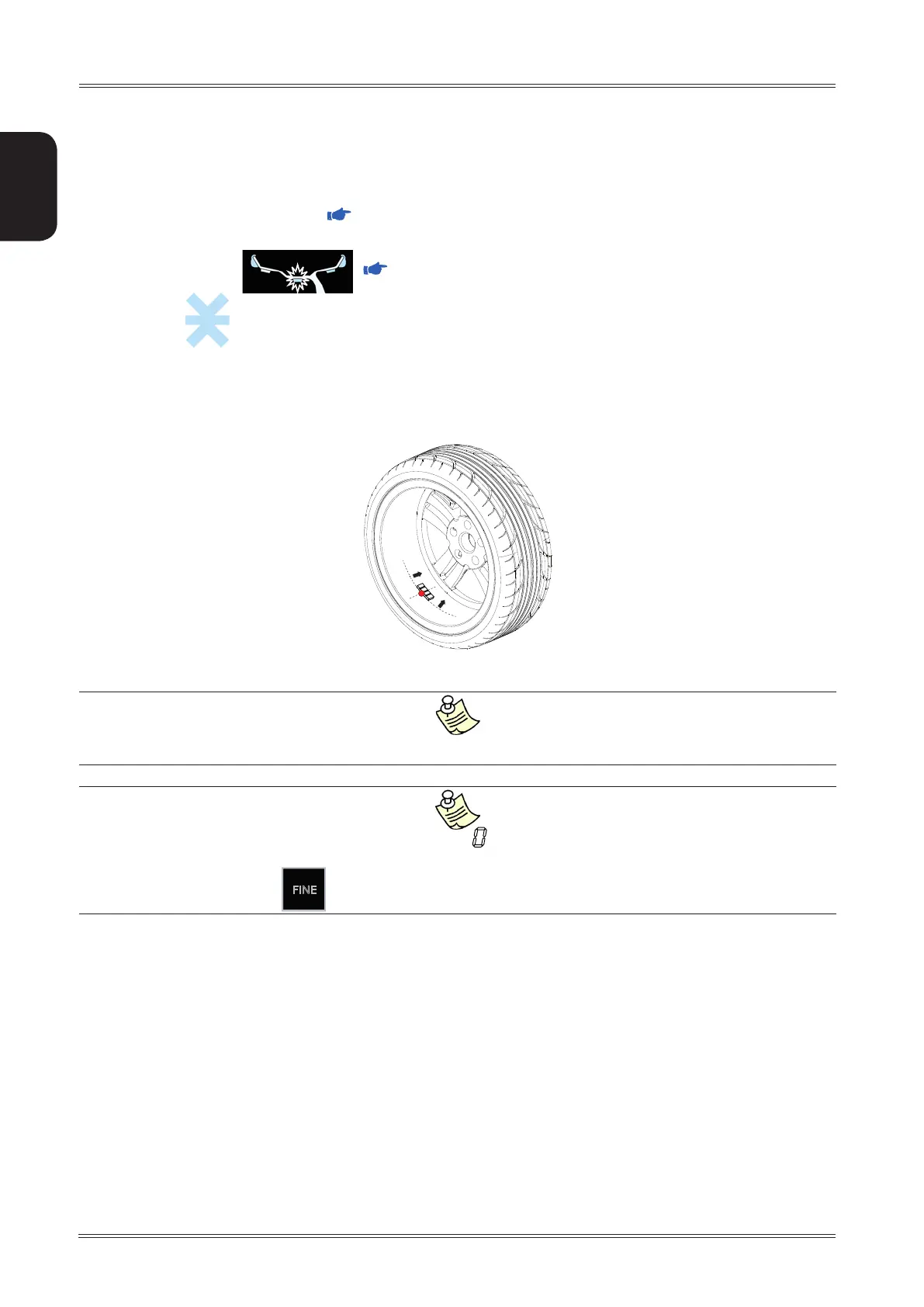
5. Apply the number of weights shown on the display on the side corresponding to the active plane. The weight
is to be applied according to the following convention:
The adhesive weights must always be applied starting from the laser spotter indication towards the inside of the rim.
If the out-of-balance is less than the chosen threshold value, ” ” appears instead of the out-of-balance value to indicate,
on that particular side, that the wheel is in tolerance.
Press
FINE
to display the residual value below the chosen threshold.
6. After applying the weights, spin the wheel to check the correction made checking that both planes are within
tolerance.
Use of the wheel balancer



 To Next Page