17
ENGLISH
Use and maintenance manual
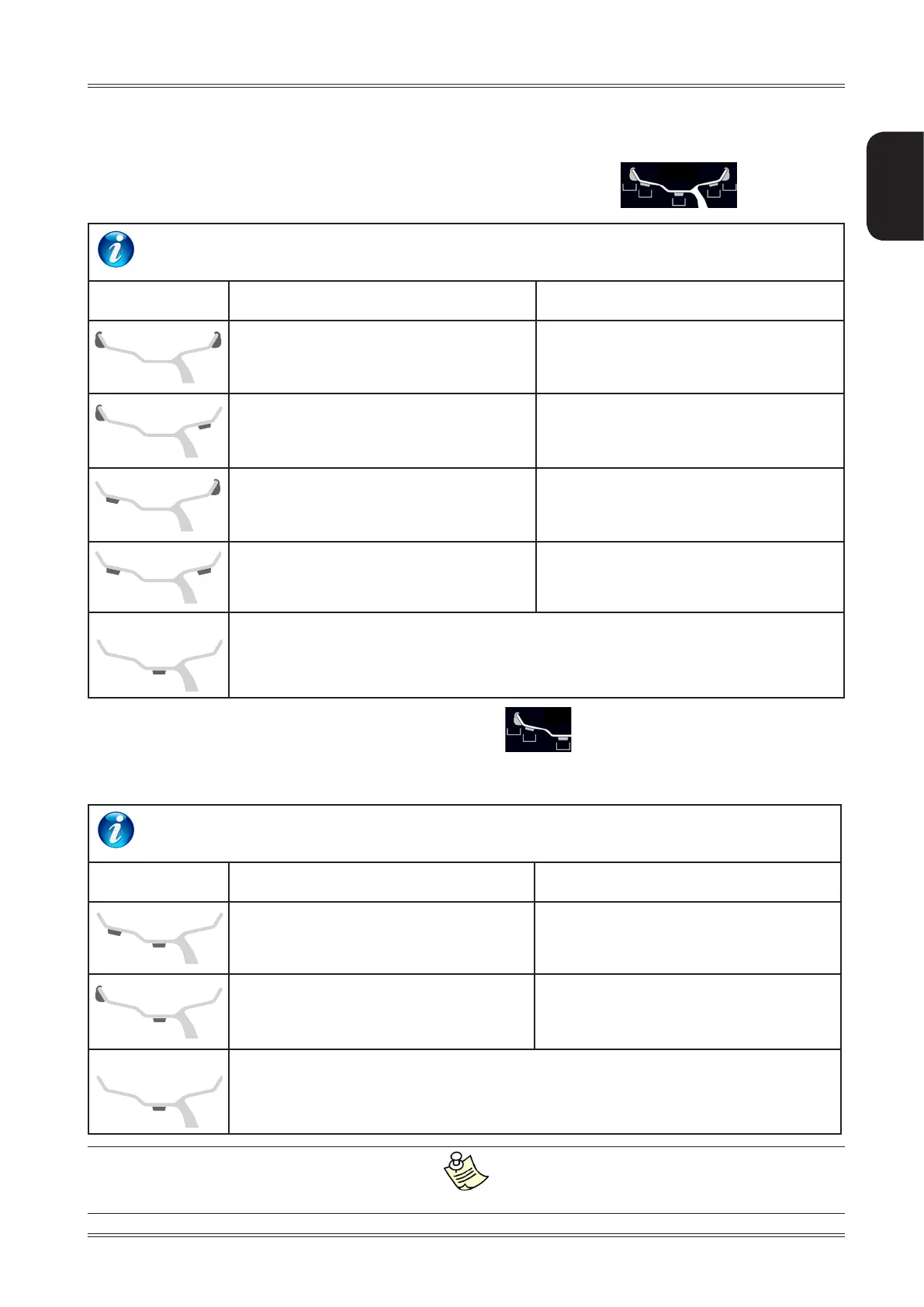
6.3 BALANCING WITH A MIX OF ADHESIVE AND CLIP-ON WEIGHTS (STATIC BALANCING)
After dimension acquisition in standard balancing mode, pressing the buttons
3
1
2
4
5
, you can select
one of the following correction modes.
WEIGHT APPLICATION POSITION
Correction type Inside Outside
Clip-on weight at 12 o’clock Clip-on weight at 12 o’clock
Clip-on weight at 12 o’clock Adhesive weight at 12 o’clock
Adhesive weight at the point
indicated by the internal laser
Clip-on weight at 12 o’clock
Adhesive weight at the point
indicated by the internal laser
Adhesive weight at 12 o’clock
STATIC
Adhesive weight at the point indicated by the internal laser
After dimension acquisition in ALU mode, pressing the buttons
1
2
3
, you can select one of the following cor-
rection modes. The adhesive weight application distance and diameter are measured by means of the automatic
gauge, except for the static unbalance where the dimensions acquired are modified following some fixed parameters.
WEIGHT APPLICATION POSITION
Correction type Inside Outside
Adhesive weight at the point
indicated by the internal laser
Adhesive weight at the point
indicated by the internal laser
Clip-on weight at 12 o’clock
Adhesive weight at the point
indicated by the internal laser
STATIC
Adhesive weight at the point indicated by the internal laser
If the Spotter is disabled, the weight application positions remain as indicated in the table.
Use of the wheel balancer



 To Next Page