Operation C250 ... C370
Translation of Original Operating Manual 156319-04 133
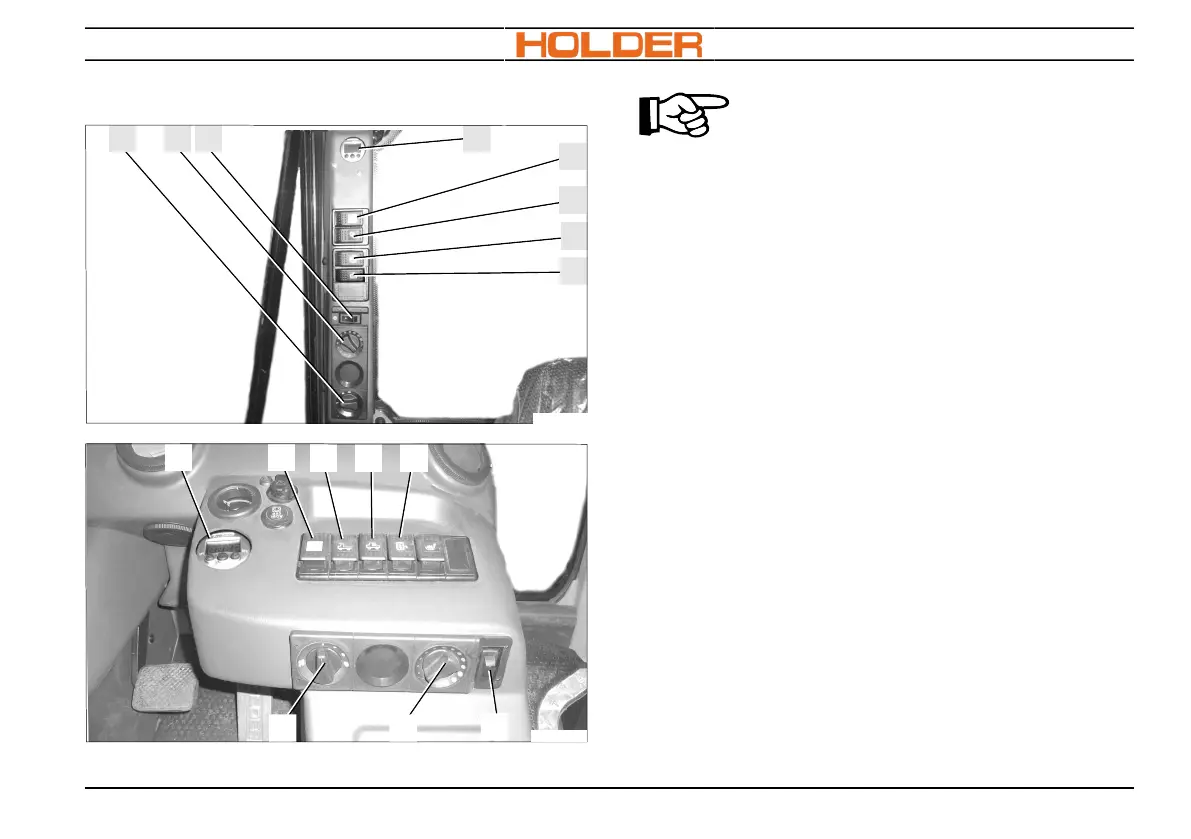
Heating and ventilating the cab
2 3
4
8
6
7
5
C250, C270
1
C270_005b
48
5 6 7
C370_002b
1 2
3
C350, C370
ADVICE
The heater is supplied with heat by the
cooling water of the engine.
Switching on the heater
1. For heating, turn rotary knob (2) to the right.
You can choose your individual interior tem-
perature with the appropriate rotary knob po-
sition between Off and Maximum.
Switching off heating
1. To switch off heating, turn rotary knob (2) all
the way to the left.
Switching on ventilation
1. Turn rotary switch (1) to the right.
Step 0 = air flow off
Step 1 = weak air flow (continuous ventilation)
Step 2 = medium air flow
Step 3 = strong air flow
Switching off ventilation
1. To switch off heating, turn rotary knob (1) all
the way to the left.


 To Next Page