SH
14 © HOLMS INDUSTRI AB, ALL RIGHTS RESERVED 161230.
6. Connect the quick couplings on the angling cylinder
to a double-acting hydraulic outlet. (Or, if the
sweeper roller is equipped with electrohydraulic
angling, connect the cabling to the carrier).
7. Start the sweeper roller by activating the hydraulic
motor circuit.
8. Check that the sweeper roller is rotating in the right
direction. If the sweeper roller is rotating in the wrong
direction in the locked position, change the locked
position or change the quick couplings for the
hydraulic motor function.
Operator settings
The following operator settings must be selected:
• vertical position and tilt (see below)
• ground pressure, see “Setting the ground pressure” on
page 15.
Adjusting the height and tilt of the sweeper roller
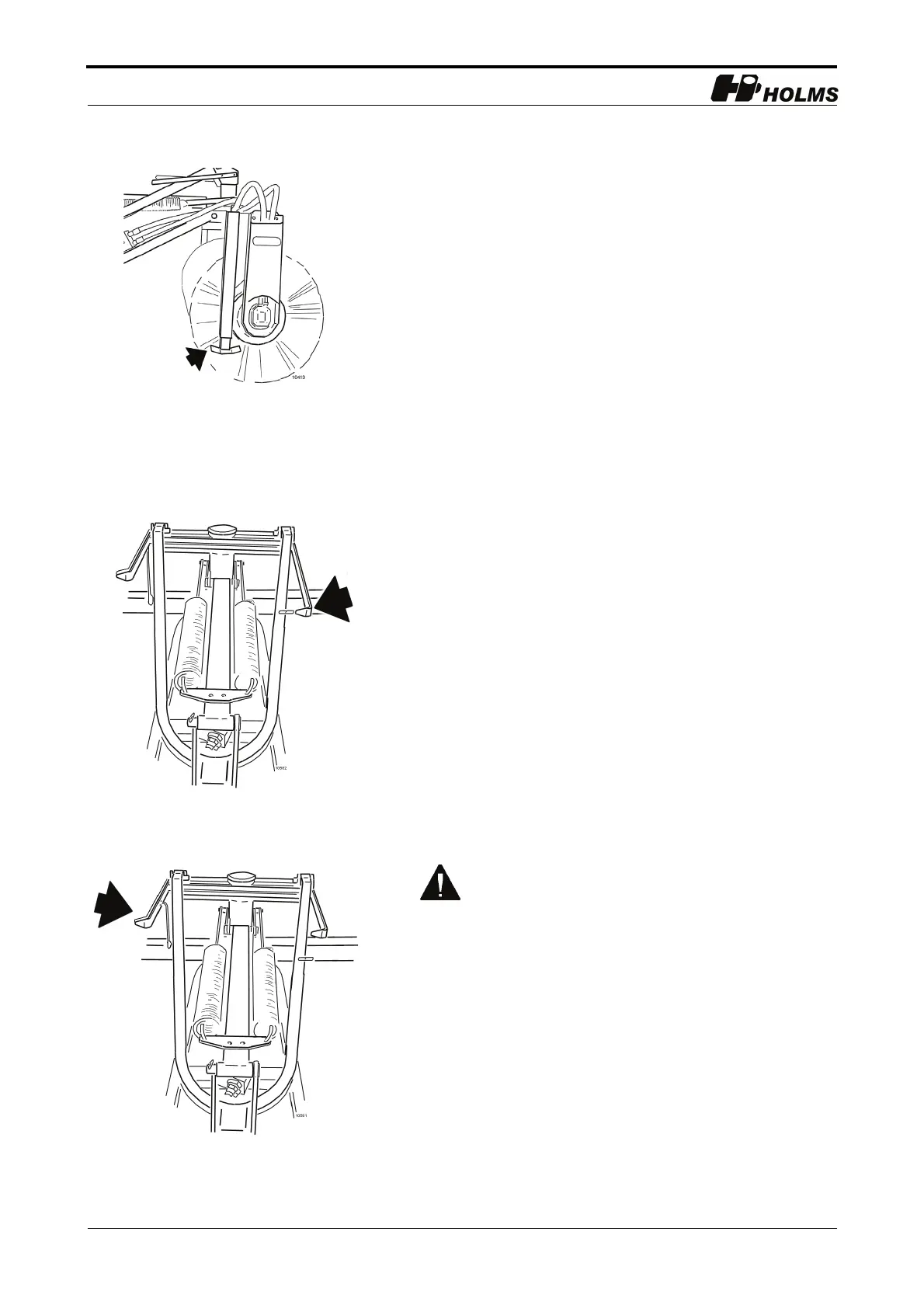
1. Lift the sweeper roller. Raise and secure the supports
in the operating position (see figure 8).
2. Slowly lower the sweeper roller until the height
indicator’s yellow markings line up (see figure 9).
3. Tilt the sweeper roller until the tilt indicator’s yellow
markings line up (see figure 10).
4. Readjust the height where appropriate as per item 2.
5. Start the sweeper roller via the third hydraulic
function or via the hydraulic motor circuit.
When angling a sweeper roller using
electrohydraulic angling, the roller must be in
contact with the ground.
8.Supports in operating position



 To Next Page