EasyManua.ls Logo

Holux 236 - User Manual

Holux 236
18 pages
Print Icon
To Next Page IconTo Next Page
Loading...
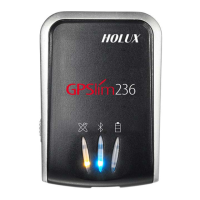
Bluetooth GPS Receiver
HOLUX
Technology Inc.
1F, No. 30, R&D Rd. II, HsinChu City 300, Science-based Industrial Park, Taiwan
TEL: 03-6687000 FAX: 03-6687111
E-Mail: info@holux.com.tw Website: www.holux.com.tw
Rev.: A
All Right Reserved
Date: 031705 Still
Users Guide
HOLUX

Questions and Answers

  • P
    Phillip JohnsonJul 26, 2025
    How to fix 'Execute fail' error on Holux GPS?
    • J
      Juan WilliamsJul 26, 2025
      If you're encountering an 'Execute fail' error with your Holux GPS, it might be due to an unstable Bluetooth function. Try turning the power off and on, restarting your PDA or PC, and reinstalling the software.
  • E
    Elizabeth RogersAug 3, 2025
    What to do if I can't turn on the COM port for my Holux 236?
    • A
      ahallAug 3, 2025
      If you can't turn on the COM port for your Holux GPS, it could be because the installation was incomplete, or another device is using the same COM port. Ensure the installation is complete, or stop the other device that's currently using the COM port.
  • K
    Kyle MoralesAug 9, 2025
    What to do if my Holux 236 has no position output but the timer is counting?
    • M
      Michelle WalkerAug 10, 2025
      If your Holux GPS timer is running, but you're not getting a position output, it could be due to a weak or nonexistent GPS signal. This can happen if you're indoors or in a location where the signal is obstructed. Try connecting an external antenna in an open space and running the GPSViewer Cold start function. If you're outdoors but the signal is blocked by buildings or your car roof, move to a more open area, run the GPSViewer Cold start function again, or use an external antenna to improve the GPS signal.
  • D
    Daniel McdonaldAug 17, 2025
    Why my Holux 236 'Can not find out'?
    • S
      Sarah HarrisonAug 17, 2025
      If your Holux GPS showing 'Can not find out', it may be caused by a poor connection. Try restarting your PDA or PC and reinstalling the software.

Summary

1. Overview

3. Main Functions

4. Technical Specifications

4.1. Basic Specification

Covers fundamental specifications like chipset, channels, and frequency.

4.3. Receiver Accuracy

Details the accuracy of position, velocity, and time measurements.

4.5. Power Supply

Describes the power sources, including external voltage and battery types.

4.6. Output and Interface

Explains the output protocols, formats, and connection interfaces.

5. Getting Started

5.1. Hardware Description

5.2. Software Installation

5.3. Installation of Testing Program

7. Driver Installation

9. Trouble Shooting

12.1. Common Problems and Solutions

Provides solutions for common issues like no GPS signal or connection errors.

Holux 236 Specifications

General IconGeneral
ChipsetSiRF Star III
Channels20
Update Rate1 Hz
AntennaBuilt-in patch antenna
Bluetooth ProfileSPP
BatteryLi-ion
ChargingUSB charging
Operating Temperature-10°C to 60°C
Storage Temperature-20°C to 70°C
TypeGPS Receiver
SBASWAAS, EGNOS
InterfaceUSB, Bluetooth
Acquisition TimeHot start: 1s
Sensitivity-159 dBm
Accuracy5 meters

Related product manuals