
 To Next Page
D
Denise CarrJul 30, 2025
Why does my Holux 240 have no signal?
- WwendybutlerJul 30, 2025
If your Holux GPS shows no signal, it might be due to weak or absent GPS signals. Try using the device outdoors to ensure it has a clear view of the sky.

Why does my Holux 240 have no signal?
If your Holux GPS shows no signal, it might be due to weak or absent GPS signals. Try using the device outdoors to ensure it has a clear view of the sky.
What to do if my Holux 240 has no signal output?
If your Holux GPS is not showing a signal, it could be due to weak GPS signals or obstructions like tall buildings or the roof of your vehicle, or even anti-heat film on your car windows. Try using the device outdoors in an open area.
What to do if I am unable to open COM port on my Holux 240 GPS?
If your Holux GPS COM port won't open, it may not be properly installed, or the COM port might be in use by another application. Ensure the GPS is correctly installed, terminate other programs using the COM port, and check for password requirements for other installations.
Why is my Holux 240 GPS unable to find GPS module?
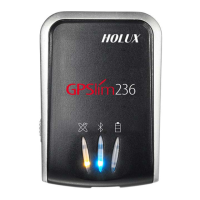
If your Holux GPS can't find the GPS module, the installation might be incorrect, or the battery could be flat. Double-check the installation and make sure the battery isn't dead. The orange LED should be lit.
Guides users on how to charge the device's Lithium-ion battery until fully charged.
Instructions on turning on the device and initiating Bluetooth pairing with other devices.
Step-by-step instructions for connecting the GPS receiver to a PDA via Bluetooth.
Detailed steps for copying and executing the USB driver installation file.
 General
| Type | GPS Receiver |
|---|---|
| Chipset | SiRF Star III |
| Channels | 20 |
| Update Rate | 1 Hz |
| SBAS | WAAS, EGNOS, MSAS |
| Battery | Rechargeable Li-ion |
| Interface | Bluetooth |
| Acquisition Time | Cold start: 42s, Warm start: 38s, Hot start: 1s |