
 To Next Page

E
Ernest HarrisAug 17, 2025
What to do if my Holux M-241 has no display?
- KKevin GordonAug 18, 2025
If your Holux GPS shows no display, the battery might be low. Please check the battery.

What to do if my Holux M-241 has no display?
If your Holux GPS shows no display, the battery might be low. Please check the battery.
Why can't I open the COM port on my Holux GPS?
If you cannot open the COM port on your Holux GPS, it may be due to a Bluetooth connection interruption or the COM port being conflicted or occupied by other programs. Check the Bluetooth connection again. Also, check and close other programs that might be conflicting with the COM port.
How to fix no GPS output on Holux M-241 but timer is counting?
If your Holux GPS timer is counting but there is no GPS output, it could be due to a weak or non-existent GPS signal. Try testing it under an open sky at a fixed location and run the Mini GPS Viewer “Cold start” function. Alternatively, the ephemeris and almanac data in the GPS memory might be outdated. Remove the battery for 120 seconds and re-insert it, then power it on to test again. This operation is the same as a 'Cold Start'.
What to do if Bluetooth execute fails on Holux GPS?
If the Bluetooth function fails on your Holux GPS, it may be unstable. Power the device off and on again. Restart your PDA or PC and refer to section 10 'Bluetooth device connection installation' to reconnect.
Why is my Holux M-241 GPS not recording POIs even though the logger function is on?
If the logger function is on but no Points of Interest (POI) are being recorded on your Holux GPS, it could be due to several reasons: * There may be no GPS signal acquisition. Move to an open area to reacquire the signal. * The log mode might be set to record by distance, and no movement has occurred. Change the log mode to 'by time'. * The log mode may be set to a long interval. Ensure your interval setting meets your specific logging needs.
Why does my Holux GPS velocity and position shift when static?
If you experience velocity and position shifting when your Holux GPS is static, it is likely due to satellite signal interference when the moving speed is less than 10 km/hr, or under the environment with tall buildings that the satellite signal is not good. Move to an open sky area to get a better GPS signal, as this is a characteristic of GPS technology.
What to do if logger function can’t work on Holux GPS?
If the logger function on your Holux GPS isn’t working, it could be because the flash memory initial process failed due to the device being suddenly shut down during the flash memory erase process. Power the device on again to erase.
Why does my Holux M-241 GPS show velocity and position shifting when static?
This is a typical GPS behavior. The satellite signal may be easily shifted due to interference when the moving speed is less than 10 km/hr or in environments with tall buildings where the satellite signal is weak. Move to an open area to improve the GPS signal.
What to do if my Holux M-241 GPS logger function is on, but no POI is recorded?
There are several reasons why your Holux GPS might not be recording POIs: 1. You may not have a GPS signal. Move to an open area to reacquire the signal. 2. If the log mode is set to record 'by distance', it won’t record if there is no movement. Change the log mode to 'by time'. 3. The log mode interval might be too long. Ensure your interval setting meets your specific needs.
What to do if my Holux M-241 GPS has no GPS output but the GPS timer is counting?
If your Holux GPS timer is running but there's no GPS output, it could be due to: 1. A weak or nonexistent GPS signal. Test the device in an open area and use the 'Cold start' function in the Mini GPS Viewer. 2. Outdated ephemeris and almanac data in the GPS memory. Remove the battery for 120 seconds, re-insert it, and power on the device to test again. This process is the same as performing a 'Cold Start'.
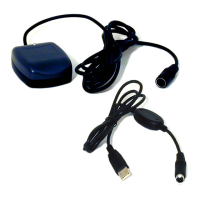
Optional items included in the package for enhanced functionality.
Details on GPS positioning accuracy, sensitivity, and acquisition times.
Information on boot times (hot, warm, cold) for GPS signal acquisition.
Specifications for Bluetooth compatibility and data output protocols.
Preparatory advice and precautions before operating the GPS logger.
Explains the function of each button on the GPS logger device.
Guides users on changing the operational modes of the GPS logger.
Steps to install the necessary driver for USB connection to the PC.
 General
| Chipset | SiRF Star III |
|---|---|
| Channels | 20 |
| Update Rate | 1 Hz |
| WAAS/EGNOS support | Yes |
| Battery Life | Up to 20 hours |
| Data Logging | Yes |
| Connectivity / Interface | USB |
| Operating Temperature | -10°C to 60°C |
| Storage Temperature | -20°C to 70°C |
| Type | GPS Receiver |
| Battery | Rechargeable Li-ion battery |
| Memory | 4MB |
| Acquisition Time | Hot start: 1 sec |