EasyManua.ls Logo

Home Decorators Collection 102L52MBKDDW - User Manual

Home Decorators Collection 102L52MBKDDW
38 pages
Print Icon
To Next Page IconTo Next Page
Loading...
USE AND CARE GUIDE
THANK YOU
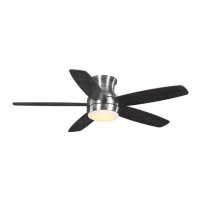
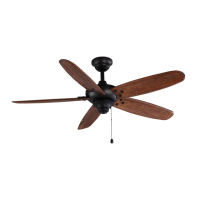
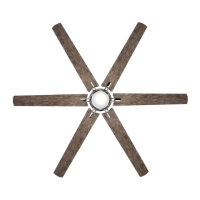
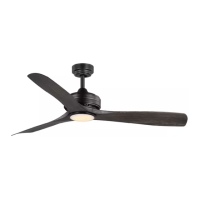
BAYSHIRE 52 INCH CEILING FAN
Questions, problems, missing parts? Before returning to the store,
call Home Decorators Collection Customer Service
8 a.m. - 7 p.m., EST, Monday-Friday, 9 a.m. - 6 p.m., EST, Saturday.
BAYSHIRE 60 INCH CEILING FAN
1-844-400-FANS (3267)
Item #1005 784 170
Item #1005 712 786
Item #1005 712 742
Item #1005 712 566
Item #1005 832 068
Item #1005 712 578
Item #1005 712 813
Item #1005 712 652
Model #102L52MBKDDW
Model #102L52MBKDB
Model #102L52BNDDW
Model #102L52BNLDW
Model #102L60MBKDDW
Model #102L60MBKDB
Model #102L60BNDDW
Model #102L60BNLDW
HOMEDEPOT.COM/HOMEDECORATORS

Questions and Answers

  • J
    Jason MuellerAug 7, 2025
    How to fix a wobbling Home Decorators Collection 102L52MBKDDW Fan?
    • D
      Diane HowellAug 8, 2025
      If your Home Decorators Collection Fan is wobbling, start by checking that all blade and blade arm screws are secure. Most wobble issues occur when blade levels are uneven. To check this, measure from a point on the center of each blade to a point on the ceiling above the blade tip, ensuring the deviation is within 1/8 inch. Run the fan for 10 minutes after adjustments.
  • B
    Billy BakerAug 15, 2025
    Why is my Home Decorators Collection 102L52MBKDDW so noisy?
    • A
      Ana JenningsAug 15, 2025
      If your Home Decorators Collection Fan sounds noisy, ensure all motor housing screws are snug and that the screws attaching the fan blade arm to the motor hub are tight. Also, check that wire nut connections are not rattling. If you are using a ceiling light kit, make sure the screws securing the glassware are tight and the light bulb is secure. Allow a 24-hour 'breaking-in' period for new fans. Ensure there is a short distance from the ceiling to the canopy, and that your ceiling box is secure with rubber isolator pads between the mounting bracket and outlet box.
  • A
    Adam ShawAug 22, 2025
    What to do if my Home Decorators Collection 102L52MBKDDW Fan will not start?
    • K
      Kimberly FarrellAug 22, 2025
      If your Home Decorators Collection Fan is not starting, make sure to check the main and branch circuit fuses or breakers. Also, check the line wire connections to the fan and the switch wire connections in the switch housing. You might also need to reset the transmitter by going through the transmitter 'LEARNING PROCESS'.
  • B
    bennettjohnAug 29, 2025
    What to do if Home Decorators Collection 102L52MBKDDW Fan moves backwards and forwards when turned on?
    • L
      Lauren GarciaAug 29, 2025
      This partial movement during start-up is normal for DC motor Home Decorators Collection Fans. It is the result of the DC motor aligning the internal magnetic poles for proper motor operation. This design saves electricity and allows the fan to operate much quieter than standard AC motor fans.

Summary

Safety Information

Safety Warnings and Precautions

Essential safety instructions, warnings, and precautions for operating the fan.

Warranty Information

Warranty Details

Explains the fan's warranty coverage, terms, and conditions.

Pre-Installation Guide

Hardware Included

Lists and identifies all hardware components provided with the fan.

Package Contents

Details all the parts included in the fan package with visual references.

Installation Instructions

Mounting Options

Describes different methods and considerations for mounting the fan securely.

Fan Assembly Steps

Attaching Mounting Bracket

Step-by-step guide for securely attaching the fan's mounting bracket.

Attaching Downrod

Instructions for connecting the downrod to the fan motor assembly.

Securing Canopy and Hanger Ball

Steps for correctly attaching the canopy and hanger ball to the downrod.

Making Electrical Connections

Detailed guidance on how to safely connect the fan's wiring.

Securing Fan Motor to Bracket

Instructions on how to properly secure the fan motor assembly to the mounting bracket.

Fastening Fan Blades

Procedure for attaching the fan blades to the motor assembly.

Installing Light Kit

Steps for connecting and securing the fan's light kit assembly.

Fan Operation Guide

Remote Control Operation

How to use the remote control for fan and light functions.

Multi-Fan Pairing Process

Instructions for synchronizing multiple fans with a single remote.

Fan Control Functions

Explains the operation of various fan speed and direction controls.

Care and Cleaning

Cleaning Procedures

Guidelines for safely cleaning and maintaining the fan.

Troubleshooting Common Issues

FCC Compliance Statement

Home Decorators Collection 102L52MBKDDW Specifications

General IconGeneral
BrandHome Decorators Collection
Model102L52MBKDDW
CategoryFan
LanguageEnglish

Related product manuals