44
Function and device overview
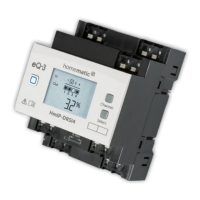
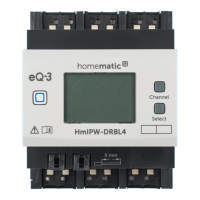
Device overview (see figure 1):
A System button (teach-in button and LED)
B Channel button
C Select button
D LC display
E Connecting terminal for push-button/switch channel 1-4
F Connecting
terminals for dierent loads
G DIN rail lock
H
Connecting terminal phase conductor (power supply)
I Connecting terminal neutral conductor
Display overview (see figure 1):
Symbol Meaning
Channel switched on
Channel switched o
Input not activated
Input activated
Receiving data
Transmitting data
Percentage (indicated, if switching status
or duty cycle are displayed)
Temperature indication (indicated, if tem-
perature is displayed)


 To Next Page
 Loading...