52
Operation
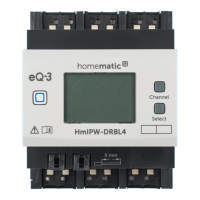
Select button
After selecting a channel via the channel button (see
‘Channel button’), you can select the status of the output
channel by briefly pressing the select button (see figure
12) (e.g. 0 or 100%). With a button press, you can switch
to the next status. For the input channels, pressing the
Select key simulates a short button press for the select-
ed input channel. Connected actuators can be switched.
This function is not available if the input has been config-
ured for switch contacts.
If you have not selected a channel previously, you can
select the following options in the LC display by pressing
the Select button briefly:
• Duty cycle of the switch actuator (in %)
• Temperature inside switch actuator (in °C)
• Empty display
External push-button/switch
With external push-buttons/switches, each channel can
be switched on or o directly.
• Long/short button press of the push-button: The
corresponding channel changes its status.
• Turning over the switch: The corresponding
channel changes its status.


 To Next Page
 Loading...