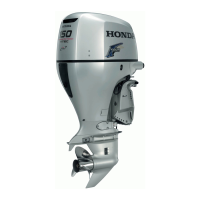
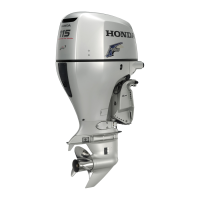
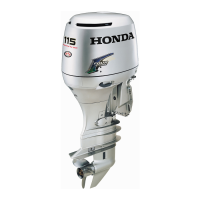
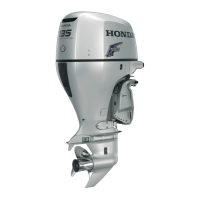
This document serves as a comprehensive troubleshooting guide for Honda outboard motors, specifically models BF175D, BF200D, BF225D, and BF250D. It is designed to assist users in identifying and resolving common issues, acting as a supplementary resource to the main owner's manual. The guide emphasizes the importance of referring to the owner's manual for detailed instructions and clarifications, and it encourages users to download and store the PDF version on their devices for easy access. Additionally, it provides a link to the Honda Power Products & Services website for web instruction manuals, official owner's manual PDFs, and a dealer locator.
The guide is structured into three main sections, each addressing a specific troubleshooting scenario: "Indicator lamp turns on / off," "If the outboard motor was submerged," and "Emergency gear shifting (for DBW types)."
Indicator Lamp Turns On / Off
This section begins by detailing the "Denotation of Indicators," explaining the meaning of each warning light on the control panel:
- Overheat Indicator: This indicator is normally off during operation. It illuminates and triggers a buzzer when the engine cooling circuit is faulty, leading to a reduction in engine speed.
- Oil Pressure Indicator: This indicator typically remains on during normal operation. It turns off and activates a buzzer when the oil level is low or the engine lubrication system is faulty, causing a gradual decrease in engine speed.
- PGM-FI Indicator: Normally off, this indicator turns on with a buzzer sound if the engine control system malfunctions.
- ACG Indicator: Also normally off, this indicator illuminates and sounds a buzzer when the charging system is faulty.
A crucial usage feature mentioned is that all indicators briefly illuminate, and the buzzer sounds twice when the engine key is turned on, serving as a system check.
Following the indicator denotation, the "Symptom and solution" subsection provides detailed troubleshooting steps for various warning scenarios:
-
Overheat Warning System Activation:
- Symptoms: Overheat warning system comes on, buzzer sounds, engine speed decreases and stops, throttle cannot increase engine speed, and the engine will stop within 20 seconds after speed limitation.
- Possible Causes & Solutions:
- Clogged cooling water intake port: Clean the port.
- Incorrect spark plug heat range: Replace spark plugs (instructions available online).
- Other potential issues requiring dealer consultation: Faulty water pump, clogged thermostat, faulty thermostat, clogged cooling water passage, or exhaust gas entering the cooling system.
-
Oil Pressure Warning System Activation:
- Symptoms: Oil pressure indicator does not come on, buzzer sounds, engine speed decreases, and throttle cannot increase engine speed.
- Possible Causes & Solutions:
- Insufficient engine oil: Add oil to the specified level (instructions available online).
- Incorrect engine oil used: Change the engine oil (instructions available online).
-
Water Separator Warning System Activation:
- Symptoms: Water separator warning buzzer sounds, but no warning indicator turns on (oil pressure indicator stays on).
- Possible Causes & Solutions:
- Water accumulation in the water separator: Drain the water separator and check the fuel tank and line for water accumulation (instructions available online). If the buzzer persists, consult a dealer.
-
PGM-FI Warning System Activation:
- Symptoms: PGM-FI indicator turns on, and the buzzer sounds intermittently.
- Possible Causes & Solutions:
- Faulty PGM-FI warning system: Consult a dealer.
-
ACG Warning System Activation:
- Symptoms: ACG indicator turns on, and the buzzer sounds intermittently.
- Possible Causes & Solutions:
- Battery voltage too high or low: Check the battery (instructions available online).
- Faulty ACG: Consult a dealer.
If the Outboard Motor Was Submerged
This critical section outlines immediate service procedures for a submerged outboard motor to minimize corrosion. It strongly advises taking the motor to a Honda dealer if one is nearby. If not, the guide provides a step-by-step process:
-
STEP 1 - Wash the outboard motor:
- Remove the engine cover.
- Rinse the outboard motor thoroughly with fresh water to remove salt water, sand, mud, etc.
-
STEP 2 - Change the engine oil:
3. Remove the oil filler cap.
4. Place a suitable container under the oil drain bolt, remove the bolt and washer, and drain the engine oil until it reduces to a trickle.
5. Install the drain bolt with a new sealing washer and tighten securely.
6. Refill with recommended oil to the upper level mark on the dipstick, avoiding overfilling.
7. Check the oil level using the dipstick, ensuring it's between the upper (A) and lower (B) levels. Close the oil filler cap if the level is correct.
-
STEP 3 - Lubricate the engine cylinder:
8. Remove all ignition coil wire connectors, ignition coils, and spark plugs.
9. Pour a teaspoon of engine oil into each spark plug hole to lubricate the cylinders.
10. Carefully install spark plugs by hand to prevent cross-threading, then tighten 1/8–1/4 turn after seating. Reinstall ignition coils and connect wire connectors.
-
STEP 4 - Attempt to start the engine:
11. Install the engine cover.
12. Attempt to start the engine.
* Notice: If the engine was running when submerged, there might be mechanical damage (e.g., bent connecting rods). If the engine binds, do not attempt to run it until repaired.
* If the engine fails to start: Remove, clean, and dry spark plug electrodes, then reinstall and try again.
* If used oil shows water contamination: Perform a second oil change after running the engine for 1/2 hour.
* If the engine starts and no mechanical damage is evident: Continue running for 1/2 hour or longer, ensuring the water level is at least 100 mm above the anticavitation plate.
13. Take the outboard motor to your dealer as soon as possible.
Emergency Gear Shifting (for DBW types)
This section provides manual gear shifting procedures for Drive-By-Wire (DBW) type motors when the gear cannot be shifted electronically, allowing the user to return to base at a possible engine speed.
- Set the shift lever or remote control lever to the neutral position.
- Stop the engine.
- Remove the engine cover.
- Insert a Phillips screwdriver (from the tool kit) into the hole of the shift actuator.
- Shift gear into neutral by moving the shaft.
- Start the engine.
- Shift the gear into F (Forward) or R (Reverse) by manually moving the shaft.
This guide serves as an essential tool for Honda outboard motor owners, providing clear, actionable steps for common issues and critical emergency procedures, all while emphasizing safety and the importance of professional service when necessary.


 To Next Page
 General