Removing & Installing Body Components u Battery
69
Battery
❙
Removal
Make sure the ignition switch is off.
1.
Remove the seat. 2 P. 64
2.
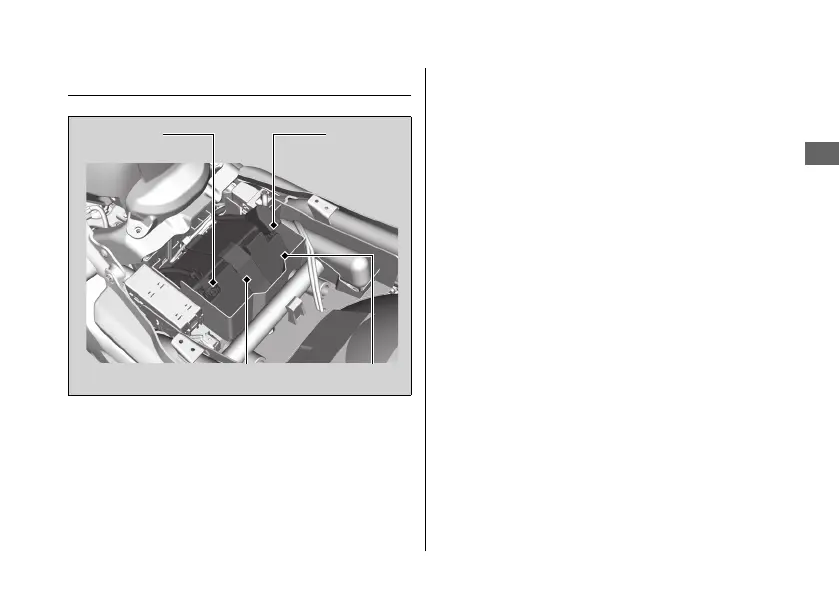
Unhook the rubber strap.
3.
Disconnect the negative - terminal from
the battery.
4.
Disconnect the positive + terminal from
the battery.
5.
Remove the battery taking care not to
drop the terminal nuts.
❙
Installation
Install the parts in the reverse order of
removal. Always connect the positive
+
terminal first. Make sure that bolts and nuts
are tight.
The clock will be reset AM 1:00 if the battery
is disconnected.
For proper handling of the battery, see
“Maintenance Fundamentals.“
2 P. 54
“Battery Goes Dead.“ 2 P. 109
Negative
terminal
Positive
terminal
Rubber strap
Battery
14 CTX700-32MJF8000.book 69 ページ 2013年5月9日 木曜日 午後9時59分


 To Next Page