uuBlu-ray/DVD Rear Entertainment System
*
uPlaying a DVD/Blu-ray
TM
*
320
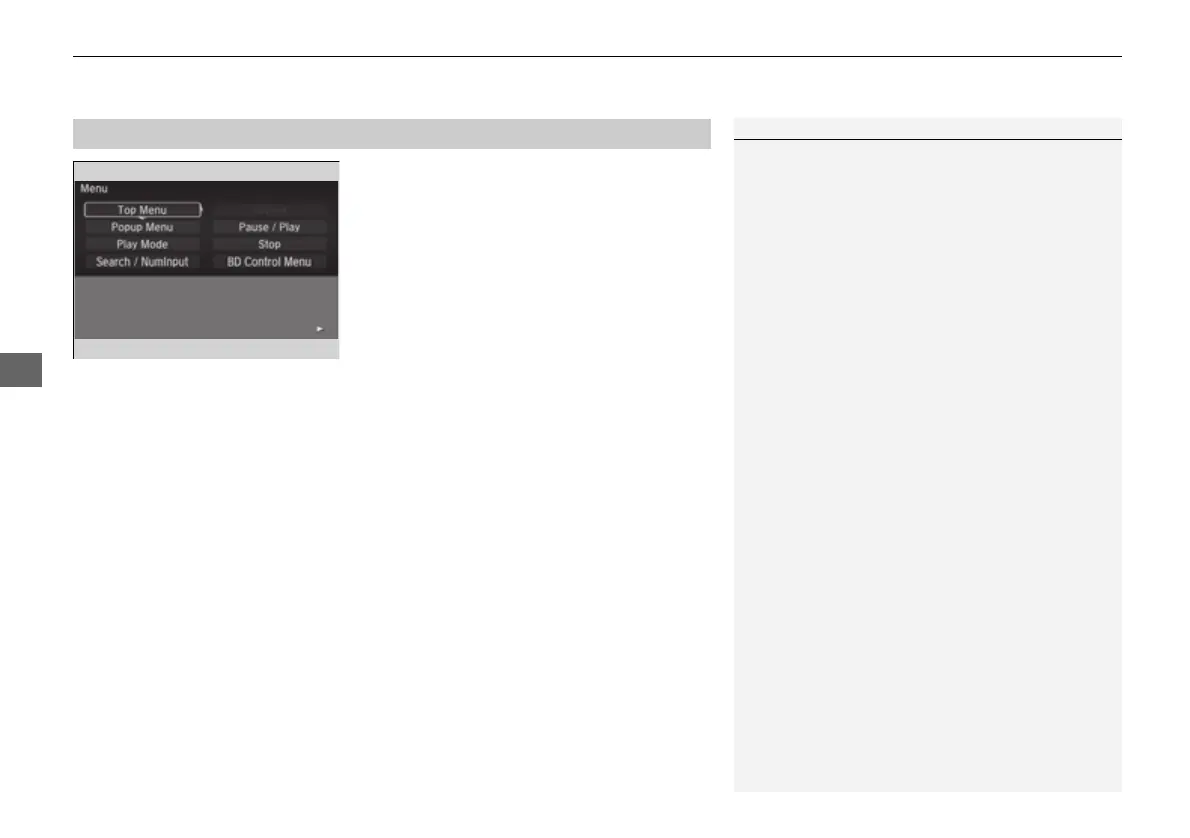
1. Press the MENU button on the remote to
display the Menu screen.
2. Select an item and then press the ENTER
button on the remote.
The following items are available:
• Top Menu: Displays the top menu of the DVD or Blu-ray
TM*
.
• Popup Menu: Displays the menu of the Blu-ray
TM*
.
• Play Mode: Displays while a DVD or Blu-ray
TM*
is playing and changes the DVD
or Blu-ray
TM*
preferences.
2 Setting the Play Mode P. 321
• Search / NumInput: Skips to a title or chapter by entering the number.
2 Searching a Title/Chapter P. 322
• Repeat:
TITLE REPEAT: Repeats the current title.
CHAPTER REPEAT: Repeats the current chapter.
• Menu (When playing a DVD): Displays the menu.
• Pause / Play: Pauses or resumes the playback.
• Stop: Stops the playback.
• Return (When playing a DVD): Returns to the previous screen.
• BD Control Menu (When playing a Blu-ray
TM
): Displays the Blu-ray
TM
control
menu.
■
Rear DVD or Blu-ray
TM
*
Menu
1Rear DVD or Blu-ray
TM
*
Menu
During Blu-ray
TM
operation, when the source is
changed or the vehicle is turned off, Blu-ray
TM
operation stops. For certain Blu-ray
TM
discs, it can only
be restarted from the RES.
* Not available on all models
16 PILOT-31TG76000.book 320 ページ 2016年10月19日 水曜日 午後5時4分















 To Next Page