101
uuIndicatorsuDriver Information Interface Warning and Information Messages
Continued
Message Condition Explanation
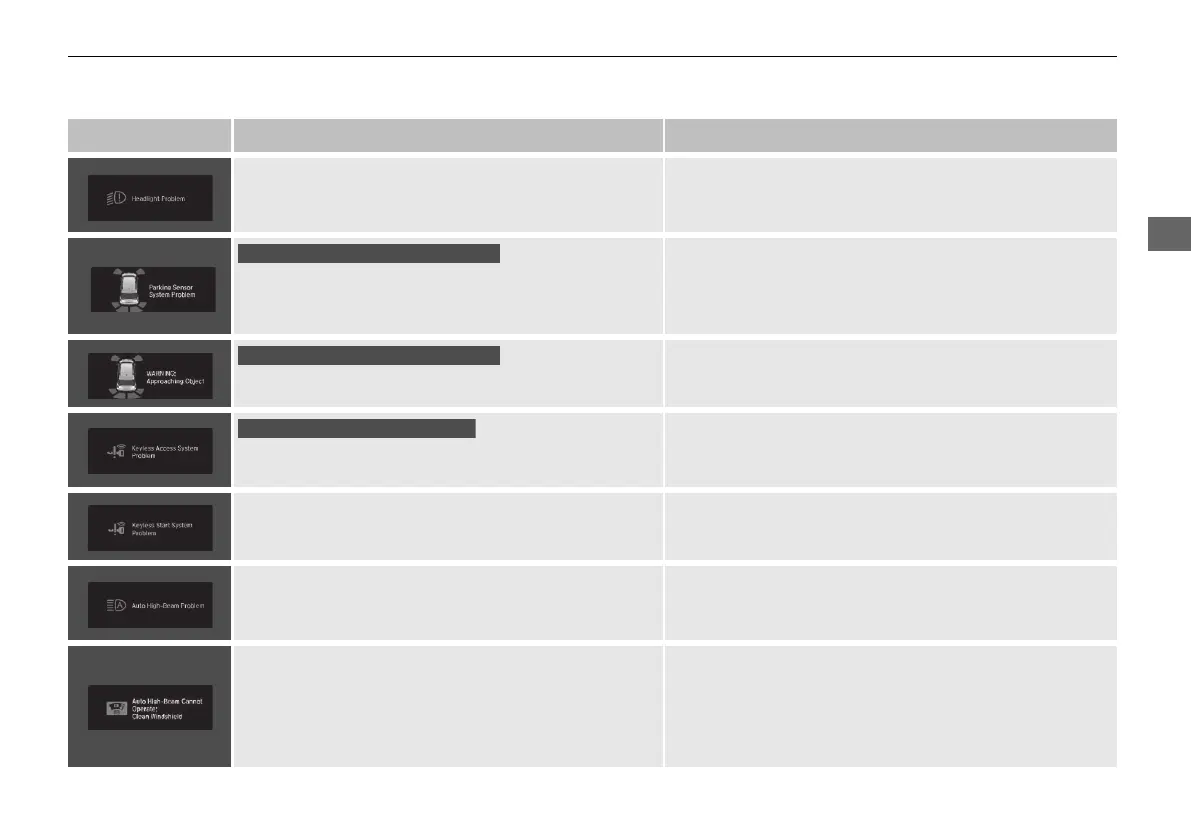
• Appears if there is a problem with the headlights. • Appears while driving - The headlights may not be
on. When conditions allow you to drive safety, have
your vehicle checked by a dealer as soon as possible.
• Appears if there is a problem with the parking sensor
system.
• Check if the area around the sensor(s) is covered with
mud, ice, snow, etc. If the indicator(s) stays on or the
beeper does not stop even after you clean the area,
have the system checked by a dealer.
• Appears if there are obstacles around the sensors.
• Check for obstacles near your vehicle to make sure it is
safe to park.
• Appears as soon as a problem is detected in the
smart entry system.
• Appears constantly - Have your vehicle checked by a
dealer.
• Appears as soon as a problem is detected in the push
button starting system.
• Appears constantly - Have your vehicle checked by a
dealer.
• Appears if there is a problem with the Auto high-
beam.
• Manually operate the headlight switch.
• If you are driving with the high-beam headlights when
this happens, the headlights are changed to low beams.
• Appears when the area around the camera is
blocked by dirt, mud, etc. Stop your vehicle in a safe
place, and wipe it off with a soft cloth.
• May appear when driving in bad weather (rain,
snow, fog, etc.)
• Have your vehicle checked by a dealer if the message
comes back on after you cleaned the area around the
camera.
Models with parking sensor system
Models with parking sensor system
Models with smart entry system
21 PILOT-31TG76500.book 101 ページ 2020年3月18日 水曜日 午後4時38分



 To Next Page