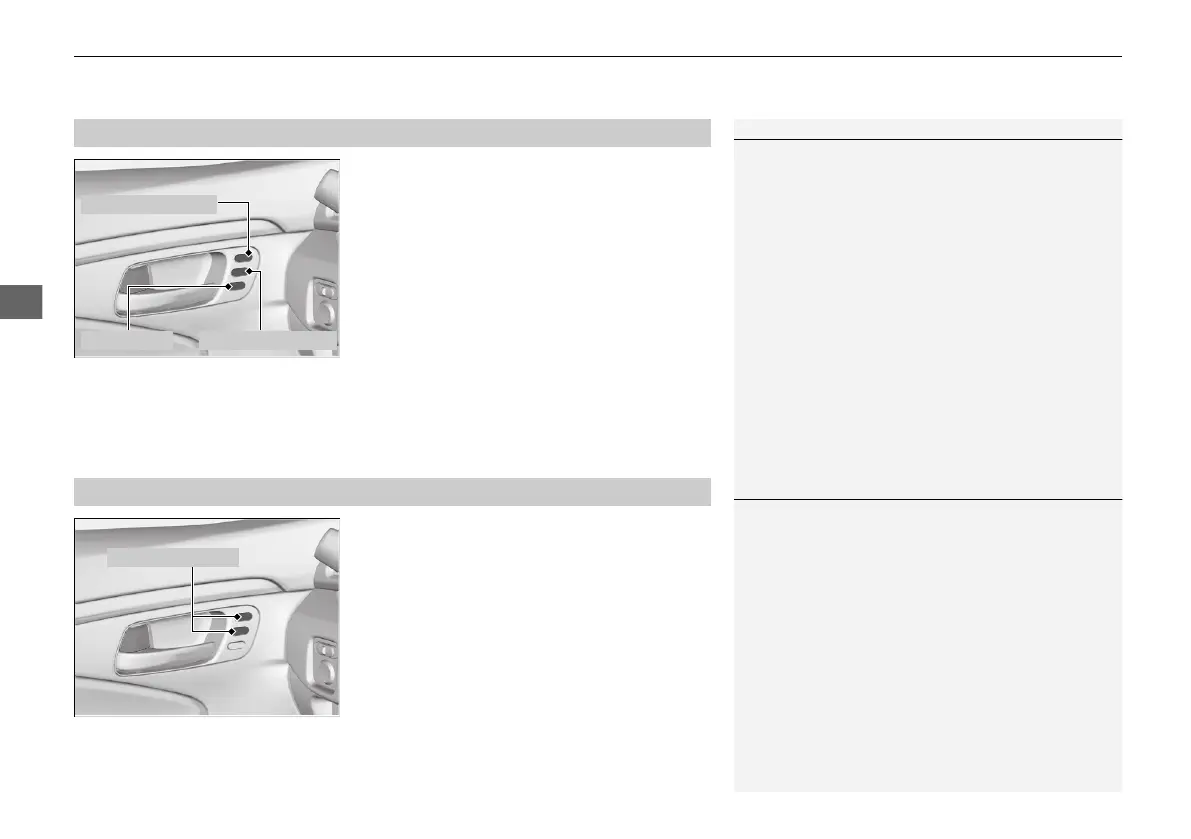
uuOperating the Switches Around the Steering WheeluDriving Position Memory System
*
190
1. Set the power mode to ON. Adjust the
driver’s seat and the door mirrors to the
desired position.
2. Press the SET button.
u You will hear a beep, and the memory
button indicator light will blink.
3. Press and hold memory button
(1 or (2
within five seconds of pressing the SET
button.
u You will hear two beeps, and the
indicator light on the button you pressed
stays on once the seat and the outside
mirror positions have been memorized.
1. Put the transmission into
(P.
2. Apply the parking brake.
3. Press a memory button (
(1 or (2).
u You will hear a beep, and the indicator
light will blink.
The seat and the door mirrors will
automatically move to the memorized
positions. When it has finished moving, you
will hear the beep, and the indicator light
stays on.
■
Storing a Position in Memory
1Storing a Position in Memory
After you press the SET button, the storing operation
will be canceled when:
• You do not press the memory button within five
seconds.
• You readjust the seat position and door mirror
before the double-beep.
• You set the power mode to any position except
ON.
Memory Button 1
Memory Button 2SET Button
■
Recalling the Stored Position
1Recalling the Stored Position
The seat and the door mirrors will stop moving if you:
• Press the SET button or memory button (1 or (2.
• Adjust the seat position or door mirrors.
• Put the transmission into a position other than (P.
21 PILOT-31TG76500.book 190 ページ 2020年3月18日 水曜日 午後4時38分



 To Next Page