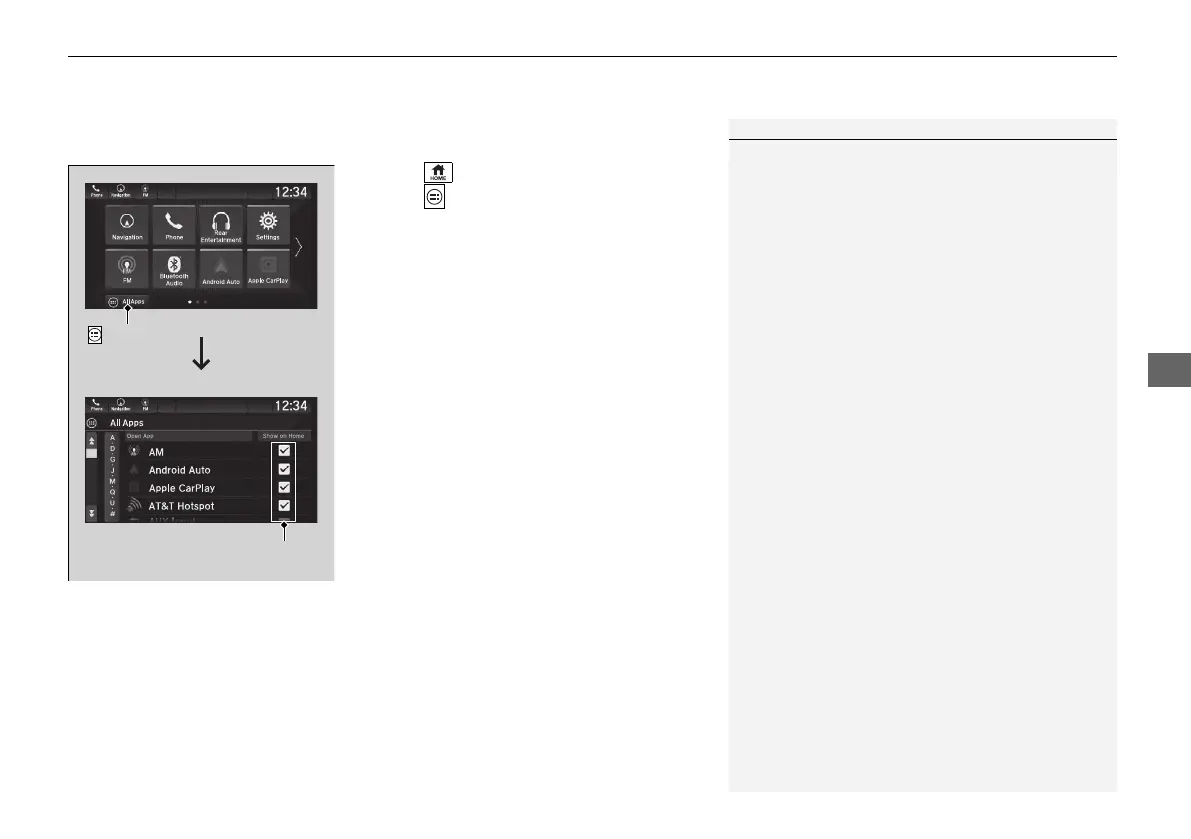
App icons can be added on the home screen.
1. Select .
2. Select All Apps.
3. Check the box of the app you want to add.
screen.
1To add app icons on the home screen
Pre-installed apps may not start up normally. If this
occurs, you need to reset the system.
2 Defaulting All the Settings P. 448
If you perform Factory Data Reset, it may reset all
the settings to their factory default.
2 Defaulting All the Settings P. 448
In case those apps still do not start up normally even
after Factory Data Reset, contact your dealer.
There is a possibility that a browser is shut down in
the situation of the use. In that situation, the screen
will return to before the browser start up.



 To Next Page